AI tool profile

OmniPractice

OmniPractice - AI-powered Affordable Behavioral Health Practice EHR. Increase savings and automate busy work with AI-powered documentation, scheduling and billing workflows. Save time and reduce costs by up to 70% with our comprehensive platform designed specifically for behavioral health practitioners, from solo practices to large groups.

OmniPractice website preview

OmniPractice - AI-powered Behavioral Health EHR

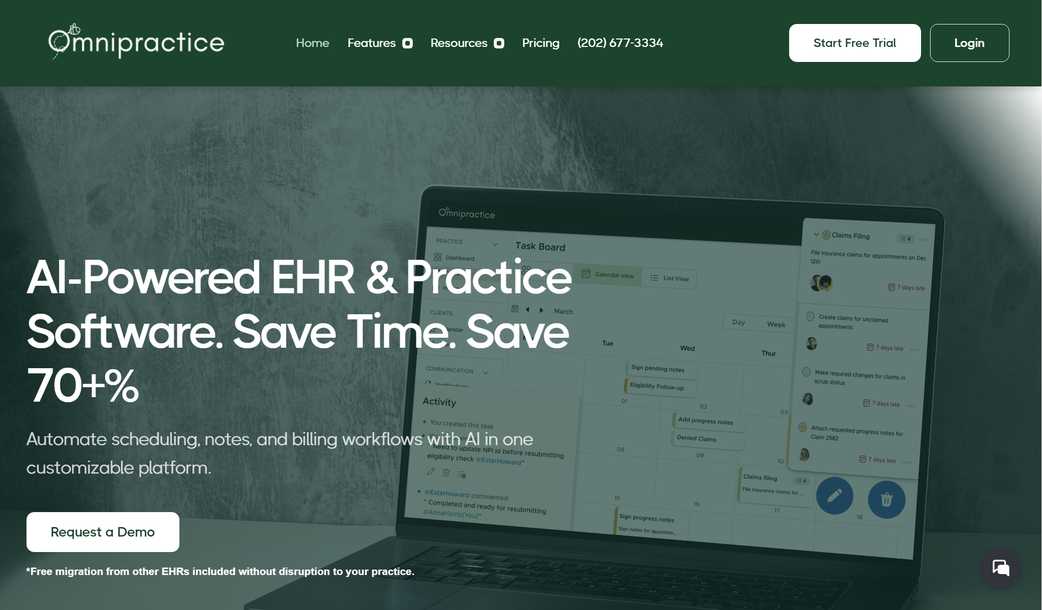
AI-Powered EHR & Practice Software

Save time and reduce costs by up to 70% with our comprehensive platform. Automate scheduling, notes, and billing workflows with AI in one customizable platform designed specifically for behavioral health practitioners.

What is OmniPractice

OmniPractice is an all-in-one EHR and practice management solution built specifically for behavioral health professionals. Healthcare practitioners told us they spend too much time on admin and too much money on outdated EHRs, so we built OmniPractice to solve these challenges with modern technology and AI assistance.

Our platform helps you:

  • Effortlessly integrate payment solutions with API support for faster transactions
  • Accept and manage payments in multiple currencies
  • Monitor payments instantly with real-time notifications

How to use OmniPractice

Step 1: Book a demo or start your free trial
Step 2: Choose the plan that best suits your practice needs
Step 3: Schedule free migration from your current EHR
Step 4: Streamline your practice with our all-in-one platform

Key Features From OmniPractice

AI-Powered Documentation: Save hours every day writing notes with our AI scribe and custom note generator
Calendar & Scheduling: Sync personal and professional calendars with unlimited appointments
Billing & Insurance: Simplify insurance claims, payment processing, and financial management
Communication: Secure client messaging and SMS scheduling to streamline interactions
Team Collaboration: Centralized taskboard for managing workflows and ensuring accountability

Product source: OmniPractice official website. Check the provider for current plans, limits and availability.

FAQ

OmniPractice questions and answers

Product context and practical checks for evaluating OmniPractice.

What is OmniPractice used for?

OmniPractice - AI-powered Affordable Behavioral Health Practice EHR. Increase savings and automate busy work with AI-powered documentation, scheduling and billing workflows. Save time and reduce costs by up to 70% with our comprehensive platform designed specifically for behavioral health practitioners, from solo practices to large groups.

How do I get started with OmniPractice?

Step 1: Book a demo or start your free trialStep 2: Choose the plan that best suits your practice needsStep 3: Schedule free migration from your current EHRStep 4: Streamline your practice with our all-in-one platform

Which capabilities are described for OmniPractice?

AI-Powered Documentation: Save hours every day writing notes with our AI scribe and custom note generatorCalendar & Scheduling: Sync personal and professional calendars with unlimited appointmentsBilling & Insurance: Simplify insurance claims, payment processing, and financial managementCommunication: Secure client messaging and SMS scheduling to streamline interactionsTeam Collaboration: Centralized taskboard for managing workflows and ensuring accountability

What should I compare before choosing a OmniPractice plan?

Check OmniPractice’s current pricing page for included usage, renewal terms and any credit charges. Compare the cost of a usable result, including retries, rather than assuming that account registration includes free usage.

What inputs should I prepare for a OmniPractice trial?

Look for text prompts, image references, masks or sketches as appropriate. Compare composition control, supported upload types and the ability to revise a selected area.

How can I check the quality of a OmniPractice result?

Inspect text, hands, edges, reflections and repeated objects at full size. Check that important product or brand details survive editing.

Which export options should I check in OmniPractice?

Compare pixel dimensions, transparency, file formats and any enlargement options. Confirm that the downloaded result works in your design or publishing software.

What is a practical way to test OmniPractice against alternatives?

Prepare a brief with a subject, composition, lighting and required output size. Test a first generation and a targeted revision to see how much control you retain.

What should I review before uploading material to OmniPractice?

Read the provider’s rules on access, retention, deletion and use of uploaded material. Start with a non-confidential sample that you have permission to use.

Where is the official OmniPractice website?

The website linked from this profile is https://omnipractice.ai. Use the provider’s own documentation, account area and support channels to confirm current product details.

Visit OmniPractice