AI Productivity Tools

Numberly

Numberly: Your free, instant math and metric conversion tool. solve equations in real-time with this browser extension. Never leave your workspace!

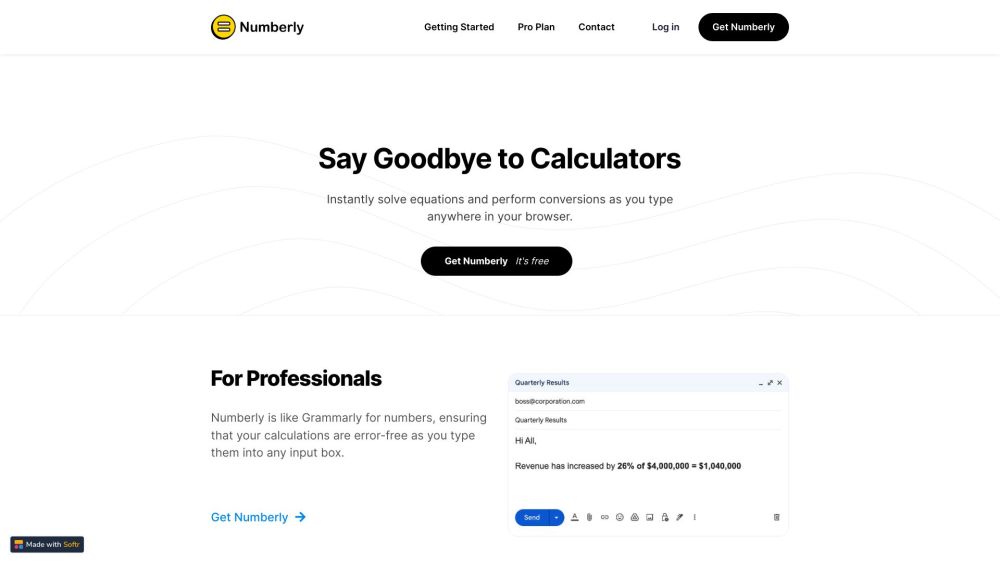
Numberly website preview

Numberly Website screenshot

What is Numberly?

Numberly is a complimentary online math assistant designed to instantly solve math equations and perform metric conversions as you type. This handy browser extension integrates smoothly with your workspace, delivering real-time solutions without requiring you to switch tabs or leave your current browser window.

How to Use Numberly?

To get started with Numberly, simply download and install the free extension on your browser. After installation, you can effortlessly type math equations or metric conversions anywhere in your browser, and Numberly will instantly display the solutions and conversions, making your calculations swift and error-free.

Numberly's Core Features

Real-time equation solving and metric conversions as you type

Automatic insertion of solutions for math problems

Integrated metric conversion functionality

Seamless real-time integration with emails, social media messages, documents, and spreadsheets

Privacy-focused: no data sent to third parties

Numberly's Use Cases

Professionals: Ensure accurate calculations in any input field

Students: Receive automatic solutions for math problems

Everyone: Effortless metric conversions without needing to perform external searches

  • Numberly Support Email & Customer Service Contact

    For more information, visit our contact page.

  • Numberly Login

    Access Numberly through this login link.

  • Numberly Sign Up

    Create an account using this sign-up link.

  • Numberly Pricing

    Learn about our pricing options here: Numberly Pricing.

Product source: Numberly official website. Check the provider for current plans, limits and availability.

FAQ

Numberly questions and answers

Product context and practical checks for evaluating Numberly.

What is Numberly used for?

Numberly: Your free, instant math and metric conversion tool. solve equations in real-time with this browser extension. Never leave your workspace!

How do I get started with Numberly?

To get started with Numberly, simply download and install the free extension on your browser. After installation, you can effortlessly type math equations or metric conversions anywhere in your browser, and Numberly will instantly display the solutions and conversions, making your calculations swift and error-free.

Which capabilities are described for Numberly?

Real-time equation solving and metric conversions as you typeAutomatic insertion of solutions for math problemsIntegrated metric conversion functionalitySeamless real-time integration with emails, social media messages, documents, and spreadsheetsPrivacy-focused: no data sent to third parties

What projects can I evaluate Numberly for?

Professionals: Ensure accurate calculations in any input fieldStudents: Receive automatic solutions for math problemsEveryone: Effortless metric conversions without needing to perform external searches Numberly Support Email & Customer Service Contact For more information, visit our contact page. Numberly Login Access Numberly through this login link. Numberly Sign Up Create an account using this sign-up link. Numberly Pricing Learn about our pricing options here: Numberly Pricing.

What should I compare before choosing a Numberly plan?

Learn about our pricing options here: Numberly Pricing. Confirm current prices and allowances on the provider’s website before purchasing.

What inputs should I prepare for a Numberly trial?

Identify the files, text or account connections your task needs. Confirm that the product accepts those inputs and offers controls for reviewing its work.

How can I check the quality of a Numberly result?

Test one representative task and inspect the result for accuracy and completeness. Record where manual corrections or extra tools are needed.

Which export options should I check in Numberly?

Check export formats, integrations and whether you can keep using your work outside the service. Test a real export before committing to a longer plan.

What is a practical way to test Numberly against alternatives?

Choose one task with a clear success condition. Keep the input consistent, record the time spent reviewing and compare the complete workflow cost.

Where is the official Numberly website?

The website linked from this profile is https://www.numberly.app. Use the provider’s own documentation, account area and support channels to confirm current product details.

Visit Numberly