AI Product Description Generator

neonFin

neonFin: Your ultimate budget buddy! Track spending, scan receipts with AI, and earn rewards with the points system. Take control of your finances now!

neonFin website preview

Introducing neonFin: Your All-in-One Financial Companion
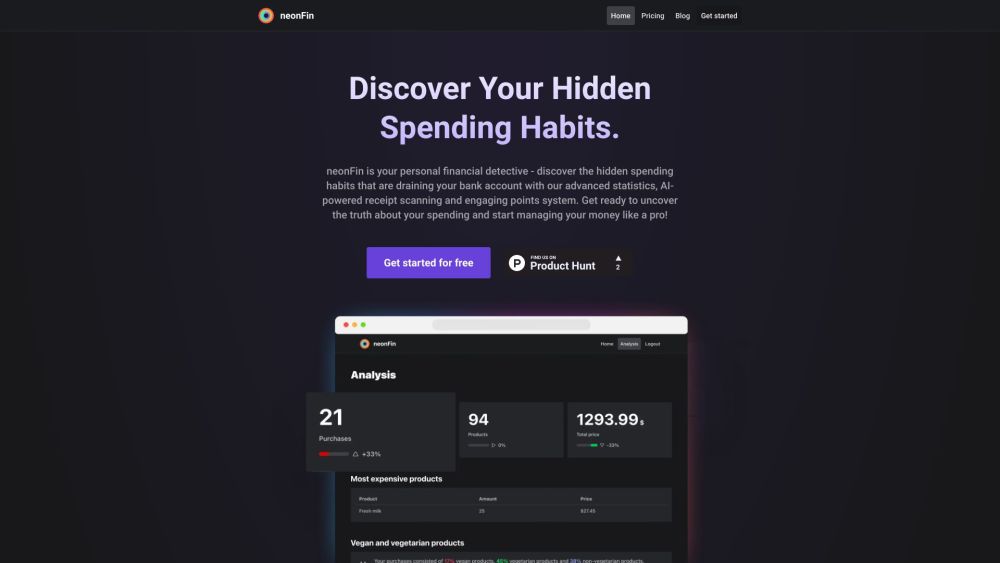
neonFin Website screenshot

neonFin is more than just a budget app - it's your personal financial detective, helping you uncover hidden spending habits and providing advanced financial insights. With features like AI-powered receipt scanning and real-time analytics, neonFin makes managing your finances fun and effortless.

How neonFin Works

To get started with neonFin, simply download the app on your computer or mobile device and create an account. Utilize the AI-powered receipt and barcode scanning to effortlessly track your expenses. neonFin automatically categorizes your spending, allowing you to visualize your financial habits with detailed reports and analytics. Set budgets tailored to your lifestyle choices, whether it's monitoring CO2 emissions or managing your nutriscore. Earn points and unlock achievements as you progress, turning budgeting into a rewarding experience. Access your financial data anytime, anywhere, as neonFin is designed for seamless use across all devices.

Key Features of neonFin

AI-powered receipt and barcode scanning

Real-time analytics and expense tracking

Expense categorization and trend identification

Customized budget creation for lifestyle choices

Engaging points system for motivation

Cross-platform accessibility for easy management

Data privacy and GDPR compliance for security

Ways to Utilize neonFin

Gain control over your personal finances

Identify and eliminate hidden spending patterns

Track expenses by category and analyze trends

Make informed decisions about your budget and lifestyle

Compete with friends to achieve financial goals

Product source: neonFin official website. Check the provider for current plans, limits and availability.

FAQ

neonFin questions and answers

Product context and practical checks for evaluating neonFin.

What is neonFin used for?

neonFin: Your ultimate budget buddy! Track spending, scan receipts with AI, and earn rewards with the points system. Take control of your finances now!

How do I get started with neonFin?

To get started with neonFin, simply download the app on your computer or mobile device and create an account. Utilize the AI-powered receipt and barcode scanning to effortlessly track your expenses. neonFin automatically categorizes your spending, allowing you to visualize your financial habits with detailed reports and analytics. Set budgets tailored to your lifestyle choices, whether it's monitoring CO2 emissions or managing your nutriscore. Earn points and unlock achievements as you progress, turning budgeting into a rewarding experience. Access your financial data anytime, anywhere, as neonFin is designed for seamless use across all devices.

Which capabilities are described for neonFin?

AI-powered receipt and barcode scanningReal-time analytics and expense trackingExpense categorization and trend identificationCustomized budget creation for lifestyle choicesEngaging points system for motivationCross-platform accessibility for easy managementData privacy and GDPR compliance for security

What should I compare before choosing a neonFin plan?

Explore neonFin's pricing options: neonFin Pricing Confirm current prices and allowances on the provider’s website before purchasing.

What inputs should I prepare for a neonFin trial?

Identify the files, text or account connections your task needs. Confirm that the product accepts those inputs and offers controls for reviewing its work.

How can I check the quality of a neonFin result?

Test one representative task and inspect the result for accuracy and completeness. Record where manual corrections or extra tools are needed.

Which export options should I check in neonFin?

Check export formats, integrations and whether you can keep using your work outside the service. Test a real export before committing to a longer plan.

What is a practical way to test neonFin against alternatives?

Choose one task with a clear success condition. Keep the input consistent, record the time spent reviewing and compare the complete workflow cost.

What should I review before uploading material to neonFin?

Read the provider’s rules on access, retention, deletion and use of uploaded material. Start with a non-confidential sample that you have permission to use.

Where is the official neonFin website?

The website linked from this profile is https://neonfin.app. Use the provider’s own documentation, account area and support channels to confirm current product details.

Visit neonFin