AI Chatbot

Neon AI

Discover Neon AI: The ultimate platform for voice assistants, chatbots, and voice privacy. Perfect for businesses and homes. Experience AI interactions today!

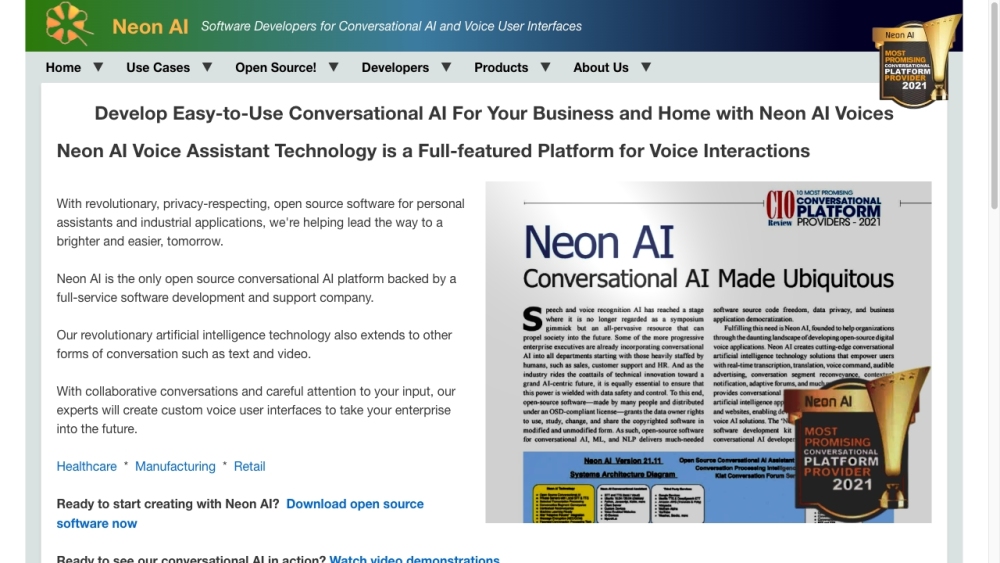
Neon AI website preview
html

Neon AI Website screenshot

What is Neon AI?

Neon AI is a versatile conversational AI platform designed for both businesses and homes. It includes various advanced features such as voice assistants, voice privacy solutions, and chatbots. This comprehensive platform facilitates AI-driven voice interactions and is supported by a dedicated software development and support team. Visit the website to explore its full range of features and applications.

How to use Neon AI?

To get started with Neon AI, you can download the open-source software available for Mark II device owners and developers on the website. For general consumers, the Neon - Mycroft AI Mark II device is available for purchase, which comes with the sophisticated private personal assistant pre-installed. Additionally, you can watch demo videos and participate in the chatbots forum on the website to discover the capabilities of Neon AI. Developers can utilize the Neon AI SDK and extensive documentation to create custom voice user interfaces and skills. The website also offers various resources for installation and integration with other systems.

Neon AI's Core Features

Private Personal Assistant

Voice Privacy

Chatbots

Voice User Interfaces

Speech to Text & Text to Speech (STT/TTS)

Translation

Neon Nano for Website Designers

Neon AI's Use Cases

Advanced Social Media

Business

Education

Enterprise

Healthcare

Home Manufacturing & Assembly

Retail

Product source: Neon AI official website. Check the provider for current plans, limits and availability.

FAQ

Neon AI questions and answers

Product context and practical checks for evaluating Neon AI.

What is Neon AI used for?

Discover Neon AI: The ultimate platform for voice assistants, chatbots, and voice privacy. Perfect for businesses and homes. Experience AI interactions today!

How do I get started with Neon AI?

To get started with Neon AI, you can download the open-source software available for Mark II device owners and developers on the website. For general consumers, the Neon - Mycroft AI Mark II device is available for purchase, which comes with the sophisticated private personal assistant pre-installed. Additionally, you can watch demo videos and participate in the chatbots forum on the website to discover the capabilities of Neon AI. Developers can utilize the Neon AI SDK and extensive documentation to create custom voice user interfaces and skills. The website also offers various resources for installation and integration with other systems.

Which capabilities are described for Neon AI?

Private Personal AssistantVoice PrivacyChatbotsVoice User InterfacesSpeech to Text & Text to Speech (STT/TTS)TranslationNeon Nano for Website Designers

What projects can I evaluate Neon AI for?

Advanced Social MediaBusinessEducationEnterpriseHealthcareHome Manufacturing & AssemblyRetail Neon AI Company Neon AI Company name: NeonGecko.com Inc. For more information about Neon AI, please visit the about us page (https://neon.ai/AboutUs). Neon AI Youtube Neon AI Youtube Link: http://youtube.com/ Neon AI Github Neon AI Github Link: http://github.com/neongeckocom

What should I compare before choosing a Neon AI plan?

Check Neon AI’s current pricing page for included usage, renewal terms and any credit charges. Compare the cost of a usable result, including retries, rather than assuming that account registration includes free usage.

What inputs should I prepare for a Neon AI trial?

Compare recording length, file types, language support and speaker handling. For voice generation, check pronunciation controls and permission to use any reference voice.

How can I check the quality of a Neon AI result?

Listen for mispronounced names, unnatural pauses, clipped words and noise. For transcripts, compare the text with the recording and correct speaker labels.

Which export options should I check in Neon AI?

Check audio format, sample rate, separate tracks, captions and timestamp exports. Confirm that the result works in your editing or accessibility workflow.

What is a practical way to test Neon AI against alternatives?

Use a short recording with names, numbers and more than one speaker, or a script with difficult pronunciation. Review the exported audio or transcript in full.

Where is the official Neon AI website?

The website linked from this profile is https://neon.ai. Use the provider’s own documentation, account area and support channels to confirm current product details.

Visit Neon AI