AI Image Recognition

Neckium - Chrome Extension

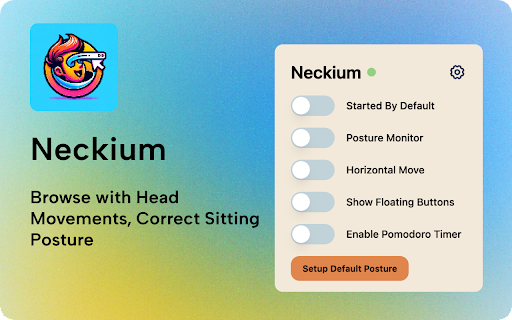
Neckium - Chrome Extension: Browse hands-free with head movements while improving posture. Boost productivity and wellness with navigation!

Neckium - Chrome Extension website preview

Neckium - Chrome Extension Website screenshot

What is Neckium Chrome Extension?

Control Your Browser with Head Gestures, Improve Posture

How Does the Neckium Chrome Extension Work?

Activate your webcam in the browser, allowing Neckium to track your head's movement. Tilt your head up or down to scroll, and side-to-side to switch between tabs. Get reminders to maintain a healthy posture.

Core Features of the Neckium Chrome Extension

Hands-free Browsing with Head Gestures

Real-time Posture Alerts

Use Cases for Neckium Chrome Extension

Scroll Through Pages with Simple Head Tilts

Seamlessly Change Tabs by Moving Your Head

Product source: Neckium - Chrome Extension official website. Check the provider for current plans, limits and availability.

FAQ

Neckium - Chrome Extension questions and answers

Product context and practical checks for evaluating Neckium - Chrome Extension.

What is Neckium - Chrome Extension used for?

Neckium - Chrome Extension: Browse hands-free with head movements while improving posture. Boost productivity and wellness with navigation!

How do I get started with Neckium - Chrome Extension?

Activate your webcam in the browser, allowing Neckium to track your head's movement. Tilt your head up or down to scroll, and side-to-side to switch between tabs. Get reminders to maintain a healthy posture.

Which capabilities are described for Neckium - Chrome Extension?

Hands-free Browsing with Head GesturesReal-time Posture Alerts

What projects can I evaluate Neckium - Chrome Extension for?

Scroll Through Pages with Simple Head TiltsSeamlessly Change Tabs by Moving Your Head

What should I compare before choosing a Neckium - Chrome Extension plan?

Check Neckium - Chrome Extension’s current pricing page for included usage, renewal terms and any credit charges. Compare the cost of a usable result, including retries, rather than assuming that account registration includes free usage.

What inputs should I prepare for a Neckium - Chrome Extension trial?

Identify the files, text or account connections your task needs. Confirm that the product accepts those inputs and offers controls for reviewing its work.

How can I check the quality of a Neckium - Chrome Extension result?

Test one representative task and inspect the result for accuracy and completeness. Record where manual corrections or extra tools are needed.

Which export options should I check in Neckium - Chrome Extension?

Check export formats, integrations and whether you can keep using your work outside the service. Test a real export before committing to a longer plan.

What is a practical way to test Neckium - Chrome Extension against alternatives?

Choose one task with a clear success condition. Keep the input consistent, record the time spent reviewing and compare the complete workflow cost.

Where is the official Neckium - Chrome Extension website?

The website linked from this profile is https://chromewebstore.google.com/detail/neckium/acpolobnombnmefaflmidondgkmgedja. Use the provider’s own documentation, account area and support channels to confirm current product details.

Visit Neckium - Chrome Extension