Writing Assistants

NaviVoice - Chrome Extension

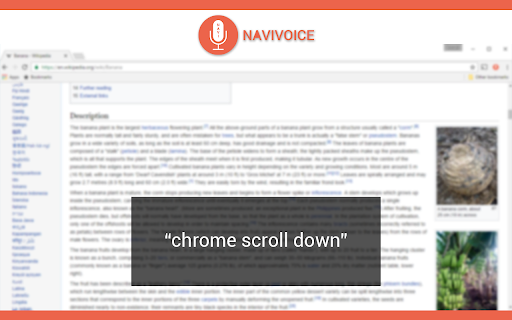
Experience the future of web browsing with NaviVoice - a Chrome Extension that allows you to effortlessly navigate the web using voice commands.

NaviVoice - Chrome Extension website preview

NaviVoice - Chrome Extension Website screenshot

Introducing NaviVoice - Your Voice-Browsing Web Tool

Discover the power of NaviVoice, an innovative Chrome extension designed to revolutionize your web browsing experience. With NaviVoice, you can navigate the internet using just your voice, making it the ultimate productivity assistant for modern users.

Effortless Browsing with NaviVoice

Installing NaviVoice is quick and easy. Simply add the extension to your Chrome browser and connect a microphone to start surfing the web hands-free. Say goodbye to traditional mouse and keyboard inputs and embrace the convenience of voice-operated browsing.

Discover the Core Features of NaviVoice

Click on links

Go to websites

Input text into fields

Control YouTube video playback

NaviVoice empowers you to effortlessly click on links, navigate to your favorite websites, input text into various fields, and even control playback of YouTube videos, all through simple voice commands. Experience a new level of convenience and productivity with NaviVoice.

Unlocking New Possibilities with NaviVoice

Surf the web hands-free

Enhance productivity while browsing

NaviVoice opens up a world of possibilities for hands-free web surfing. Imagine effortlessly browsing your favorite websites, doing research, and completing tasks without lifting a finger. Boost your productivity by leveraging the power of voice commands and experience a more seamless browsing experience with NaviVoice.

Product source: NaviVoice - Chrome Extension official website. Check the provider for current plans, limits and availability.

FAQ

NaviVoice - Chrome Extension questions and answers

Product context and practical checks for evaluating NaviVoice - Chrome Extension.

What is NaviVoice - Chrome Extension used for?

Experience the future of web browsing with NaviVoice - a Chrome Extension that allows you to effortlessly navigate the web using voice commands.

How do I get started with NaviVoice - Chrome Extension?

Open the official NaviVoice - Chrome Extension website and identify the workflow that matches your task. Use a short recording with names, numbers and more than one speaker, or a script with difficult pronunciation. Review the exported audio or transcript in full.

Which capabilities are described for NaviVoice - Chrome Extension?

Click on linksGo to websitesInput text into fieldsControl YouTube video playback NaviVoice empowers you to effortlessly click on links, navigate to your favorite websites, input text into various fields, and even control playback of YouTube videos, all through simple voice commands. Experience a new level of convenience and productivity with NaviVoice.

What should I compare before choosing a NaviVoice - Chrome Extension plan?

Check NaviVoice - Chrome Extension’s current pricing page for included usage, renewal terms and any credit charges. Compare the cost of a usable result, including retries, rather than assuming that account registration includes free usage.

What inputs should I prepare for a NaviVoice - Chrome Extension trial?

Compare recording length, file types, language support and speaker handling. For voice generation, check pronunciation controls and permission to use any reference voice.

How can I check the quality of a NaviVoice - Chrome Extension result?

Listen for mispronounced names, unnatural pauses, clipped words and noise. For transcripts, compare the text with the recording and correct speaker labels.

Which export options should I check in NaviVoice - Chrome Extension?

Check audio format, sample rate, separate tracks, captions and timestamp exports. Confirm that the result works in your editing or accessibility workflow.

What is a practical way to test NaviVoice - Chrome Extension against alternatives?

Use a short recording with names, numbers and more than one speaker, or a script with difficult pronunciation. Review the exported audio or transcript in full.

What should I review before uploading material to NaviVoice - Chrome Extension?

Read the provider’s rules on access, retention, deletion and use of uploaded material. Start with a non-confidential sample that you have permission to use.

Where is the official NaviVoice - Chrome Extension website?

The website linked from this profile is https://chromewebstore.google.com/detail/navivoice-voice-input-pro/ncfjfikcnmcljbjjkobdpilhmnjbmgpk. Use the provider’s own documentation, account area and support channels to confirm current product details.

Visit NaviVoice - Chrome Extension