AI Productivity Tools

myReach

Your personal AI assistant that extracts and learns the content of your saved items, enabling search.

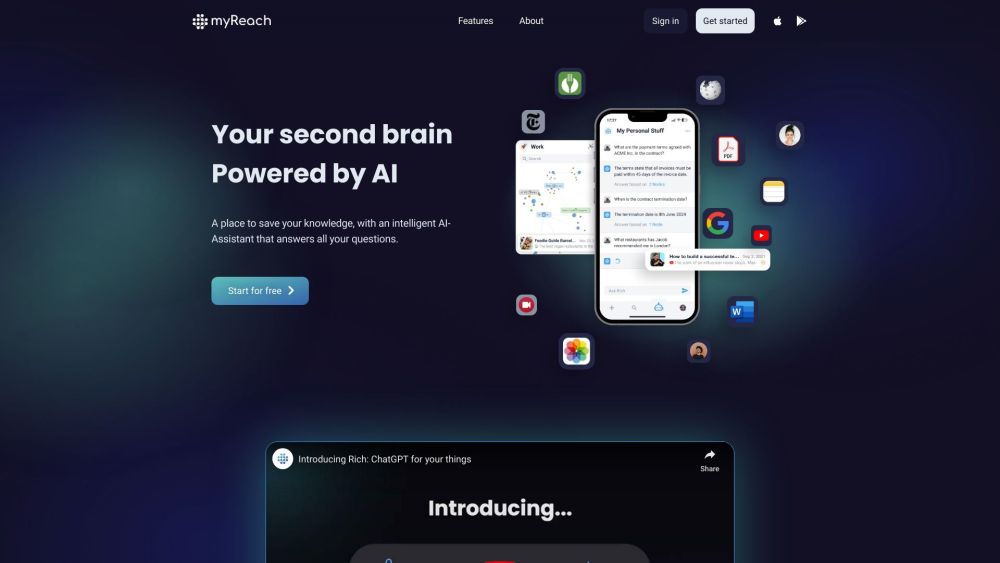
myReach website preview

myReach Website screenshot

What is myReach?

myReach is your AI-powered digital companion, acting as an extension of your memory. It seamlessly gathers and learns from the content you save, enabling you to retrieve information effortlessly with the help of an intuitive chatbot.

How to Use myReach?

myReach serves as a hub for storing and structuring your knowledge. With its advanced AI-Assistant, you can save and organize everything from notes and websites to files, contacts, and documents, all in one secure location. The platform enables you to connect various elements—people, places, topics—much like a mental map. myReach also harnesses AI to automatically extract, organize, and analyze your data, transcribe media, extract text from images, summarize content, and offer insights on connecting your information. The AI-Assistant, named Rich, is there to answer your questions, provide research summaries, and help you draw conclusions. myReach is accessible on both mobile and desktop.

Core Features of myReach

Efficient Knowledge Organization

Mind-Mapping Capabilities

Automated Data Management

Smart AI-Assistant

Seamless Search Functionality

Team Collaboration (Coming Soon)

Use Cases for myReach

For Students: Streamline your study process by organizing notes and receiving instant research summaries.

For Personal Use: Get instant answers and generate creative ideas with your personal ChatGPT.

For Work: Link key documents to client profiles and analyze them with AI assistance.

Product source: myReach official website. Check the provider for current plans, limits and availability.

FAQ

myReach questions and answers

Product context and practical checks for evaluating myReach.

What is myReach used for?

Your personal AI assistant that extracts and learns the content of your saved items, enabling search.

How do I get started with myReach?

myReach serves as a hub for storing and structuring your knowledge. With its advanced AI-Assistant, you can save and organize everything from notes and websites to files, contacts, and documents, all in one secure location. The platform enables you to connect various elements—people, places, topics—much like a mental map. myReach also harnesses AI to automatically extract, organize, and analyze your data, transcribe media, extract text from images, summarize content, and offer insights on connecting your information. The AI-Assistant, named Rich, is there to answer your questions, provide research summaries, and help you draw conclusions. myReach is accessible on both mobile and desktop.

Which capabilities are described for myReach?

Efficient Knowledge OrganizationMind-Mapping CapabilitiesAutomated Data ManagementSmart AI-AssistantSeamless Search FunctionalityTeam Collaboration (Coming Soon)

What projects can I evaluate myReach for?

For Students: Streamline your study process by organizing notes and receiving instant research summaries.For Personal Use: Get instant answers and generate creative ideas with your personal ChatGPT.For Work: Link key documents to client profiles and analyze them with AI assistance. Contact myReach Support For more details, visit the contact us page. Company Information myReach Company: myReach SA. Login to myReach Access your account here: https://mobile.rea.ch/auth/sign-in Sign Up for myReach Create a new account: https://mobile.rea.ch/auth/register myReach Pricing Check our pricing plans: https://myreach.io/pricing Follow myReach on YouTube Subscribe to our channel: https://www.youtube.com/@myreach-ai myReach on TikTok Check out our videos: https://www.tiktok.com/@my.reach Connect on LinkedIn Join us on LinkedIn: https://www.linkedin.com/company/my-reach Follow on Twitter Stay updated on Twitter: https://twitter.com/myReach_

What should I compare before choosing a myReach plan?

Check our pricing plans: https://myreach.io/pricing Confirm current prices and allowances on the provider’s website before purchasing.

What inputs should I prepare for a myReach trial?

Compare support for source documents, style instructions, outlines and length limits. Check whether citations link to real material rather than merely looking like references.

How can I check the quality of a myReach result?

Verify names, dates, quotations and factual claims against the original sources. Edit tone, remove repetition and make sure the text answers the intended reader’s question.

Which export options should I check in myReach?

Check export to plain text, Markdown, documents or your publishing system. Formatting, headings and working links matter when moving a draft into production.

What is a practical way to test myReach against alternatives?

Use a real brief and a short source document. Compare factual accuracy, structure and editing time rather than accepting the longest or most confident draft.

Where is the official myReach website?

The website linked from this profile is https://myreach.io. Use the provider’s own documentation, account area and support channels to confirm current product details.

Visit myReach