Writing Assistants

Mutable.ai

Accelerate your coding with Mutable.ai! Our AI tools help developers build high-quality software faster and more efficiently. Get started with Mutable.ai today!

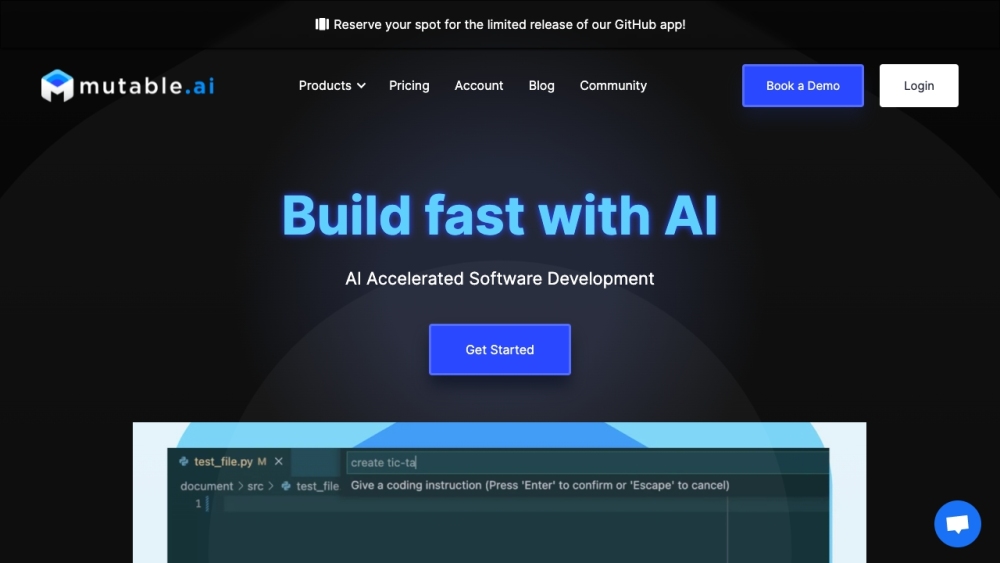
Mutable.ai website preview

mutable.ai Website screenshot

What is mutable.ai?

Mutable AI is a cutting-edge platform designed to accelerate software development through the use of AI-driven tools. It helps developers create high-quality code more efficiently by harnessing advanced AI capabilities.

How to use mutable.ai?

To get started with Mutable AI, follow these steps:

  1. Register for an account on the Mutable AI website.
  2. Install the Mutable AI GitHub application.
  3. Launch your favorite code editor, such as VS Code or JetBrains.
  4. Utilize AI Autocomplete to receive code suggestions as you type.
  5. Convert your prototype code to production-ready code with a single click using AI tools for refactoring, documentation, type addition, and more.
  6. Employ prompt-driven development to directly instruct the AI to modify your code.
  7. Automatically generate unit tests using AI and metaprogramming techniques.
  8. Integrate Mutable AI into your team’s workflow for a streamlined software development process.

mutable.ai's Core Features

AI Autocomplete for faster code writing

Production Quality Code transformation with AI

Prompt-driven development for code modification

Automatic unit test generation

mutable.ai's Use Cases

Accelerating software development processes

Enhancing code quality and efficiency

Facilitating team collaboration

Minimizing manual coding and testing requirements

Product source: Mutable.ai official website. Check the provider for current plans, limits and availability.

FAQ

Mutable.ai questions and answers

Product context and practical checks for evaluating Mutable.ai.

What is Mutable.ai used for?

Accelerate your coding with Mutable.ai! Our AI tools help developers build high-quality software faster and more efficiently. Get started with Mutable.ai today!

How do I get started with Mutable.ai?

To get started with Mutable AI, follow these steps: Register for an account on the Mutable AI website. Install the Mutable AI GitHub application. Launch your favorite code editor, such as VS Code or JetBrains. Utilize AI Autocomplete to receive code suggestions as you type. Convert your prototype code to production-ready code with a single click using AI tools for refactoring, documentation, type addition, and more. Employ prompt-driven development to directly instruct the AI to modify your code. Automatically generate unit tests using AI and metaprogramming techniques. Integrate Mutable AI into your team’s workflow for a streamlined software development process.

Which capabilities are described for Mutable.ai?

AI Autocomplete for faster code writingProduction Quality Code transformation with AIPrompt-driven development for code modificationAutomatic unit test generation

What projects can I evaluate Mutable.ai for?

Accelerating software development processesEnhancing code quality and efficiencyFacilitating team collaborationMinimizing manual coding and testing requirements mutable.ai Discord Join the mutable.ai community on Discord: https://discord.gg/zAwadbmuVk. For more details, click here. mutable.ai Support Email & Customer Service Contact mutable.ai customer support via email: [email protected]. For additional contact information, visit the contact us page. mutable.ai Company Company name: MutableAI, Corp. Learn more about mutable.ai on the about us page. mutable.ai Pricing Find pricing details here: https://mutable.ai/pricing mutable.ai Twitter Follow mutable.ai on Twitter: https://twitter.com/mutableai mutable.ai Github Explore mutable.ai on GitHub: https://github.com/mutableai/

What should I compare before choosing a Mutable.ai plan?

Find pricing details here: https://mutable.ai/pricing Confirm current prices and allowances on the provider’s website before purchasing.

What inputs should I prepare for a Mutable.ai trial?

Look for text prompts, image references, masks or sketches as appropriate. Compare composition control, supported upload types and the ability to revise a selected area.

How can I check the quality of a Mutable.ai result?

Inspect text, hands, edges, reflections and repeated objects at full size. Check that important product or brand details survive editing.

Which export options should I check in Mutable.ai?

Compare pixel dimensions, transparency, file formats and any enlargement options. Confirm that the downloaded result works in your design or publishing software.

What is a practical way to test Mutable.ai against alternatives?

Prepare a brief with a subject, composition, lighting and required output size. Test a first generation and a targeted revision to see how much control you retain.

Where is the official Mutable.ai website?

The website linked from this profile is https://mutable.ai. Use the provider’s own documentation, account area and support channels to confirm current product details.

Visit Mutable.ai