AI Lyrics Generator

MusicAI

MusicAI: Create original tracks effortlessly with our AI music platform. Perfect for musicians of all levels—unleash your sound!

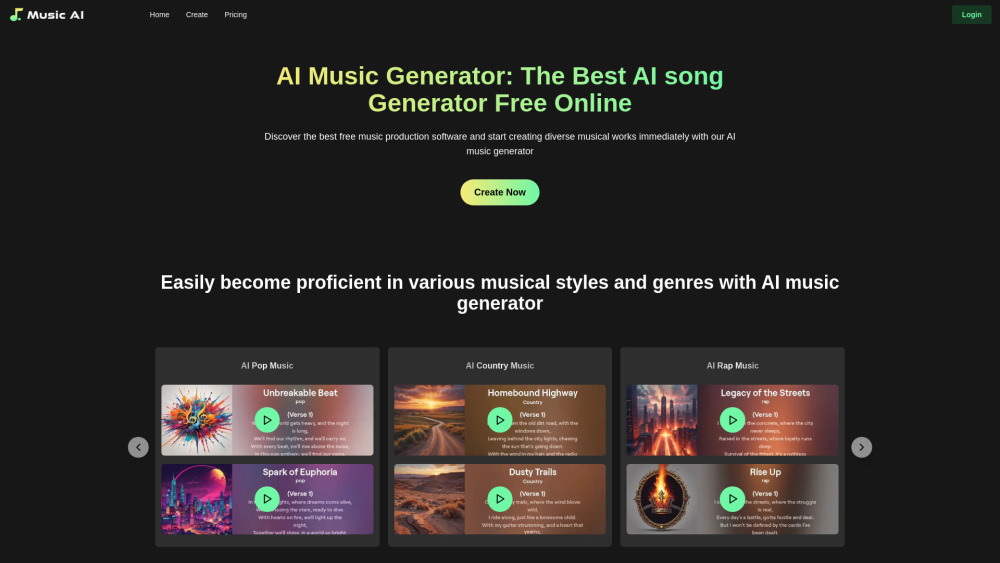
MusicAI website preview

MusicAI Website screenshot

Discover MusicAI

MusicAI is a groundbreaking platform that leverages artificial intelligence to empower musicians and creators to craft, tailor, and produce professional-grade music effortlessly. With MusicAI, users can generate music from simple inputs like text descriptions, images, lyrics, or even existing audio samples, making music creation more accessible and intuitive than ever before.

Getting Started with MusicAI

Starting your journey with MusicAI is simple: sign up, provide a description of the music you want to create, and let the AI generate a track that matches your vision. For those who desire more control, the platform offers a Custom Mode, allowing for precise adjustments and fine-tuning of the generated music to meet specific requirements.

Key Features of MusicAI

AI-driven music creation from text, visuals, and samples

Customizable settings for detailed music control

Support for a broad spectrum of musical genres and styles

Applications of MusicAI

Effortlessly create distinctive music across various genres

Produce soundtracks for videos, games, and multimedia projects

Boost creativity and efficiency in the music-making process

Product source: MusicAI official website. Check the provider for current plans, limits and availability.

FAQ

MusicAI questions and answers

Product context and practical checks for evaluating MusicAI.

What is MusicAI used for?

MusicAI: Create original tracks effortlessly with our AI music platform. Perfect for musicians of all levels—unleash your sound!

How do I get started with MusicAI?

Starting your journey with MusicAI is simple: sign up, provide a description of the music you want to create, and let the AI generate a track that matches your vision. For those who desire more control, the platform offers a Custom Mode, allowing for precise adjustments and fine-tuning of the generated music to meet specific requirements.

Which capabilities are described for MusicAI?

AI-driven music creation from text, visuals, and samplesCustomizable settings for detailed music controlSupport for a broad spectrum of musical genres and styles

What projects can I evaluate MusicAI for?

Effortlessly create distinctive music across various genresProduce soundtracks for videos, games, and multimedia projectsBoost creativity and efficiency in the music-making process MusicAI Pricing For detailed pricing information, visit: https://aimusic.fm/pricing

What should I compare before choosing a MusicAI plan?

For detailed pricing information, visit: https://aimusic.fm/pricing Confirm current prices and allowances on the provider’s website before purchasing.

What inputs should I prepare for a MusicAI trial?

Compare recording length, file types, language support and speaker handling. For voice generation, check pronunciation controls and permission to use any reference voice.

How can I check the quality of a MusicAI result?

Listen for mispronounced names, unnatural pauses, clipped words and noise. For transcripts, compare the text with the recording and correct speaker labels.

Which export options should I check in MusicAI?

Check audio format, sample rate, separate tracks, captions and timestamp exports. Confirm that the result works in your editing or accessibility workflow.

What is a practical way to test MusicAI against alternatives?

Use a short recording with names, numbers and more than one speaker, or a script with difficult pronunciation. Review the exported audio or transcript in full.

Where is the official MusicAI website?

The website linked from this profile is https://aimusic.fm. Use the provider’s own documentation, account area and support channels to confirm current product details.

Visit MusicAI