AI Developer Tools

Music.AI

Music.AI allows companies and developers to build and scale audio-driven AI products and services. The ecosystem includes a wide range of state-of-the-art AI models that can be combined to deliver customized solutions for a wide range of use cases.

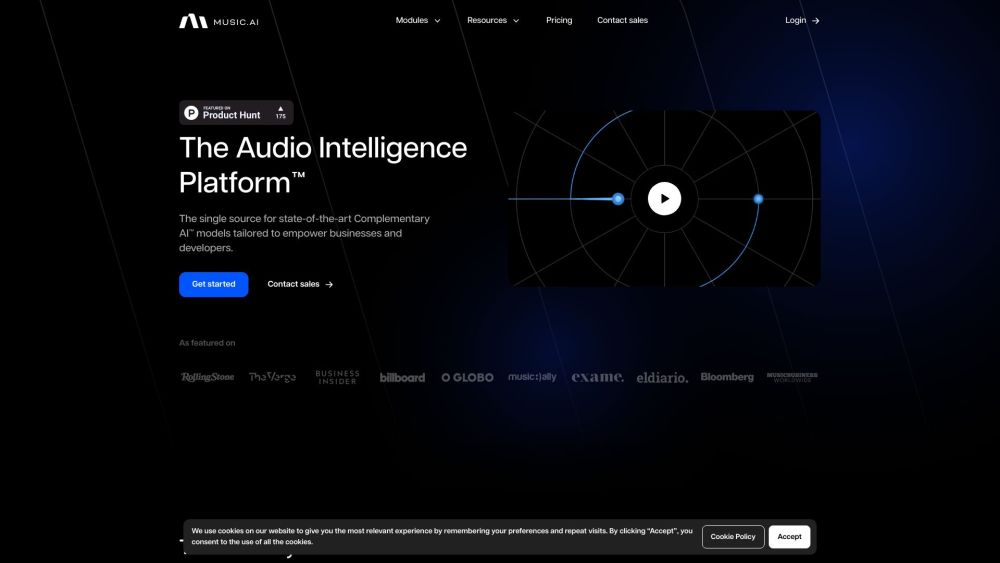
Music.AI website preview

Music.AI Website screenshot

Introducing Music.AI

Music.AI is a cutting-edge platform that enables businesses and developers to create, customize, and scale audio-based AI solutions. It offers a vast array of advanced AI models that can be combined to deliver powerful and tailored audio experiences, making it suitable for various industries and applications.

How to Get Started with Music.AI

To begin using Music.AI, users can access the Audio Intelligence Platform™, a comprehensive suite of tools and models. This platform features a drag-and-drop interface, seamless API integration, native client support, and robust SDKs for ease of development. Additionally, Music.AI guarantees data privacy and security, allowing users to train and manage their own models without compromising sensitive information.

Key Features of Music.AI

Extensive AI models for audio-driven solutions

Intuitive drag-and-drop functionality

API support, native clients, and SDK access

Comprehensive data security measures

Seamless audio API integration

High-performance, cost-effective processing

Pre-built workflows or custom workflow creation

Applications of Music.AI

Music and audio creation

Sound design innovation

Advanced audio processing

Detailed audio analysis

Voice recognition technologies

Product source: Music.AI official website. Check the provider for current plans, limits and availability.

FAQ

Music.AI questions and answers

Product context and practical checks for evaluating Music.AI.

What is Music.AI used for?

Music.AI allows companies and developers to build and scale audio-driven AI products and services. The ecosystem includes a wide range of state-of-the-art AI models that can be combined to deliver customized solutions for a wide range of use cases.

How do I get started with Music.AI?

To begin using Music.AI, users can access the Audio Intelligence Platform™, a comprehensive suite of tools and models. This platform features a drag-and-drop interface, seamless API integration, native client support, and robust SDKs for ease of development. Additionally, Music.AI guarantees data privacy and security, allowing users to train and manage their own models without compromising sensitive information.

Which capabilities are described for Music.AI?

Extensive AI models for audio-driven solutionsIntuitive drag-and-drop functionalityAPI support, native clients, and SDK accessComprehensive data security measuresSeamless audio API integrationHigh-performance, cost-effective processingPre-built workflows or custom workflow creation

What projects can I evaluate Music.AI for?

Music and audio creationSound design innovationAdvanced audio processingDetailed audio analysisVoice recognition technologies Music.AI Customer Support For more details, please visit the contact page (https://music.ai/contact/). About Music.AI Learn more about Music.AI and its mission at the about page (https://music.ai/about/). Music.AI Login Access the platform through the login page (https://music.ai/dash/). Music.AI Pricing Find pricing details at the pricing page (https://music.ai/pricing/).

What should I compare before choosing a Music.AI plan?

Find pricing details at the pricing page (https://music.ai/pricing/). Confirm current prices and allowances on the provider’s website before purchasing.

What inputs should I prepare for a Music.AI trial?

Look for text prompts, image references, masks or sketches as appropriate. Compare composition control, supported upload types and the ability to revise a selected area.

How can I check the quality of a Music.AI result?

Inspect text, hands, edges, reflections and repeated objects at full size. Check that important product or brand details survive editing.

Which export options should I check in Music.AI?

Compare pixel dimensions, transparency, file formats and any enlargement options. Confirm that the downloaded result works in your design or publishing software.

What is a practical way to test Music.AI against alternatives?

Prepare a brief with a subject, composition, lighting and required output size. Test a first generation and a targeted revision to see how much control you retain.

Where is the official Music.AI website?

The website linked from this profile is https://www.promptdodo.com. Use the provider’s own documentation, account area and support channels to confirm current product details.

Visit Music.AI