AI Content Detector

Moderate Kit

Streamline your community management with the Moderate Kit—automated tools designed for effective, hassle-free moderation. Save time, enhance control!

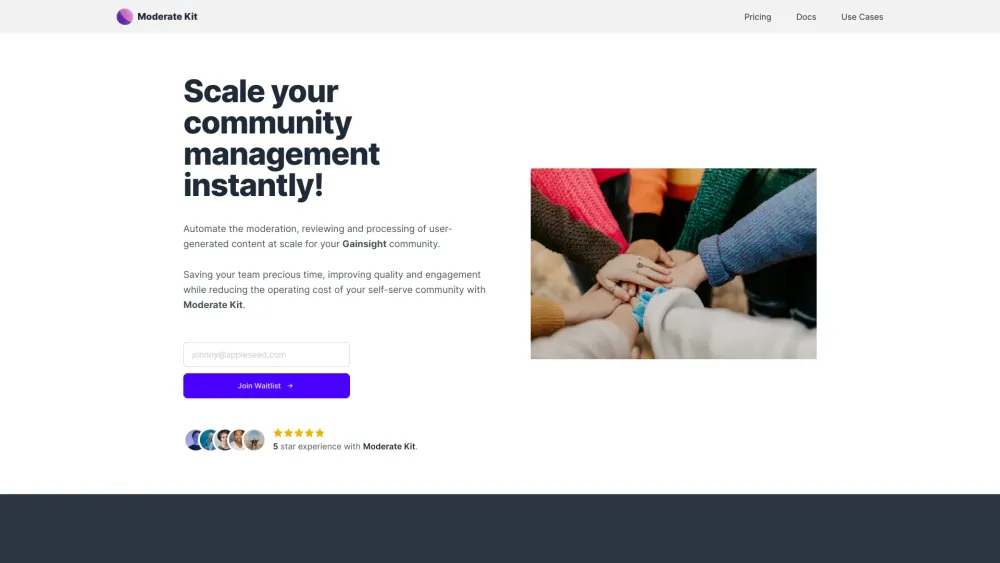
Moderate Kit website preview

Moderate Kit Website screenshot

Introducing Moderate Kit

Moderate Kit is your go-to solution for automating the moderation and management of user-generated content within your Gainsight community. This powerful tool allows you to streamline the review process, ensuring that your community remains vibrant and healthy without the hassle of manual intervention.

Getting Started with Moderate Kit

Easily integrate Moderate Kit into your workflow by utilizing the /process API endpoint. Authenticate your requests and include the necessary JSON object fields to automatically moderate, review, and optimize community posts. This setup allows for efficient management at scale.

Key Features of Moderate Kit

Content Moderation

Ensure that all posts adhere to your community guidelines through automated content moderation, which screens for code of conduct violations, spam, NSFW content, and abusive language.

Content Enhancement

Optimize community posts to improve readability and engagement, ensuring that all content contributes positively to the community's atmosphere.

Community Health Monitoring

Track and maintain the overall health of your community with real-time scoring, helping you quickly identify and address potential issues.

Future Enhancements: Reply Moderation

Coming soon, reply moderation will add another layer of control, allowing you to monitor and manage responses to posts within the community.

Why Use Moderate Kit?

Efficiency for Community Teams

Free up time for your community management, trust, and safety teams by automating the moderation process, enabling them to focus on more strategic tasks.

Enhanced Community Experience

Elevate the quality of interactions within your community, fostering a more engaging and supportive environment.

Cost Reduction

Reduce operational expenses by automating tasks that would otherwise require significant manual effort.

Product source: Moderate Kit official website. Check the provider for current plans, limits and availability.

FAQ

Moderate Kit questions and answers

Product context and practical checks for evaluating Moderate Kit.

What is Moderate Kit used for?

Streamline your community management with the Moderate Kit—automated tools designed for effective, hassle-free moderation. Save time, enhance control!

How do I get started with Moderate Kit?

Easily integrate Moderate Kit into your workflow by utilizing the /process API endpoint. Authenticate your requests and include the necessary JSON object fields to automatically moderate, review, and optimize community posts. This setup allows for efficient management at scale.

Which capabilities are described for Moderate Kit?

Content Moderation Ensure that all posts adhere to your community guidelines through automated content moderation, which screens for code of conduct violations, spam, NSFW content, and abusive language. Content Enhancement Optimize community posts to improve readability and engagement, ensuring that all content contributes positively to the community's atmosphere. Community Health Monitoring Track and maintain the overall health of your community with real-time scoring, helping you quickly identify and address potential issues. Future Enhancements: Reply Moderation Coming soon, reply moderation will add another layer of control, allowing you to monitor and manage responses to posts within the community.

What should I compare before choosing a Moderate Kit plan?

Discover our pricing options here: https://www.moderatekit.com/#pricing. Confirm current prices and allowances on the provider’s website before purchasing.

What inputs should I prepare for a Moderate Kit trial?

Look for text prompts, image references, masks or sketches as appropriate. Compare composition control, supported upload types and the ability to revise a selected area.

How can I check the quality of a Moderate Kit result?

Inspect text, hands, edges, reflections and repeated objects at full size. Check that important product or brand details survive editing.

Which export options should I check in Moderate Kit?

Compare pixel dimensions, transparency, file formats and any enlargement options. Confirm that the downloaded result works in your design or publishing software.

What is a practical way to test Moderate Kit against alternatives?

Prepare a brief with a subject, composition, lighting and required output size. Test a first generation and a targeted revision to see how much control you retain.

What should I review before uploading material to Moderate Kit?

Read the provider’s rules on access, retention, deletion and use of uploaded material. Start with a non-confidential sample that you have permission to use.

Where is the official Moderate Kit website?

The website linked from this profile is https://www.moderatekit.com. Use the provider’s own documentation, account area and support channels to confirm current product details.

Visit Moderate Kit