AI Photo &amp Image Generator

Modeli.ai

Modeli.ai: Revolutionize fashion photo shoots with AI. Optimize, streamline, and replace traditional processes for results.

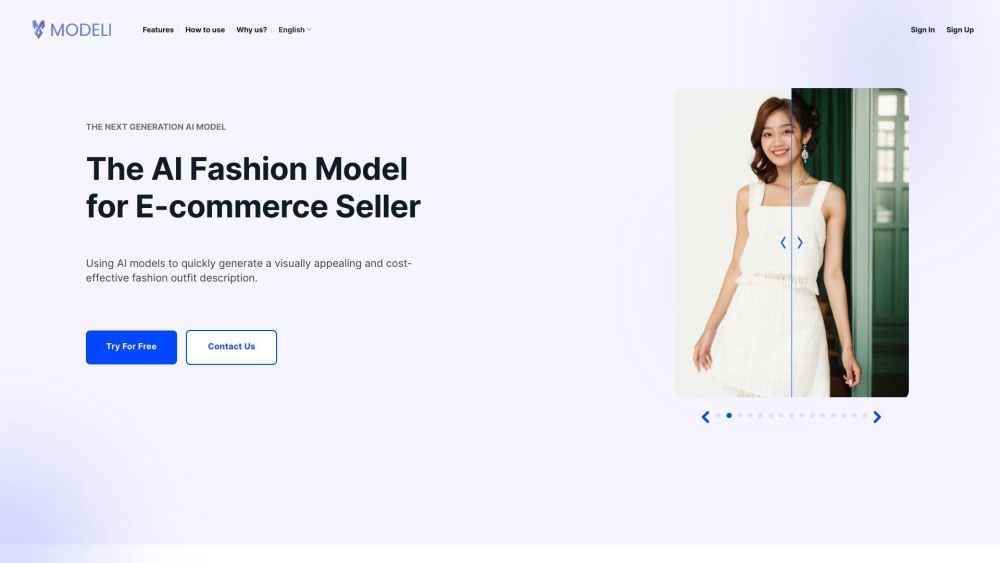
Modeli.ai website preview

Modeli.ai Website screenshot

What is Modeli.ai?

Modeli.ai is an innovative AI-driven solution designed to revolutionize and streamline the traditional fashion photo shoot process, utilizing advanced AI models for enhanced efficiency.

How to use Modeli.ai?

1. Select the appropriate gender for the AI model: 'Male' or 'Female'. For gender-neutral options, use 'Unisex' in the Advanced Settings. 2. Upload your source images featuring a mannequin or a model. 3. Choose a template that fits your vision. 4. Customize the model's body, skin, and hair with precision. 5. Enhance the visuals by adding accessories. 6. Optionally, add a watermark to protect your images. 7. Export the final high-quality output.

Modeli.ai's Core Features

Create stunning and cost-efficient fashion imagery

Reduce photoshoot expenses and time by 80%

Quadruple the number of product images

Boost conversion rates by 50% with seamless shopping experiences

Transform existing images into compelling product visuals

Customize models to align with your target audience

Utilize celebrity likenesses or create unique KOL models

Assist customers in designing captivating fashion collections

Enhance product images with diverse input options

Precisely tailor body, skin, and hair details

Flexibility in adding various accessories

Select from a wide array of backgrounds

Modeli.ai's Use Cases

Revolutionizing traditional fashion photo shoots

Creating visually compelling fashion descriptions

Enhancing conversion rates for fashion retailers

Product source: Modeli.ai official website. Check the provider for current plans, limits and availability.

FAQ

Modeli.ai questions and answers

Product context and practical checks for evaluating Modeli.ai.

What is Modeli.ai used for?

Modeli.ai: Revolutionize fashion photo shoots with AI. Optimize, streamline, and replace traditional processes for results.

How do I get started with Modeli.ai?

1. Select the appropriate gender for the AI model: 'Male' or 'Female'. For gender-neutral options, use 'Unisex' in the Advanced Settings. 2. Upload your source images featuring a mannequin or a model. 3. Choose a template that fits your vision. 4. Customize the model's body, skin, and hair with precision. 5. Enhance the visuals by adding accessories. 6. Optionally, add a watermark to protect your images. 7. Export the final high-quality output.

Which capabilities are described for Modeli.ai?

Create stunning and cost-efficient fashion imageryReduce photoshoot expenses and time by 80%Quadruple the number of product imagesBoost conversion rates by 50% with seamless shopping experiencesTransform existing images into compelling product visualsCustomize models to align with your target audienceUtilize celebrity likenesses or create unique KOL modelsAssist customers in designing captivating fashion collectionsEnhance product images with diverse input optionsPrecisely tailor body, skin, and hair detailsFlexibility in adding various accessoriesSelect from a wide array of backgrounds

What projects can I evaluate Modeli.ai for?

Revolutionizing traditional fashion photo shootsCreating visually compelling fashion descriptionsEnhancing conversion rates for fashion retailers Modeli.ai Support & Customer Service For more information, visit the contact us page. Modeli.ai Company Information Company name: Heatmob. Sign up for Modeli.ai Register here: https://beta.modeli.ai/ Follow Modeli.ai on Facebook Facebook link: https://www.facebook.com/modeliaivnSubscribe to Modeli.ai on YouTube YouTube link: https://www.youtube.com/@ModeliAIVN

What should I compare before choosing a Modeli.ai plan?

Check Modeli.ai’s current pricing page for included usage, renewal terms and any credit charges. Compare the cost of a usable result, including retries, rather than assuming that account registration includes free usage.

What inputs should I prepare for a Modeli.ai trial?

Look for text prompts, image references, masks or sketches as appropriate. Compare composition control, supported upload types and the ability to revise a selected area.

How can I check the quality of a Modeli.ai result?

Inspect text, hands, edges, reflections and repeated objects at full size. Check that important product or brand details survive editing.

Which export options should I check in Modeli.ai?

Compare pixel dimensions, transparency, file formats and any enlargement options. Confirm that the downloaded result works in your design or publishing software.

What is a practical way to test Modeli.ai against alternatives?

Prepare a brief with a subject, composition, lighting and required output size. Test a first generation and a targeted revision to see how much control you retain.

Where is the official Modeli.ai website?

The website linked from this profile is https://modeli.ai/en. Use the provider’s own documentation, account area and support channels to confirm current product details.

Visit Modeli.ai