AI Developer Tools

Modal

Modal: The easiest way for developers to run code in the cloud with serverless, containerized compute—no infrastructure management needed!

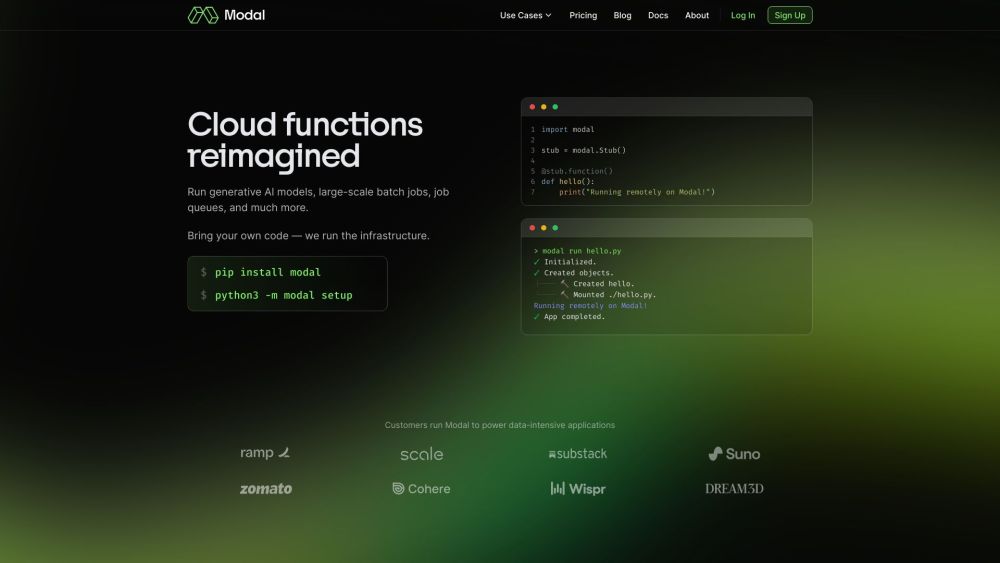
Modal website preview

Modal Website screenshot

What is Modal?

Modal is a platform that simplifies running code in the cloud. It provides developers with a seamless way to utilize containerized, serverless compute, eliminating the need for managing complex infrastructure.

How to use Modal?

Using Modal is straightforward: developers can execute generative AI models, batch jobs, job queues, and more. By bringing their own code, Modal handles the infrastructure setup. Installation is as simple as running 'pip install modal' followed by 'python3 -m modal setup'.

Modal's Core Features

Define container images and hardware specs entirely in code, eliminating the need for Dockerfiles or YAML.

Easily provision network volumes, key-value stores, and queues using intuitive cloud primitives that resemble regular Python.

Convert functions into cron jobs with just one line of code.

Serve any function as an HTTPS endpoint, with the option to ship to custom domains.

Monitor executions, logs, and metrics in real-time, and debug interactively using the Modal shell.

Ensure workload security with the gVisor runtime and SOC 2 compliance.

Modal's Use Cases

Executing data-intensive applications

Handling large-scale workloads

Running generative AI models

Executing batch jobs

Managing job queues

Scheduling cron jobs

Serving functions as HTTPS endpoints

Product source: Modal official website. Check the provider for current plans, limits and availability.

FAQ

Modal questions and answers

Product context and practical checks for evaluating Modal.

What is Modal used for?

Modal: The easiest way for developers to run code in the cloud with serverless, containerized compute—no infrastructure management needed!

How do I get started with Modal?

Using Modal is straightforward: developers can execute generative AI models, batch jobs, job queues, and more. By bringing their own code, Modal handles the infrastructure setup. Installation is as simple as running 'pip install modal' followed by 'python3 -m modal setup'.

Which capabilities are described for Modal?

Define container images and hardware specs entirely in code, eliminating the need for Dockerfiles or YAML.Easily provision network volumes, key-value stores, and queues using intuitive cloud primitives that resemble regular Python.Convert functions into cron jobs with just one line of code.Serve any function as an HTTPS endpoint, with the option to ship to custom domains.Monitor executions, logs, and metrics in real-time, and debug interactively using the Modal shell.Ensure workload security with the gVisor runtime and SOC 2 compliance.

What projects can I evaluate Modal for?

Executing data-intensive applicationsHandling large-scale workloadsRunning generative AI modelsExecuting batch jobsManaging job queuesScheduling cron jobsServing functions as HTTPS endpoints Modal Company Learn more about Modal by visiting the about us page. Modal Login Access Modal with this link: https://modal.com/login?next=%2Fhome Modal Sign up Create an account here: https://modal.com/signup Modal Pricing View pricing details at: https://modal.com/pricing Modal Linkedin Connect with Modal on LinkedIn: https://www.linkedin.com/company/modal-labs/Modal Twitter Follow Modal on Twitter: https://twitter.com/modal_labsModal Github Explore Modal's projects on GitHub: https://github.com/modal-labs

What should I compare before choosing a Modal plan?

View pricing details at: https://modal.com/pricing Confirm current prices and allowances on the provider’s website before purchasing.

What inputs should I prepare for a Modal trial?

Compare repository access, context limits, supported languages and tool permissions. Check whether the assistant can read relevant files and run your existing checks.

How can I check the quality of a Modal result?

Review the diff, run tests and inspect error handling and dependency changes. Generated code should meet the same review standard as a human contribution.

Which export options should I check in Modal?

Prefer changes you can inspect and keep in version control. Check whether code, tests and configuration can be exported without depending on a hosted preview.

What is a practical way to test Modal against alternatives?

Choose a small reproducible bug with an existing failing check. Measure whether the tool fixes the cause, preserves behavior and produces a reviewable change.

Where is the official Modal website?

The website linked from this profile is https://www.promptdodo.com. Use the provider’s own documentation, account area and support channels to confirm current product details.

Visit Modal