AI Image Enhancer

Mems - AI Photo Enhancer

Mems - AI Photo Enhancer: Transform old photos into HD masterpieces while preserving natural looks with our professional AI retouching app.

Mems - AI Photo Enhancer website preview

Mems - AI Photo Enhancer Website screenshot

Discover Mems - AI Photo Enhancer

Mems is a cutting-edge AI-driven photo enhancement app that helps you professionally retouch and elevate your photos without compromising your natural look. Transform your old photos into stunning HD masterpieces effortlessly with Mems.

Using Mems - AI Photo Enhancer

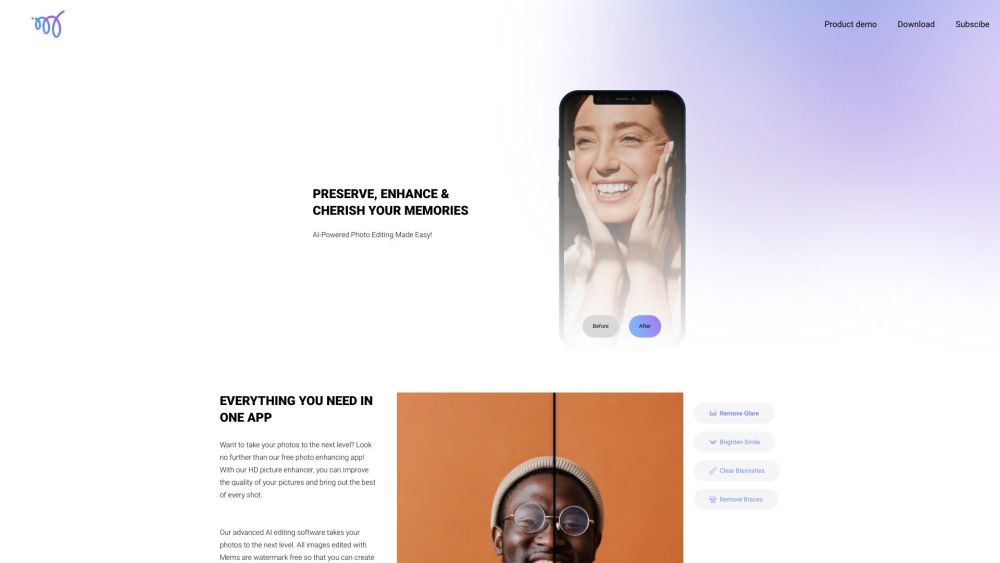
To get started with Mems, download the app by scanning the QR code with your phone's camera app and following the provided link. Once installed, launch the app and select the photo you wish to enhance. Utilize features such as glare removal, smile brightening, blemish clearing, and brace removal to enhance the quality of your photos. Mems offers a user-friendly interface, making photo editing a breeze.

Key Features of Mems - AI Photo Enhancer

Mems offers a variety of powerful features, including:

  • AI-Powered Editing: Advanced AI technology enhances your photos with precision.
  • Watermark-Free Editing: Enjoy unrestricted editing and sharing without watermarks.
  • Selfie and Portrait Enhancement: Ideal for selfies, Mems ensures natural retouching while preserving skin texture.
  • Acne and Blemish Removal: Clear up blemishes and acne, maintaining a natural appearance.

Mems - AI Photo Enhancer Applications

Mems can be applied in numerous scenarios:

  • Personal Photo Enhancement: Enhance the quality of your personal photos and preserve your cherished memories.
  • Professional Photography: Elevate your professional photography by enhancing the visual appeal of your shots.
  • Social Media Sharing: Impress your friends and followers by sharing your enhanced photos on social media platforms.

Product source: Mems - AI Photo Enhancer official website. Check the provider for current plans, limits and availability.

FAQ

Mems - AI Photo Enhancer questions and answers

Product context and practical checks for evaluating Mems - AI Photo Enhancer.

What is Mems - AI Photo Enhancer used for?

Mems - AI Photo Enhancer: Transform old photos into HD masterpieces while preserving natural looks with our professional AI retouching app.

How do I get started with Mems - AI Photo Enhancer?

Open the official Mems - AI Photo Enhancer website and identify the workflow that matches your task. Prepare a brief with a subject, composition, lighting and required output size. Test a first generation and a targeted revision to see how much control you retain.

Which capabilities are described for Mems - AI Photo Enhancer?

Mems offers a variety of powerful features, including: AI-Powered Editing: Advanced AI technology enhances your photos with precision. Watermark-Free Editing: Enjoy unrestricted editing and sharing without watermarks. Selfie and Portrait Enhancement: Ideal for selfies, Mems ensures natural retouching while preserving skin texture. Acne and Blemish Removal: Clear up blemishes and acne, maintaining a natural appearance.

What projects can I evaluate Mems - AI Photo Enhancer for?

Mems can be applied in numerous scenarios: Personal Photo Enhancement: Enhance the quality of your personal photos and preserve your cherished memories. Professional Photography: Elevate your professional photography by enhancing the visual appeal of your shots. Social Media Sharing: Impress your friends and followers by sharing your enhanced photos on social media platforms. Mems - AI Photo Enhancer Company Company: Skylab Technologies Inc. Mems - AI Photo Enhancer Twitter Twitter Link: https://twitter.com/mems_app_ai Mems - AI Photo Enhancer Instagram Instagram Link: https://www.instagram.com/mems_app/

What should I compare before choosing a Mems - AI Photo Enhancer plan?

Check Mems - AI Photo Enhancer’s current pricing page for included usage, renewal terms and any credit charges. Compare the cost of a usable result, including retries, rather than assuming that account registration includes free usage.

What inputs should I prepare for a Mems - AI Photo Enhancer trial?

Look for text prompts, image references, masks or sketches as appropriate. Compare composition control, supported upload types and the ability to revise a selected area.

How can I check the quality of a Mems - AI Photo Enhancer result?

Inspect text, hands, edges, reflections and repeated objects at full size. Check that important product or brand details survive editing.

Which export options should I check in Mems - AI Photo Enhancer?

Compare pixel dimensions, transparency, file formats and any enlargement options. Confirm that the downloaded result works in your design or publishing software.

What is a practical way to test Mems - AI Photo Enhancer against alternatives?

Prepare a brief with a subject, composition, lighting and required output size. Test a first generation and a targeted revision to see how much control you retain.

Where is the official Mems - AI Photo Enhancer website?

The website linked from this profile is https://memsapp.ai. Use the provider’s own documentation, account area and support channels to confirm current product details.

Visit Mems - AI Photo Enhancer