AI Analytics Assistant

MeetMinder

MeetMinder - Chrome Extension: Automate meeting transcription and analysis. Effortlessly streamline your meetings with accurate transcriptions and insightful analysis.

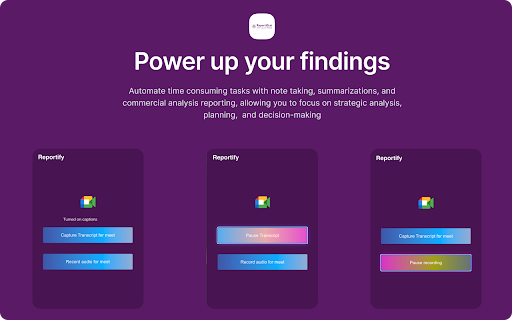
MeetMinder website preview

MeetMinder - Chrome Extension Website screenshot

Introducing MeetMinder: Automate Meeting Transcription & Analysis Tools

With MeetMinder, you can now effortlessly automate meeting transcription and analysis for popular platforms like Google Meet, Zoom, and Teams. Say goodbye to the tedious task of manually transcribing your meetings and gain valuable insights in no time.

How to Leverage MeetMinder ai Chrome Extension?

Using MeetMinder is a breeze:

  1. Sign up on the MeetMinder platform to get started.
  2. Connect your Google Meet, Zoom, or Teams account seamlessly.
  3. Schedule your meetings and let MeetMinder automatically transcribe and analyze them for you.

MeetMinder ai Chrome Extension's Core Features

1. Automatic Meeting Transcription

MeetMinder takes care of transcribing your meetings, saving you time and effort. Focus on the discussion while MeetMinder handles the transcription.

2. Actionable Insights Generation

Gain valuable insights from your meetings with MeetMinder's analysis tools. Identify key points, trends, and patterns to enhance your decision-making process.

MeetMinder ai Chrome Extension's Use Cases

Improve Meeting Productivity with Summarized Transcripts

Elevate your meeting productivity by accessing summarized transcripts. Quickly review discussions, action items, and important details without the need to listen to the entire meeting recording.

Product source: MeetMinder official website. Check the provider for current plans, limits and availability.

FAQ

MeetMinder questions and answers

Product context and practical checks for evaluating MeetMinder.

What is MeetMinder used for?

MeetMinder - Chrome Extension: Automate meeting transcription and analysis. Effortlessly streamline your meetings with accurate transcriptions and insightful analysis.

How do I get started with MeetMinder?

Using MeetMinder is a breeze: Sign up on the MeetMinder platform to get started. Connect your Google Meet, Zoom, or Teams account seamlessly. Schedule your meetings and let MeetMinder automatically transcribe and analyze them for you.

Which capabilities are described for MeetMinder?

1. Automatic Meeting TranscriptionMeetMinder takes care of transcribing your meetings, saving you time and effort. Focus on the discussion while MeetMinder handles the transcription.2. Actionable Insights GenerationGain valuable insights from your meetings with MeetMinder's analysis tools. Identify key points, trends, and patterns to enhance your decision-making process.

What projects can I evaluate MeetMinder for?

Improve Meeting Productivity with Summarized TranscriptsElevate your meeting productivity by accessing summarized transcripts. Quickly review discussions, action items, and important details without the need to listen to the entire meeting recording.

What should I compare before choosing a MeetMinder plan?

Check MeetMinder’s current pricing page for included usage, renewal terms and any credit charges. Compare the cost of a usable result, including retries, rather than assuming that account registration includes free usage.

What inputs should I prepare for a MeetMinder trial?

Compare recording length, file types, language support and speaker handling. For voice generation, check pronunciation controls and permission to use any reference voice.

How can I check the quality of a MeetMinder result?

Listen for mispronounced names, unnatural pauses, clipped words and noise. For transcripts, compare the text with the recording and correct speaker labels.

Which export options should I check in MeetMinder?

Check audio format, sample rate, separate tracks, captions and timestamp exports. Confirm that the result works in your editing or accessibility workflow.

What is a practical way to test MeetMinder against alternatives?

Use a short recording with names, numbers and more than one speaker, or a script with difficult pronunciation. Review the exported audio or transcript in full.

Where is the official MeetMinder website?

The website linked from this profile is https://chromewebstore.google.com/detail/reportifi-agent/aimeojbonmkcfbgikmppiakcilgahocj. Use the provider’s own documentation, account area and support channels to confirm current product details.

Visit MeetMinder