AI Productivity Tools

Mayday

Mayday is an AI-assisted calendar app that helps individuals organize, manage, and protect their schedule. It uses artificial intelligence algorithms to optimize scheduling preferences and patterns, allowing users to spend their time in more meaningful ways.

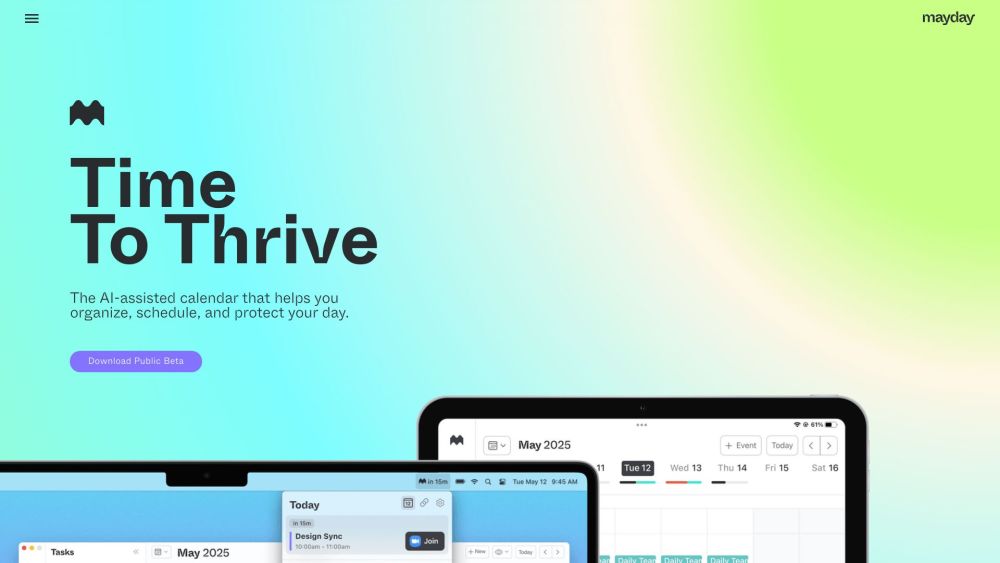
Mayday website preview

Mayday: The AI-Assisted Calendar Website screenshot

What is Mayday: The AI-Assisted Calendar?

Mayday is an intelligent calendar app designed to help users effectively organize and protect their schedules. By leveraging advanced AI algorithms, it enhances scheduling by understanding user preferences and patterns, allowing for a more meaningful and optimized use of time.

How to use Mayday: The AI-Assisted Calendar?

1. Download Mayday on your iOS, macOS, or iPadOS device. 2. Register and create your account. 3. Begin adding events by typing in natural language or using the integrated AI assistant. 4. Mayday will propose optimal times for your events based on your preferences and availability. 5. Use scheduling links to facilitate meeting coordination with others. 6. Mayday can automatically arrange and manage tasks within your calendar. 7. Allow Mayday to analyze your calendar to create protective time blocks, ensuring your schedule isn't overloaded. 8. Utilize features such as FYI events, time windows, smart tags, widgets, and calendar sync to boost productivity and organization.

Mayday: The AI-Assisted Calendar's Core Features

AI-driven scheduling

Personalized scheduling suggestions

Optimization for meetings and tasks

Meeting coordination links

Automated task scheduling

Time protection to prevent overbooking

AI assistant for event management

Natural language event input

FYI events to minimize engagement

Prioritization with time windows

Event categorization with smart tags

Quick overview widgets

Sync multiple calendars

Buffer time for preparation and debriefing

Instant access to upcoming meetings via menu bar

Commute scheduling with smart travel time

Compatibility with Google Calendar, Microsoft 365, and Apple iCloud

Developed using SwiftUI

Mayday: The AI-Assisted Calendar's Use Cases

Efficiently manage personal and work schedules

Facilitate team meetings and collaboration

Maximize time for focused work and productivity

Create balanced schedules for individual and collaborative tasks

Safeguard personal well-being by allocating time blocks

Seamlessly manage multiple calendars

Streamline event creation with natural language

Quickly access upcoming meetings

Efficient commute scheduling

Product source: Mayday official website. Check the provider for current plans, limits and availability.

FAQ

Mayday questions and answers

Product context and practical checks for evaluating Mayday.

What is Mayday used for?

Mayday is an AI-assisted calendar app that helps individuals organize, manage, and protect their schedule. It uses artificial intelligence algorithms to optimize scheduling preferences and patterns, allowing users to spend their time in more meaningful ways.

How do I get started with Mayday?

1. Download Mayday on your iOS, macOS, or iPadOS device. 2. Register and create your account. 3. Begin adding events by typing in natural language or using the integrated AI assistant. 4. Mayday will propose optimal times for your events based on your preferences and availability. 5. Use scheduling links to facilitate meeting coordination with others. 6. Mayday can automatically arrange and manage tasks within your calendar. 7. Allow Mayday to analyze your calendar to create protective time blocks, ensuring your schedule isn't overloaded. 8. Utilize features such as FYI events, time windows, smart tags, widgets, and calendar sync to boost productivity and organization.

Which capabilities are described for Mayday?

AI-driven schedulingPersonalized scheduling suggestionsOptimization for meetings and tasksMeeting coordination linksAutomated task schedulingTime protection to prevent overbookingAI assistant for event managementNatural language event inputFYI events to minimize engagementPrioritization with time windowsEvent categorization with smart tagsQuick overview widgetsSync multiple calendarsBuffer time for preparation and debriefingInstant access to upcoming meetings via menu barCommute scheduling with smart travel timeCompatibility with Google Calendar, Microsoft 365, and Apple iCloudDeveloped using SwiftUI

What projects can I evaluate Mayday for?

Efficiently manage personal and work schedulesFacilitate team meetings and collaborationMaximize time for focused work and productivityCreate balanced schedules for individual and collaborative tasksSafeguard personal well-being by allocating time blocksSeamlessly manage multiple calendarsStreamline event creation with natural languageQuickly access upcoming meetingsEfficient commute scheduling Mayday: The AI-Assisted Calendar Support Email & Customer service contact & Refund contact etc. For customer support, email Mayday at: [email protected]. For more contact options, visit the contact us page(mailto:[email protected]). Mayday: The AI-Assisted Calendar Company Mayday is developed by Mayday Labs Inc. Learn more about Mayday at the about us page(https://mayday.am/about). Mayday: The AI-Assisted Calendar Facebook Follow Mayday on Facebook: https://www.facebook.com/maydaylabs/

What should I compare before choosing a Mayday plan?

Check Mayday’s current pricing page for included usage, renewal terms and any credit charges. Compare the cost of a usable result, including retries, rather than assuming that account registration includes free usage.

What inputs should I prepare for a Mayday trial?

Look for text prompts, image references, masks or sketches as appropriate. Compare composition control, supported upload types and the ability to revise a selected area.

How can I check the quality of a Mayday result?

Inspect text, hands, edges, reflections and repeated objects at full size. Check that important product or brand details survive editing.

Which export options should I check in Mayday?

Compare pixel dimensions, transparency, file formats and any enlargement options. Confirm that the downloaded result works in your design or publishing software.

What is a practical way to test Mayday against alternatives?

Prepare a brief with a subject, composition, lighting and required output size. Test a first generation and a targeted revision to see how much control you retain.

Where is the official Mayday website?

The website linked from this profile is https://mayday.am. Use the provider’s own documentation, account area and support channels to confirm current product details.

Visit Mayday