Text to Image

Mancoding

Create digital art in seconds with Mancoding! Our AI, using stable diffusion, transforms text prompts into high-quality, realistic images effortlessly.

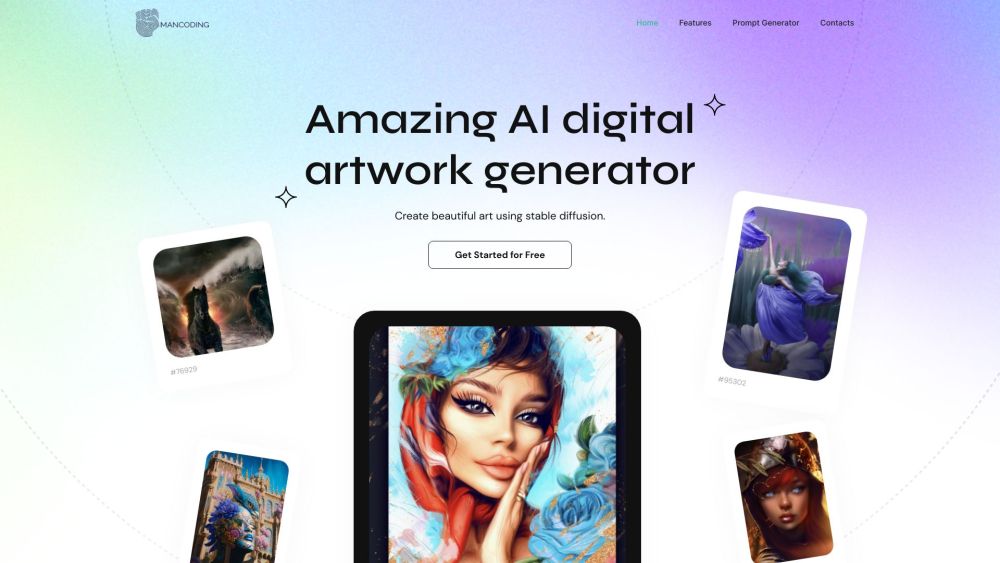
Mancoding website preview

Mancoding Website screenshot

What is Mancoding?

Mancoding is a powerful AI tool for creating digital art, enabling users to craft stunning visuals using a stable diffusion model. This text-to-image model converts textual descriptions into high-quality, lifelike images. With Mancoding, you can produce unique artworks swiftly, eliminating the need for exhaustive online searches.

How to use Mancoding?

Using Mancoding is straightforward: input a text prompt that describes your envisioned artwork. The AI generator processes the prompt and produces a corresponding image. Accessible from laptops, tablets, and mobile devices, Mancoding offers flexibility and ease in art creation. The resulting images are versatile, suitable for social media, blogs, or any creative project.

Mancoding's Core Features

Mancoding offers the following core features:

  • Unlimited creative options: Create one-of-a-kind images from your own ideas.
  • High-quality realistic art: The generated images are of superb quality and realism.
  • Ownership and usage rights: Full ownership of the generated artworks, usable for personal or commercial purposes.
  • Time-saving: Rapidly generate thousands of images from text inputs.
  • Rare artworks and artists: Access to 35,000 unique artworks from 11,000 artists.

Mancoding's Use Cases

Mancoding can be used for various purposes, including:

  • Inspiration: Browse featured collections to spark your creativity.
  • Character design and fantasy art: Create characters, mythological figures, and fantasy worlds.
  • Futuristic and surreal art: Generate art of futuristic cities, surreal landscapes, and cosmic themes.
  • Pop-art and fashion: Design pieces inspired by pop art or fashion trends.
  • Digital art for various media: Use the artwork for social media, blogs, websites, and other creative projects.

Product source: Mancoding official website. Check the provider for current plans, limits and availability.

FAQ

Mancoding questions and answers

Product context and practical checks for evaluating Mancoding.

What is Mancoding used for?

Create digital art in seconds with Mancoding! Our AI, using stable diffusion, transforms text prompts into high-quality, realistic images effortlessly.

How do I get started with Mancoding?

Using Mancoding is straightforward: input a text prompt that describes your envisioned artwork. The AI generator processes the prompt and produces a corresponding image. Accessible from laptops, tablets, and mobile devices, Mancoding offers flexibility and ease in art creation. The resulting images are versatile, suitable for social media, blogs, or any creative project.

Which capabilities are described for Mancoding?

Mancoding offers the following core features: Unlimited creative options: Create one-of-a-kind images from your own ideas. High-quality realistic art: The generated images are of superb quality and realism. Ownership and usage rights: Full ownership of the generated artworks, usable for personal or commercial purposes. Time-saving: Rapidly generate thousands of images from text inputs. Rare artworks and artists: Access to 35,000 unique artworks from 11,000 artists.

What projects can I evaluate Mancoding for?

Mancoding can be used for various purposes, including: Inspiration: Browse featured collections to spark your creativity. Character design and fantasy art: Create characters, mythological figures, and fantasy worlds. Futuristic and surreal art: Generate art of futuristic cities, surreal landscapes, and cosmic themes. Pop-art and fashion: Design pieces inspired by pop art or fashion trends. Digital art for various media: Use the artwork for social media, blogs, websites, and other creative projects.

What should I compare before choosing a Mancoding plan?

Check Mancoding’s current pricing page for included usage, renewal terms and any credit charges. Compare the cost of a usable result, including retries, rather than assuming that account registration includes free usage.

What inputs should I prepare for a Mancoding trial?

Look for text prompts, image references, masks or sketches as appropriate. Compare composition control, supported upload types and the ability to revise a selected area.

How can I check the quality of a Mancoding result?

Inspect text, hands, edges, reflections and repeated objects at full size. Check that important product or brand details survive editing.

Which export options should I check in Mancoding?

Compare pixel dimensions, transparency, file formats and any enlargement options. Confirm that the downloaded result works in your design or publishing software.

What is a practical way to test Mancoding against alternatives?

Prepare a brief with a subject, composition, lighting and required output size. Test a first generation and a targeted revision to see how much control you retain.

Where is the official Mancoding website?

The website linked from this profile is https://mancoding.com. Use the provider’s own documentation, account area and support channels to confirm current product details.

Visit Mancoding