AI Advertising Assistant

Luminous CRM

Boost sales and customer engagement with Luminous CRM, the ultimate platform that leverages WhatsApp Business API for business growth.

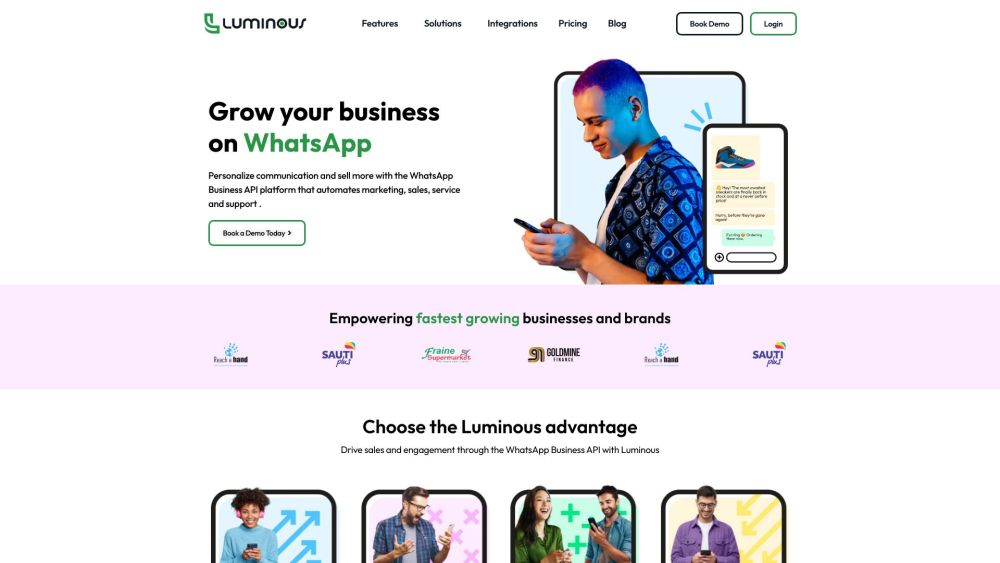
Luminous CRM website preview

Luminous CRM Website screenshot

What is Luminous CRM?

Luminous CRM is a powerful tool designed to help businesses enhance sales and customer engagement using the WhatsApp Business API.

How to Use Luminous CRM?

To get started with Luminous CRM, businesses should request a demo and connect the platform with their WhatsApp Business API. Once integrated, they can automate customer interactions with AI-driven chatbots, manage product catalogs, send bulk messages, and facilitate live chats with multiple agents for comprehensive customer support.

Key Features of Luminous CRM

AI-Driven Automation

WhatsApp Product Catalog & Payment Integration

Bulk Messaging & Broadcasting

Multi-Agent Live Chat

Click-to-WhatsApp Ads

Luminous CRM Applications

Ecommerce

Marketing Firms

Sales Teams

Customer Service

Healthcare

Education

Product source: Luminous CRM official website. Check the provider for current plans, limits and availability.

FAQ

Luminous CRM questions and answers

Product context and practical checks for evaluating Luminous CRM.

What is Luminous CRM used for?

Boost sales and customer engagement with Luminous CRM, the ultimate platform that leverages WhatsApp Business API for business growth.

How do I get started with Luminous CRM?

To get started with Luminous CRM, businesses should request a demo and connect the platform with their WhatsApp Business API. Once integrated, they can automate customer interactions with AI-driven chatbots, manage product catalogs, send bulk messages, and facilitate live chats with multiple agents for comprehensive customer support.

Which capabilities are described for Luminous CRM?

AI-Driven AutomationWhatsApp Product Catalog & Payment IntegrationBulk Messaging & BroadcastingMulti-Agent Live ChatClick-to-WhatsApp Ads

What projects can I evaluate Luminous CRM for?

EcommerceMarketing FirmsSales TeamsCustomer ServiceHealthcareEducation Luminous CRM Support & Contact Information For customer service inquiries, reach out to Luminous CRM via email at [email protected]. Additional contact details can be found on the Contact Us page. About Luminous CRM Luminous CRM is developed and managed by Luminous Technologies. Luminous CRM Login Access your account by visiting the Luminous CRM login page: http://app.luminouscrm.com. Luminous CRM Pricing For pricing details, visit the Luminous CRM pricing page: https://luminouscrm.com/pricing/. Luminous CRM on Social Media Follow Luminous CRM on Facebook: https://www.facebook.com/LuminousCRMPlatform Connect on LinkedIn: https://www.linkedin.com/company/89387078/ Stay updated on Twitter: https://twitter.com/LuminousCRM Explore more on Instagram: https://www.instagram.com/luminouscrm/

What should I compare before choosing a Luminous CRM plan?

For pricing details, visit the Luminous CRM pricing page: https://luminouscrm.com/pricing/. Confirm current prices and allowances on the provider’s website before purchasing.

What inputs should I prepare for a Luminous CRM trial?

Compare repository access, context limits, supported languages and tool permissions. Check whether the assistant can read relevant files and run your existing checks.

How can I check the quality of a Luminous CRM result?

Review the diff, run tests and inspect error handling and dependency changes. Generated code should meet the same review standard as a human contribution.

Which export options should I check in Luminous CRM?

Prefer changes you can inspect and keep in version control. Check whether code, tests and configuration can be exported without depending on a hosted preview.

What is a practical way to test Luminous CRM against alternatives?

Choose a small reproducible bug with an existing failing check. Measure whether the tool fixes the cause, preserves behavior and produces a reviewable change.

Where is the official Luminous CRM website?

The website linked from this profile is . Use the provider’s own documentation, account area and support channels to confirm current product details.