AI Chatbot

**Lisa - AI Resume Reader

Lisa is an AI assistant that analyzes resumes, saving time and aiding in informed hiring decisions.

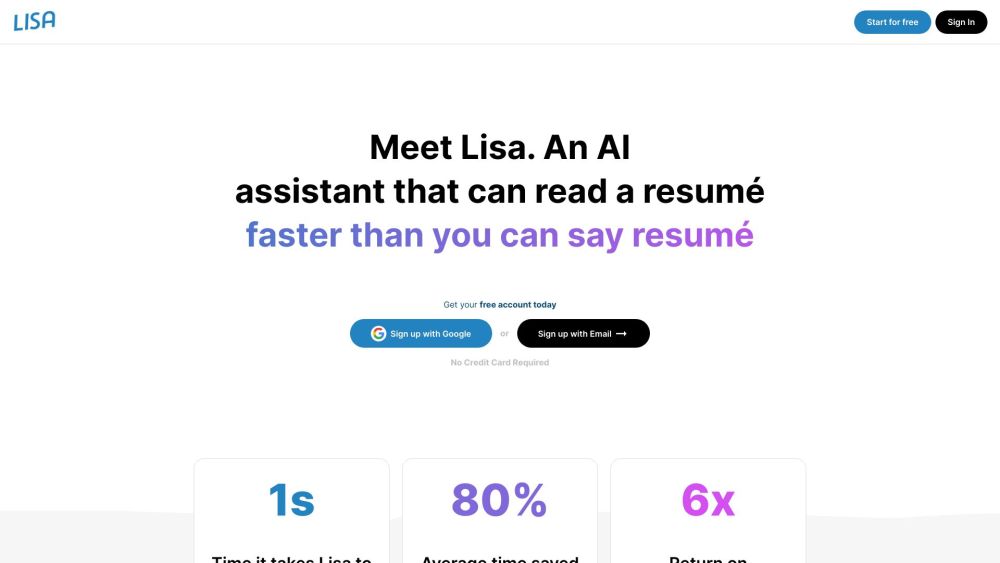
**Lisa - AI Resume Reader website preview

Lisa - AI Resume Reader Website screenshot

Introducing Lisa - The AI-Powered Resume Screening Tool

Lisa is an AI-driven assistant designed to streamline the resume review process by offering quick, precise analyses. This tool is a time-saver for recruiters and hiring managers, enabling them to make smarter hiring decisions with ease.

Getting Started with Lisa - AI Resume Reader

1. Begin by creating a free account using your Google or Email credentials. 2. Provide a brief description of the job position you are hiring for. 3. Upload the resumes you wish for Lisa to assess by simply dragging and dropping them. 4. Review the results as Lisa organizes resumes from the most to least suitable, providing key insights for each.

Key Features of Lisa - AI Resume Reader

1. Advanced Resume Evaluation: Leveraging AI, Lisa evaluates resumes and ranks them based on their fit for the role. 2. Significant Time Savings: With the ability to review a resume in just one second, Lisa saves users up to 80% of their time. 3. High ROI: Users have experienced a 6x return on investment by incorporating Lisa into their recruitment process. 4. No Limits on Resume Uploads: Users can analyze an unlimited number of resumes. 5. Flexible Job Descriptions: Multiple job descriptions can be entered and analyzed simultaneously.

Who Benefits from Using Lisa - AI Resume Reader?

1. Recruiters: Lisa revolutionizes the recruitment process by drastically reducing the time spent on resume screening. 2. Hiring Managers: By providing ranked resumes and summaries, Lisa aids hiring managers in making faster, more informed decisions. 3. Professionals on Tight Schedules: Lisa is ideal for busy professionals who need to quickly and accurately assess a large volume of resumes.

Product source: **Lisa - AI Resume Reader official website. Check the provider for current plans, limits and availability.

FAQ

**Lisa - AI Resume Reader questions and answers

Product context and practical checks for evaluating **Lisa - AI Resume Reader.

What is **Lisa - AI Resume Reader used for?

Lisa is an AI assistant that analyzes resumes, saving time and aiding in informed hiring decisions.

How do I get started with **Lisa - AI Resume Reader?

1. Begin by creating a free account using your Google or Email credentials. 2. Provide a brief description of the job position you are hiring for. 3. Upload the resumes you wish for Lisa to assess by simply dragging and dropping them. 4. Review the results as Lisa organizes resumes from the most to least suitable, providing key insights for each.

Which capabilities are described for **Lisa - AI Resume Reader?

1. Advanced Resume Evaluation: Leveraging AI, Lisa evaluates resumes and ranks them based on their fit for the role. 2. Significant Time Savings: With the ability to review a resume in just one second, Lisa saves users up to 80% of their time. 3. High ROI: Users have experienced a 6x return on investment by incorporating Lisa into their recruitment process. 4. No Limits on Resume Uploads: Users can analyze an unlimited number of resumes. 5. Flexible Job Descriptions: Multiple job descriptions can be entered and analyzed simultaneously.

What should I compare before choosing a **Lisa - AI Resume Reader plan?

Check **Lisa - AI Resume Reader’s current pricing page for included usage, renewal terms and any credit charges. Compare the cost of a usable result, including retries, rather than assuming that account registration includes free usage.

What inputs should I prepare for a **Lisa - AI Resume Reader trial?

Identify the files, text or account connections your task needs. Confirm that the product accepts those inputs and offers controls for reviewing its work.

How can I check the quality of a **Lisa - AI Resume Reader result?

Test one representative task and inspect the result for accuracy and completeness. Record where manual corrections or extra tools are needed.

Which export options should I check in **Lisa - AI Resume Reader?

Check export formats, integrations and whether you can keep using your work outside the service. Test a real export before committing to a longer plan.

What is a practical way to test **Lisa - AI Resume Reader against alternatives?

Choose one task with a clear success condition. Keep the input consistent, record the time spent reviewing and compare the complete workflow cost.

What should I review before uploading material to **Lisa - AI Resume Reader?

Read the provider’s rules on access, retention, deletion and use of uploaded material. Start with a non-confidential sample that you have permission to use.

Where is the official **Lisa - AI Resume Reader website?

The website linked from this profile is https://lisarecruiter.com. Use the provider’s own documentation, account area and support channels to confirm current product details.

Visit **Lisa - AI Resume Reader