AI Designer

LearnHouse

LearnHouse: The open-source platform to easily create, share, and customize educational content. Empower learning with flexible, collaborative tools.

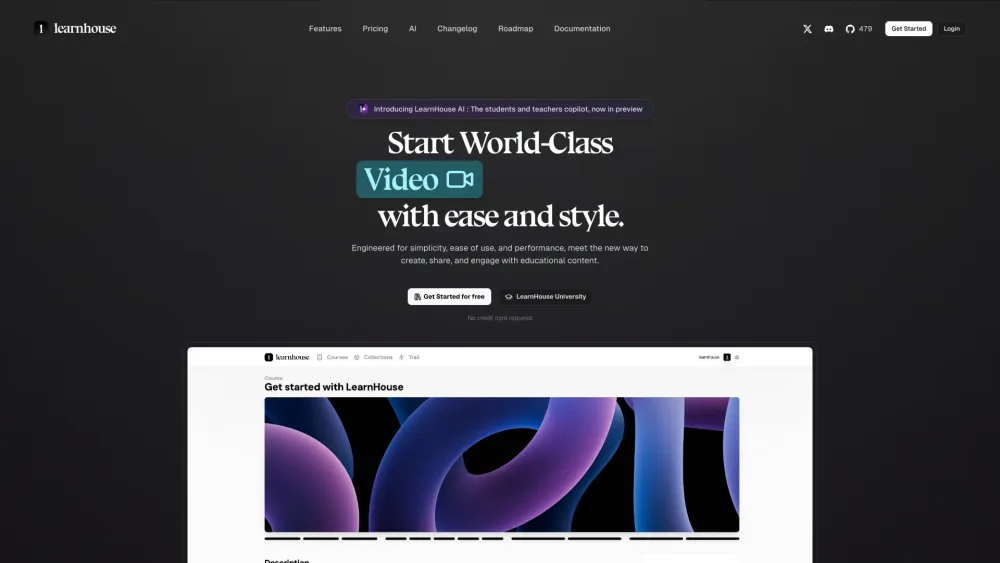
LearnHouse website preview

LearnHouse Website screenshot

Discover LearnHouse

LearnHouse is a revolutionary open source platform that empowers educators and creators to design high-quality educational content across various formats. Whether you are crafting dynamic web pages, engaging videos, comprehensive documents, or interactive quizzes, LearnHouse has the tools you need. One of its standout features is the AI-driven assistant, which enables students to engage with content more deeply by asking specific questions and receiving instant, personalized responses.

Getting Started with LearnHouse

To begin using LearnHouse, all you need to do is create an account. Once registered, you can immediately start building educational resources in your preferred format. The platform is designed for simplicity, allowing users of all skill levels to create content with ease. Additionally, the AI feature enhances the learning experience by providing interactive support for students, making learning more dynamic and engaging.

Key Features of LearnHouse

Open source platform tailored for educational content

AI-powered tools for enhancing student interaction

Applications of LearnHouse

Ideal for building online courses, bootcamps, and training programs

Supports the creation of dynamic pages, videos, documents, and interactive quizzes

Product source: LearnHouse official website. Check the provider for current plans, limits and availability.

FAQ

LearnHouse questions and answers

Product context and practical checks for evaluating LearnHouse.

What is LearnHouse used for?

LearnHouse: The open-source platform to easily create, share, and customize educational content. Empower learning with flexible, collaborative tools.

How do I get started with LearnHouse?

To begin using LearnHouse, all you need to do is create an account. Once registered, you can immediately start building educational resources in your preferred format. The platform is designed for simplicity, allowing users of all skill levels to create content with ease. Additionally, the AI feature enhances the learning experience by providing interactive support for students, making learning more dynamic and engaging.

Which capabilities are described for LearnHouse?

Open source platform tailored for educational contentAI-powered tools for enhancing student interaction

What projects can I evaluate LearnHouse for?

Ideal for building online courses, bootcamps, and training programsSupports the creation of dynamic pages, videos, documents, and interactive quizzes LearnHouse Community on Discord Join the LearnHouse community on Discord: https://discord.com/invite/CMyZjjYZ6x. For more details, click here(/discord/cmyzjjyz6x). LearnHouse Support and Contact Information For customer service, reach out via email: [email protected]. About LearnHouse LearnHouse is committed to providing tools that help educators create engaging and accessible content for all learners. LearnHouse Login Access your account here: https://www.learnhouse.app/login Sign Up for LearnHouse Start your educational journey with LearnHouse: https://www.learnhouse.app/signup LearnHouse Pricing Explore pricing options: https://www.learnhouse.app/pricing LearnHouse on Twitter Follow us on Twitter: https://twitter.com/learnhouseapp LearnHouse on GitHub Contribute and explore our open source code on GitHub: https://github.com/learnhouse/learnhouse

What should I compare before choosing a LearnHouse plan?

Explore pricing options: https://www.learnhouse.app/pricing Confirm current prices and allowances on the provider’s website before purchasing.

What inputs should I prepare for a LearnHouse trial?

Compare support for source documents, style instructions, outlines and length limits. Check whether citations link to real material rather than merely looking like references.

How can I check the quality of a LearnHouse result?

Verify names, dates, quotations and factual claims against the original sources. Edit tone, remove repetition and make sure the text answers the intended reader’s question.

Which export options should I check in LearnHouse?

Check export to plain text, Markdown, documents or your publishing system. Formatting, headings and working links matter when moving a draft into production.

What is a practical way to test LearnHouse against alternatives?

Use a real brief and a short source document. Compare factual accuracy, structure and editing time rather than accepting the longest or most confident draft.

Where is the official LearnHouse website?

The website linked from this profile is https://learnhouse.app. Use the provider’s own documentation, account area and support channels to confirm current product details.

Visit LearnHouse