AI Reply Assistant

**KeyAI - ChatOnline

Live chat and chatbot platform for business customer support

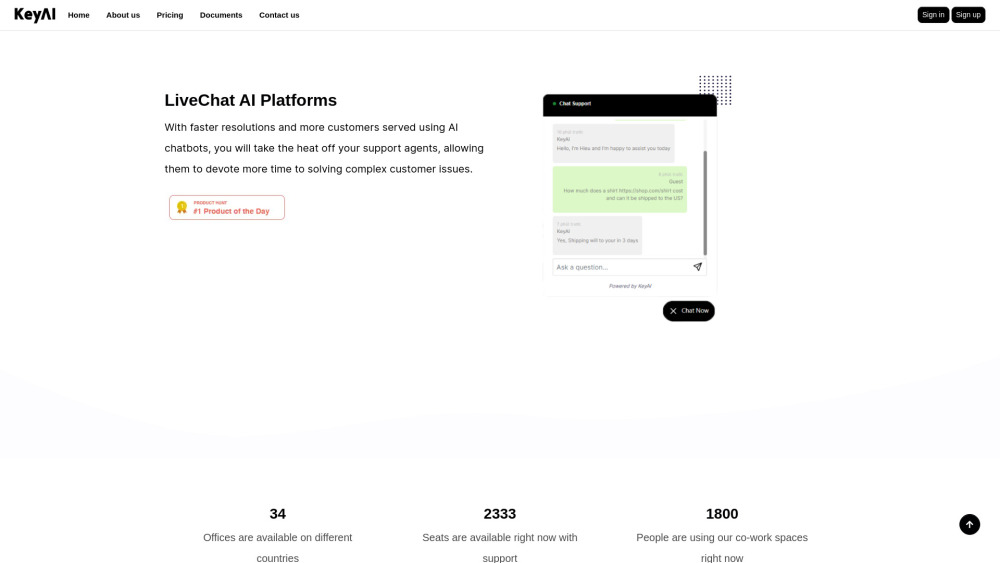
**KeyAI - ChatOnline website preview

KeyAI - ChatOnline Website screenshot

What is KeyAI - ChatOnline?

KeyAI - ChatOnline is a comprehensive AI-driven platform that enables businesses to deliver efficient customer service through both live chat and AI chatbots. By automating responses to basic inquiries, the platform allows human agents to dedicate more time to resolving complex issues. Additional tools for team collaboration, project tracking, video conferencing, remote team management, and file sharing make KeyAI - ChatOnline a versatile solution for organizations.

How to use KeyAI - ChatOnline?

Getting started with KeyAI - ChatOnline is straightforward. Simply register an account, integrate the provided code into your website, and you're ready to start interacting with customers. The platform supports unlimited projects, team coordination, video meetings, file transfers, and includes features like time tracking and a seamless payment system for smooth business operations.

KeyAI - ChatOnline's Core Features

Real-time chat support

AI-powered chatbot integration

Collaborative team tools

Project management capabilities

Video conferencing

Tools for managing remote teams

Easy file sharing

Time tracking system

Streamlined payment processing

KeyAI - ChatOnline's Use Cases

Providing responsive customer support with AI-driven chatbots and live chat

Collaborating efficiently on projects with integrated team tools

Managing and organizing remote workforces effectively

  • KeyAI - ChatOnline Support Email & Customer Service Contact

    For assistance, you can contact KeyAI - ChatOnline's support team by email at: [email protected]. For more ways to get in touch, visit the contact page.

  • KeyAI - ChatOnline Company

    KeyAI, Inc. is the company behind KeyAI - ChatOnline. For more details, visit the About Us page.

  • KeyAI - ChatOnline Login

    Access your KeyAI - ChatOnline account here: Login.

  • KeyAI - ChatOnline Sign Up

    Create your account now by signing up here: Sign Up.

  • KeyAI - ChatOnline Pricing

    For information about pricing plans, visit: Pricing Page.

Product source: **KeyAI - ChatOnline official website. Check the provider for current plans, limits and availability.

FAQ

**KeyAI - ChatOnline questions and answers

Product context and practical checks for evaluating **KeyAI - ChatOnline.

What is **KeyAI - ChatOnline used for?

Live chat and chatbot platform for business customer support

How do I get started with **KeyAI - ChatOnline?

Getting started with KeyAI - ChatOnline is straightforward. Simply register an account, integrate the provided code into your website, and you're ready to start interacting with customers. The platform supports unlimited projects, team coordination, video meetings, file transfers, and includes features like time tracking and a seamless payment system for smooth business operations.

Which capabilities are described for **KeyAI - ChatOnline?

Real-time chat supportAI-powered chatbot integrationCollaborative team toolsProject management capabilitiesVideo conferencingTools for managing remote teamsEasy file sharingTime tracking systemStreamlined payment processing

What projects can I evaluate **KeyAI - ChatOnline for?

Providing responsive customer support with AI-driven chatbots and live chatCollaborating efficiently on projects with integrated team toolsManaging and organizing remote workforces effectively KeyAI - ChatOnline Support Email & Customer Service Contact For assistance, you can contact KeyAI - ChatOnline's support team by email at: [email protected]. For more ways to get in touch, visit the contact page. KeyAI - ChatOnline Company KeyAI, Inc. is the company behind KeyAI - ChatOnline. For more details, visit the About Us page. KeyAI - ChatOnline Login Access your KeyAI - ChatOnline account here: Login. KeyAI - ChatOnline Sign Up Create your account now by signing up here: Sign Up. KeyAI - ChatOnline Pricing For information about pricing plans, visit: Pricing Page.

What should I compare before choosing a **KeyAI - ChatOnline plan?

For information about pricing plans, visit: Pricing Page. Confirm current prices and allowances on the provider’s website before purchasing.

What inputs should I prepare for a **KeyAI - ChatOnline trial?

Identify the files, text or account connections your task needs. Confirm that the product accepts those inputs and offers controls for reviewing its work.

How can I check the quality of a **KeyAI - ChatOnline result?

Test one representative task and inspect the result for accuracy and completeness. Record where manual corrections or extra tools are needed.

Which export options should I check in **KeyAI - ChatOnline?

Check export formats, integrations and whether you can keep using your work outside the service. Test a real export before committing to a longer plan.

What is a practical way to test **KeyAI - ChatOnline against alternatives?

Choose one task with a clear success condition. Keep the input consistent, record the time spent reviewing and compare the complete workflow cost.

Where is the official **KeyAI - ChatOnline website?

The website linked from this profile is https://keyai.net. Use the provider’s own documentation, account area and support channels to confirm current product details.

Visit **KeyAI - ChatOnline