AI Advertising Assistant

Katch - AI Call Assistant

Katch is an AI call assistant designed to make your calls purposeful and efficient. It provides instant calls on any device, anywhere. You can connect with other Katch users or non-users easily using the Call Link feature, which eliminates the need for app downloads or account setups. Katch also uses AI technology to generate comprehensive call summaries, identify actionable items, and provide personal communication style insights.

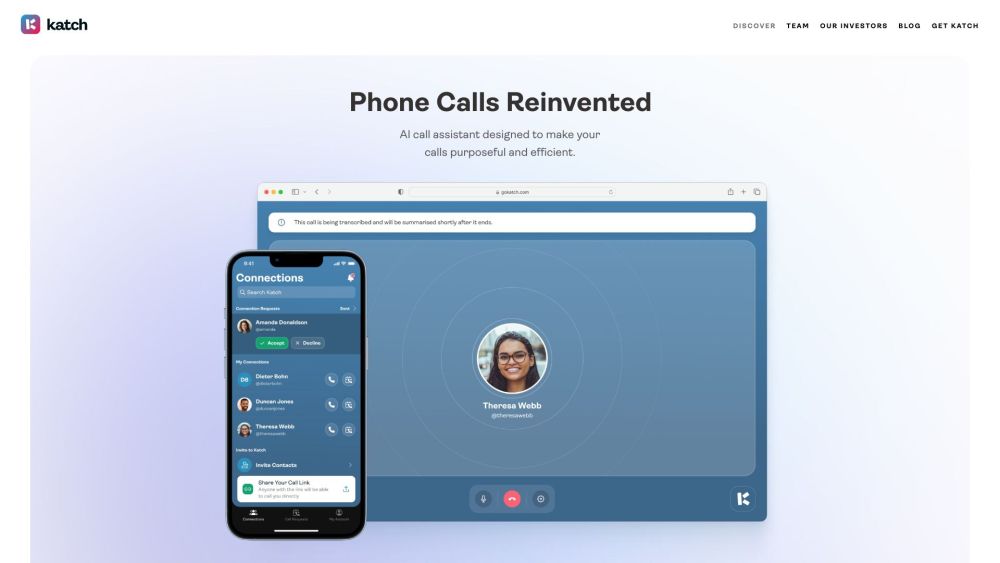
Katch - AI Call Assistant website preview

Katch - AI Call Assistant Website screenshot

What is Katch - AI Call Assistant?

Katch is an advanced AI-powered call assistant, created to streamline your communication and maximize productivity during calls. Whether on a mobile, desktop, or any device, Katch allows you to make instant calls from anywhere. By utilizing the Call Link feature, you can connect with others—regardless of whether they are Katch users—without requiring app downloads or account creation. With its AI capabilities, Katch generates call summaries, highlights key action points, and offers valuable insights into your personal communication style.

How to use Katch - AI Call Assistant?

Using Katch is simple. Share your Call Link with others, allowing them to reach you via their browser without installing any additional apps. Katch’s AI technology will automatically analyze the conversation in real time, generating summaries and identifying important tasks. The Call Request feature also makes scheduling meetings seamless—when it’s time to connect, Katch sends you a Smart Notification. Simply confirm your availability and start the call. You can also use the Wave feature to signal your availability, with Katch suggesting times that work for both you and the other participant.

Katch - AI Call Assistant's Core Features

Instant calls on any device, from anywhere

Call Link for seamless connection, no downloads required

AI-generated call summaries and task identification

Insights into personal communication styles

Effortless meeting scheduling via Call Request

Smart Notifications to start calls at the perfect time

Wave feature to indicate instant availability

Katch - AI Call Assistant's Use Cases

Optimize business communications

Simplify interactions with clients and team members

Enhance collaboration among remote teams

Effortlessly network with professionals

Streamline candidate interviews

Organize and conduct virtual meetings

Product source: Katch - AI Call Assistant official website. Check the provider for current plans, limits and availability.

FAQ

Katch - AI Call Assistant questions and answers

Product context and practical checks for evaluating Katch - AI Call Assistant.

What is Katch - AI Call Assistant used for?

Katch is an AI call assistant designed to make your calls purposeful and efficient. It provides instant calls on any device, anywhere. You can connect with other Katch users or non-users easily using the Call Link feature, which eliminates the need for app downloads or account setups. Katch also uses AI technology to generate comprehensive call summaries, identify actionable items, and provide personal communication style insights.

How do I get started with Katch - AI Call Assistant?

Using Katch is simple. Share your Call Link with others, allowing them to reach you via their browser without installing any additional apps. Katch’s AI technology will automatically analyze the conversation in real time, generating summaries and identifying important tasks. The Call Request feature also makes scheduling meetings seamless—when it’s time to connect, Katch sends you a Smart Notification. Simply confirm your availability and start the call. You can also use the Wave feature to signal your availability, with Katch suggesting times that work for both you and the other participant.

Which capabilities are described for Katch - AI Call Assistant?

Instant calls on any device, from anywhereCall Link for seamless connection, no downloads requiredAI-generated call summaries and task identificationInsights into personal communication stylesEffortless meeting scheduling via Call RequestSmart Notifications to start calls at the perfect timeWave feature to indicate instant availability

What projects can I evaluate Katch - AI Call Assistant for?

Optimize business communicationsSimplify interactions with clients and team membersEnhance collaboration among remote teamsEffortlessly network with professionalsStreamline candidate interviewsOrganize and conduct virtual meetings Katch - AI Call Assistant Support Email & Customer Service Contact For more information, visit our contact page. Katch - AI Call Assistant Company Katch is a product of Fewer Meetings Inc. Learn more about us at our website. Katch - AI Call Assistant Login Login here: https://app.gokatch.ai Katch - AI Call Assistant Sign Up Sign up here: https://app.gokatch.ai Katch - AI Call Assistant Pricing Check our pricing plans here: https://gokatch.ai/#pricing Katch - AI Call Assistant on TikTok Follow us on TikTok: https://www.tiktok.com/@gokatch Katch - AI Call Assistant on LinkedIn Connect with us on LinkedIn: https://www.linkedin.com/company/gokatch/ Katch - AI Call Assistant on Twitter Follow us on Twitter: https://www.twitter.com/gokatch_ Katch - AI Call Assistant on WhatsApp Message us on WhatsApp: https://wa.me/442076634644?text=Hi%2C%20how%20does%20my%20schedule%20look%20tomorrow%3F

What should I compare before choosing a Katch - AI Call Assistant plan?

Check our pricing plans here: https://gokatch.ai/#pricing Confirm current prices and allowances on the provider’s website before purchasing.

What inputs should I prepare for a Katch - AI Call Assistant trial?

Look for text prompts, image references, masks or sketches as appropriate. Compare composition control, supported upload types and the ability to revise a selected area.

How can I check the quality of a Katch - AI Call Assistant result?

Inspect text, hands, edges, reflections and repeated objects at full size. Check that important product or brand details survive editing.

Which export options should I check in Katch - AI Call Assistant?

Compare pixel dimensions, transparency, file formats and any enlargement options. Confirm that the downloaded result works in your design or publishing software.

What is a practical way to test Katch - AI Call Assistant against alternatives?

Prepare a brief with a subject, composition, lighting and required output size. Test a first generation and a targeted revision to see how much control you retain.

Where is the official Katch - AI Call Assistant website?

The website linked from this profile is . Use the provider’s own documentation, account area and support channels to confirm current product details.