AI Advertising Assistant

Kastro - AI Assistant

Kastro is an AI assistant, powered by ChatGPT, designed to enhance customer experience with chatbots. It allows businesses to provide instant and 24/7 customer support, streamline their support processes, and increase sales.

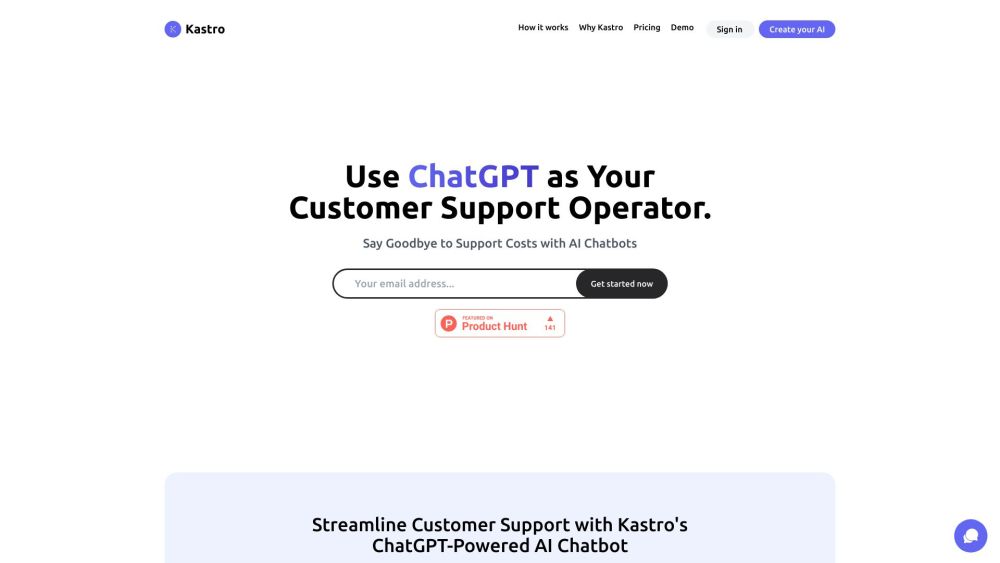
Kastro - AI Assistant website preview

Kastro - Your AI Assistant Website screenshot

What is Kastro - Your AI Assistant?

Kastro is an innovative AI assistant, leveraging the power of ChatGPT, designed to revolutionize customer service with intelligent chatbots. Businesses can utilize Kastro to deliver immediate, round-the-clock support, optimize their support workflows, and drive higher sales.

How to use Kastro - Your AI Assistant?

To get started with Kastro, follow these steps: 1. Log in or register on the Kastro platform. 2. Utilize Kastro’s user-friendly interface to create your AI chatbot. 3. Test your chatbot with actual customer queries to ensure accuracy. 4. Integrate the chat widget into your website to provide 24/7 instant support. 5. Use Kastro’s analytics and reporting tools to enhance and refine your customer support strategy.

Kastro - Your AI Assistant's Core Features

Instant and 24/7 customer support

Enhanced response times and increased sales

Optimized support workflows

Analytics and reporting for continual improvement

No programming skills required

Kastro - Your AI Assistant's Use Cases

Providing immediate assistance for customer inquiries

Boosting sales through quicker response times

Enhancing support processes for better efficiency

Building customer trust and loyalty with 24/7 support

Automating the customer journey for an improved experience

Product source: Kastro - AI Assistant official website. Check the provider for current plans, limits and availability.

FAQ

Kastro - AI Assistant questions and answers

Product context and practical checks for evaluating Kastro - AI Assistant.

What is Kastro - AI Assistant used for?

Kastro is an AI assistant, powered by ChatGPT, designed to enhance customer experience with chatbots. It allows businesses to provide instant and 24/7 customer support, streamline their support processes, and increase sales.

How do I get started with Kastro - AI Assistant?

To get started with Kastro, follow these steps: 1. Log in or register on the Kastro platform. 2. Utilize Kastro’s user-friendly interface to create your AI chatbot. 3. Test your chatbot with actual customer queries to ensure accuracy. 4. Integrate the chat widget into your website to provide 24/7 instant support. 5. Use Kastro’s analytics and reporting tools to enhance and refine your customer support strategy.

Which capabilities are described for Kastro - AI Assistant?

Instant and 24/7 customer supportEnhanced response times and increased salesOptimized support workflowsAnalytics and reporting for continual improvementNo programming skills required

What projects can I evaluate Kastro - AI Assistant for?

Providing immediate assistance for customer inquiriesBoosting sales through quicker response timesEnhancing support processes for better efficiencyBuilding customer trust and loyalty with 24/7 supportAutomating the customer journey for an improved experience Kastro - Your AI Assistant Support Email & Customer service contact & Refund contact etc. For more contact information, visit the contact us page. Kastro - Your AI Assistant Company Kastro - Your AI Assistant Company name: Kastro. Learn more about Kastro - Your AI Assistant by visiting the about us page. Kastro - Your AI Assistant Login Kastro - Your AI Assistant Login Link: https://app.kastro.chat/login Kastro - Your AI Assistant Sign up Kastro - Your AI Assistant Sign up Link: https://app.kastro.chat/signup/trial Kastro - Your AI Assistant Pricing Kastro - Your AI Assistant Pricing Link: https://kastro.chat/pricing Kastro - Your AI Assistant Twitter Kastro - Your AI Assistant Twitter Link: https://twitter.com/bohlenlabs/status/1697623527279542308

What should I compare before choosing a Kastro - AI Assistant plan?

Kastro - Your AI Assistant Pricing Link: https://kastro.chat/pricing Confirm current prices and allowances on the provider’s website before purchasing.

What inputs should I prepare for a Kastro - AI Assistant trial?

Look for text prompts, image references, masks or sketches as appropriate. Compare composition control, supported upload types and the ability to revise a selected area.

How can I check the quality of a Kastro - AI Assistant result?

Inspect text, hands, edges, reflections and repeated objects at full size. Check that important product or brand details survive editing.

Which export options should I check in Kastro - AI Assistant?

Compare pixel dimensions, transparency, file formats and any enlargement options. Confirm that the downloaded result works in your design or publishing software.

What is a practical way to test Kastro - AI Assistant against alternatives?

Prepare a brief with a subject, composition, lighting and required output size. Test a first generation and a targeted revision to see how much control you retain.

Where is the official Kastro - AI Assistant website?

The website linked from this profile is https://www.promptdodo.com. Use the provider’s own documentation, account area and support channels to confirm current product details.

Visit Kastro - AI Assistant