Transcription

**JotMe

Real-time translation and multilingual meeting notes platform

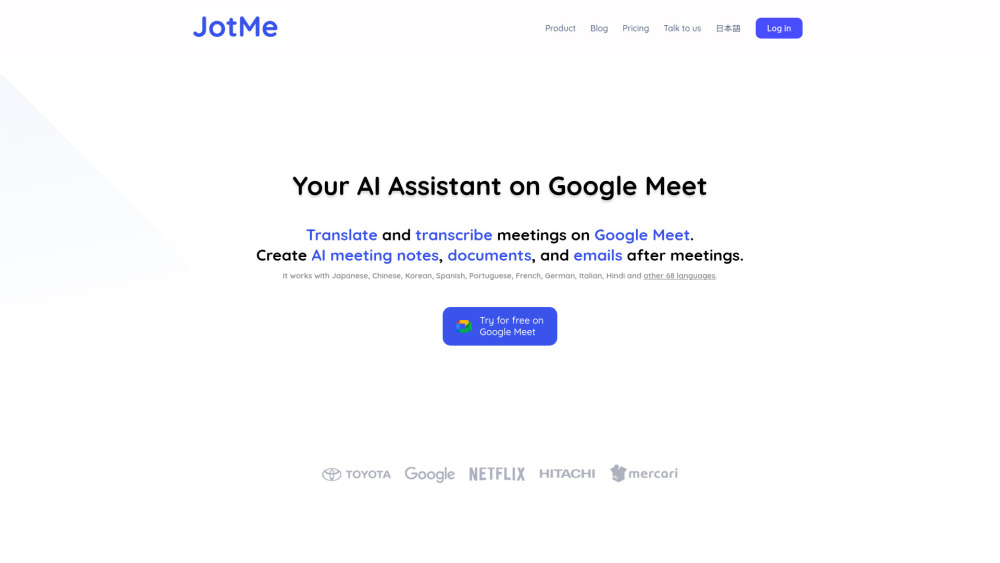
**JotMe website preview

JotMe Website screenshot

What is JotMe?

JotMe is a cutting-edge AI tool designed to enhance communication in multilingual meetings. It offers real-time translation of 77 languages, making it easier to break down language barriers. Additionally, JotMe creates detailed meeting notes in 10 languages, helping teams collaborate more effectively across borders.

How to Use JotMe?

Using JotMe is simple and efficient. After integrating it with Google Meet, the platform will automatically translate spoken words and provide transcriptions in real-time. Post-meeting, JotMe generates AI-powered notes, allowing users to draft documents or emails based on the meeting's context with ease.

Key Features of JotMe

Real-time translation in 77 languages

Meeting notes available in 10 languages

AI-generated meeting summaries

Effortless drafting of emails and documents

JotMe's Use Cases

Facilitating cross-language collaboration

Optimizing communication with live translation

Simplifying post-meeting documentation tasks

  • JotMe Support and Customer Service

    For customer support, contact JotMe at [email protected]. For further assistance, visit the Contact Us page.

  • JotMe Login

    Access the JotMe platform by logging in here: JotMe Login.

  • JotMe Pricing

    Learn more about JotMe's pricing options on the Pricing page.

  • JotMe on LinkedIn

    Follow JotMe on LinkedIn: JotMe LinkedIn.

  • JotMe on Twitter

    Stay updated by following JotMe on Twitter: JotMe Twitter.

Product source: **JotMe official website. Check the provider for current plans, limits and availability.

FAQ

**JotMe questions and answers

Product context and practical checks for evaluating **JotMe.

What is **JotMe used for?

Real-time translation and multilingual meeting notes platform

How do I get started with **JotMe?

Using JotMe is simple and efficient. After integrating it with Google Meet, the platform will automatically translate spoken words and provide transcriptions in real-time. Post-meeting, JotMe generates AI-powered notes, allowing users to draft documents or emails based on the meeting's context with ease.

Which capabilities are described for **JotMe?

Real-time translation in 77 languagesMeeting notes available in 10 languagesAI-generated meeting summariesEffortless drafting of emails and documents

What projects can I evaluate **JotMe for?

Facilitating cross-language collaborationOptimizing communication with live translationSimplifying post-meeting documentation tasks JotMe Support and Customer Service For customer support, contact JotMe at [email protected]. For further assistance, visit the Contact Us page. JotMe Login Access the JotMe platform by logging in here: JotMe Login. JotMe Pricing Learn more about JotMe's pricing options on the Pricing page. JotMe on LinkedIn Follow JotMe on LinkedIn: JotMe LinkedIn. JotMe on Twitter Stay updated by following JotMe on Twitter: JotMe Twitter.

What should I compare before choosing a **JotMe plan?

Learn more about JotMe's pricing options on the Pricing page. Confirm current prices and allowances on the provider’s website before purchasing.

What inputs should I prepare for a **JotMe trial?

Identify the files, text or account connections your task needs. Confirm that the product accepts those inputs and offers controls for reviewing its work.

How can I check the quality of a **JotMe result?

Test one representative task and inspect the result for accuracy and completeness. Record where manual corrections or extra tools are needed.

Which export options should I check in **JotMe?

Check export formats, integrations and whether you can keep using your work outside the service. Test a real export before committing to a longer plan.

What is a practical way to test **JotMe against alternatives?

Choose one task with a clear success condition. Keep the input consistent, record the time spent reviewing and compare the complete workflow cost.

Where is the official **JotMe website?

The website linked from this profile is https://www.jotme.io. Use the provider’s own documentation, account area and support channels to confirm current product details.

Visit **JotMe