AI Advertising Assistant

Jetpack

Enhance your WordPress site with Jetpack! Secure, backup, and boost performance effortlessly. Jetpack: Your all-in-one plugin for security, backups, and growth.

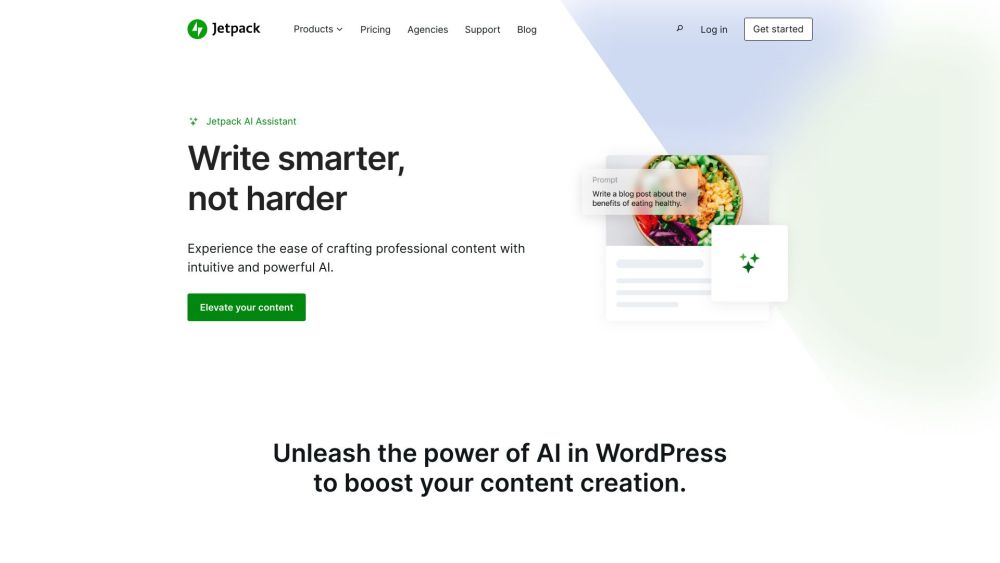
Jetpack website preview

Jetpack Website screenshot

What is Jetpack?

Jetpack is an essential WordPress plugin that integrates advanced security, backup, performance, and growth tools into your website. It aims to enhance both the functionality and protection of your WordPress site.

How to use Jetpack?

To utilize Jetpack, install and activate the plugin on your WordPress site. After activation, you can explore and configure its various features through the plugin settings. Enable or disable specific functionalities based on your requirements and preferences.

Jetpack's Core Features

Security: Jetpack offers real-time backups and one-click restores with VaultPress Backup, automated malware scanning and fixes with Jetpack Scan, and spam protection for comments and forms via Akismet Anti-spam.

Site Performance: Jetpack enhances site performance with ad-free HD video embedding using VideoPress, instant site search with Jetpack Search, speed optimizations for better SEO with Jetpack Boost, and a global CDN for faster content delivery.

Growth Tools: Expand your audience with Jetpack's growth tools. Features include auto-sharing posts to social media with Jetpack Social, content promotion through the Blaze ad network, lead conversion with Jetpack CRM, and detailed site analytics with Jetpack Stats.

Jetpack's Use Cases

Website Security: Protect your site from threats, spam, and malware with Jetpack.

Backups and Restores: Perform real-time backups and easily restore your site with VaultPress Backup.

Improved Site Performance: Boost your site's speed and performance, enhancing user experience and SEO.

Business Growth: Use Jetpack's tools to grow your audience, convert leads, and monitor site performance.

Social Media Marketing: Automatically share your content on social media platforms to increase reach.

Content Promotion: Attract new visitors and customers by promoting your content with the Blaze ad network.

  • Jetpack Support Email & Customer Service Contact

    For support, visit the contact us page.

  • Jetpack Company

    Jetpack is a product of Automattic.

  • Jetpack Login

    Login to Jetpack here.

  • Jetpack Pricing

    View Jetpack pricing here.

  • Jetpack Facebook

    Follow Jetpack on Facebook here.

  • Jetpack YouTube

    Subscribe to Jetpack on YouTube here.

  • Jetpack LinkedIn

    Connect with Jetpack on LinkedIn here.

  • Jetpack Twitter

    Follow Jetpack on Twitter here.

  • Jetpack GitHub

    Explore Jetpack on GitHub here.

Product source: Jetpack official website. Check the provider for current plans, limits and availability.

FAQ

Jetpack questions and answers

Product context and practical checks for evaluating Jetpack.

What is Jetpack used for?

Enhance your WordPress site with Jetpack! Secure, backup, and boost performance effortlessly. Jetpack: Your all-in-one plugin for security, backups, and growth.

How do I get started with Jetpack?

To utilize Jetpack, install and activate the plugin on your WordPress site. After activation, you can explore and configure its various features through the plugin settings. Enable or disable specific functionalities based on your requirements and preferences.

Which capabilities are described for Jetpack?

Security: Jetpack offers real-time backups and one-click restores with VaultPress Backup, automated malware scanning and fixes with Jetpack Scan, and spam protection for comments and forms via Akismet Anti-spam.Site Performance: Jetpack enhances site performance with ad-free HD video embedding using VideoPress, instant site search with Jetpack Search, speed optimizations for better SEO with Jetpack Boost, and a global CDN for faster content delivery.Growth Tools: Expand your audience with Jetpack's growth tools. Features include auto-sharing posts to social media with Jetpack Social, content promotion through the Blaze ad network, lead conversion with Jetpack CRM, and detailed site analytics with Jetpack Stats.

What projects can I evaluate Jetpack for?

Website Security: Protect your site from threats, spam, and malware with Jetpack.Backups and Restores: Perform real-time backups and easily restore your site with VaultPress Backup.Improved Site Performance: Boost your site's speed and performance, enhancing user experience and SEO.Business Growth: Use Jetpack's tools to grow your audience, convert leads, and monitor site performance.Social Media Marketing: Automatically share your content on social media platforms to increase reach.Content Promotion: Attract new visitors and customers by promoting your content with the Blaze ad network. Jetpack Support Email & Customer Service Contact For support, visit the contact us page. Jetpack Company Jetpack is a product of Automattic. Jetpack Login Login to Jetpack here. Jetpack Pricing View Jetpack pricing here. Jetpack Facebook Follow Jetpack on Facebook here. Jetpack YouTube Subscribe to Jetpack on YouTube here. Jetpack LinkedIn Connect with Jetpack on LinkedIn here. Jetpack Twitter Follow Jetpack on Twitter here. Jetpack GitHub Explore Jetpack on GitHub here.

What should I compare before choosing a Jetpack plan?

View Jetpack pricing here. Confirm current prices and allowances on the provider’s website before purchasing.

What inputs should I prepare for a Jetpack trial?

Identify the files, text or account connections your task needs. Confirm that the product accepts those inputs and offers controls for reviewing its work.

How can I check the quality of a Jetpack result?

Test one representative task and inspect the result for accuracy and completeness. Record where manual corrections or extra tools are needed.

Which export options should I check in Jetpack?

Check export formats, integrations and whether you can keep using your work outside the service. Test a real export before committing to a longer plan.

What is a practical way to test Jetpack against alternatives?

Choose one task with a clear success condition. Keep the input consistent, record the time spent reviewing and compare the complete workflow cost.

Where is the official Jetpack website?

The website linked from this profile is https://www.promptdodo.com. Use the provider’s own documentation, account area and support channels to confirm current product details.

Visit Jetpack