Large Language Models (LLMs)

Jason AI

Meet 'Jason AI'—your AI-powered personal assistant! Automate outreach, manage responses, and book meetings for your business. Productivity redefined.

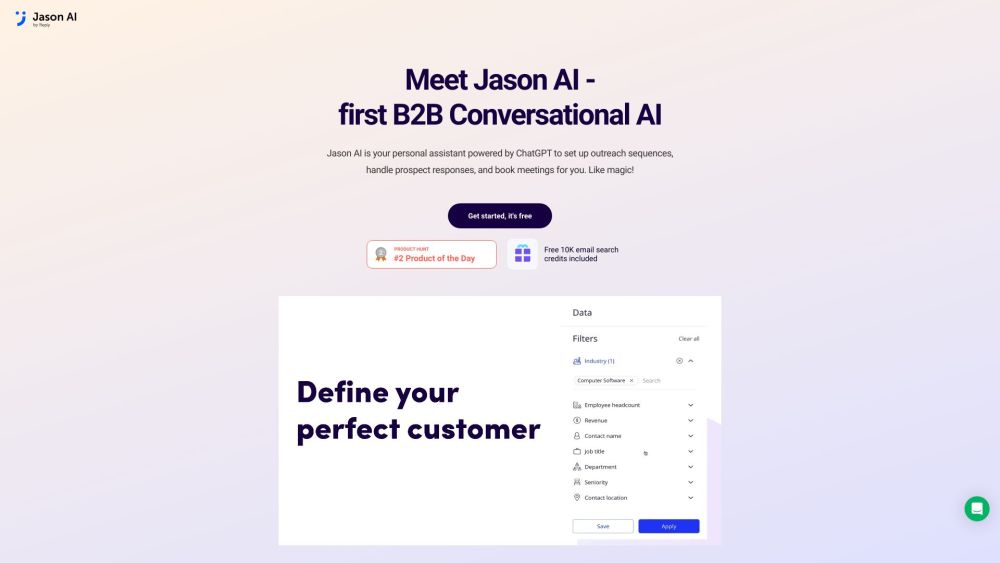
Jason AI website preview

Jason AI Website screenshot

Understanding Jason AI

Jason AI is an advanced personal assistant driven by ChatGPT technology. It's designed to streamline outreach sequences, manage prospect interactions, and schedule meetings for businesses effortlessly.

Getting Started with Jason AI

To start using Jason AI, follow these simple steps: 1. Identify your target audience by setting up relevant filters. 2. Create a customized outreach sequence including emails and follow-ups. 3. Provide Jason AI with product information to enable automated responses to customer queries. 4. Allow Jason AI to manage conversations with potential leads, including arranging meetings and handling inquiries. 5. Enjoy the convenience of automated meeting scheduling and focus on attending your appointments.

Key Features of Jason AI

Jason AI offers essential features such as: - Targeted audience filtering - Automated setup of outreach sequences - Auto-response to customer inquiries - Lead conversation management - Scheduling and rescheduling of meetings

Ideal Use Cases for Jason AI

Jason AI is perfect for: - Sales professionals aiming to improve outreach and engagement productivity. - Businesses requiring assistance with personalized outreach and customer interaction management. - Individuals or teams looking to automate their meeting scheduling and rescheduling processes.

  • Jason AI Customer Support & Contact Information

    For customer support, you can reach Jason AI at: [email protected].

  • About Jason AI

    For more information about Jason AI, visit the About Us page.

  • Jason AI Login

    Access the login page here: Login.

  • Jason AI Sign Up

    Sign up for Jason AI here: Register.

  • Jason AI Pricing

    Explore pricing details here: Pricing.

  • Jason AI on Facebook

    Connect on Facebook: Facebook.

  • Jason AI on LinkedIn

    Connect on LinkedIn: LinkedIn.

  • Jason AI on Twitter

    Follow on Twitter: Twitter.

Product source: Jason AI official website. Check the provider for current plans, limits and availability.

FAQ

Jason AI questions and answers

Product context and practical checks for evaluating Jason AI.

What is Jason AI used for?

Meet 'Jason AI'—your AI-powered personal assistant! Automate outreach, manage responses, and book meetings for your business. Productivity redefined.

How do I get started with Jason AI?

To start using Jason AI, follow these simple steps: 1. Identify your target audience by setting up relevant filters. 2. Create a customized outreach sequence including emails and follow-ups. 3. Provide Jason AI with product information to enable automated responses to customer queries. 4. Allow Jason AI to manage conversations with potential leads, including arranging meetings and handling inquiries. 5. Enjoy the convenience of automated meeting scheduling and focus on attending your appointments.

Which capabilities are described for Jason AI?

Jason AI offers essential features such as: - Targeted audience filtering - Automated setup of outreach sequences - Auto-response to customer inquiries - Lead conversation management - Scheduling and rescheduling of meetings

What projects can I evaluate Jason AI for?

Jason AI is perfect for: - Sales professionals aiming to improve outreach and engagement productivity. - Businesses requiring assistance with personalized outreach and customer interaction management. - Individuals or teams looking to automate their meeting scheduling and rescheduling processes. Jason AI Customer Support & Contact Information For customer support, you can reach Jason AI at: [email protected]. About Jason AI For more information about Jason AI, visit the About Us page. Jason AI Login Access the login page here: Login. Jason AI Sign Up Sign up for Jason AI here: Register. Jason AI Pricing Explore pricing details here: Pricing. Jason AI on Facebook Connect on Facebook: Facebook. Jason AI on LinkedIn Connect on LinkedIn: LinkedIn. Jason AI on Twitter Follow on Twitter: Twitter.

What should I compare before choosing a Jason AI plan?

Explore pricing details here: Pricing. Confirm current prices and allowances on the provider’s website before purchasing.

What inputs should I prepare for a Jason AI trial?

Identify the files, text or account connections your task needs. Confirm that the product accepts those inputs and offers controls for reviewing its work.

How can I check the quality of a Jason AI result?

Test one representative task and inspect the result for accuracy and completeness. Record where manual corrections or extra tools are needed.

Which export options should I check in Jason AI?

Check export formats, integrations and whether you can keep using your work outside the service. Test a real export before committing to a longer plan.

What is a practical way to test Jason AI against alternatives?

Choose one task with a clear success condition. Keep the input consistent, record the time spent reviewing and compare the complete workflow cost.

Where is the official Jason AI website?

The website linked from this profile is . Use the provider’s own documentation, account area and support channels to confirm current product details.