AI Builder

izTalk

Break language barriers with izTalk: AI-powered, real-time translation for calls, conferences, and chats. Connect globally, swiftly, and securely with precision.

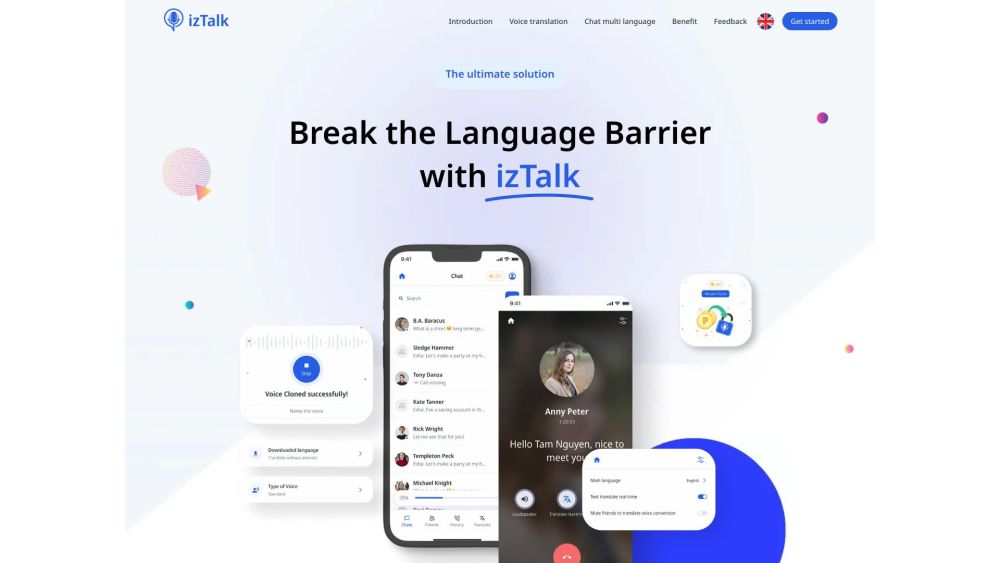
izTalk website preview
html

izTalk Website screenshot

What is izTalk?

izTalk is a revolutionary platform designed to bridge communication gaps worldwide, enabling seamless interactions without language barriers. Utilizing advanced AI-powered real-time translation, izTalk allows users to communicate effortlessly during calls, conferences, and social engagements. With izTalk, experience real-time, accurate, and secure translations that enhance global connectivity and communication.

How to use izTalk?

Getting started with izTalk is simple. Download the app and register an account. Once logged in, users can initiate calls and enjoy real-time voice translation by either dialing a number or selecting a contact. The app also supports messaging, translating texts into the user's preferred language. Additionally, izTalk offers an innovative AI Clone Voice feature, creating a natural-sounding clone of the user's voice in different languages. This feature integrates seamlessly into both calls and messages, fostering global connections.

izTalk's Core Features

Optimized for Call Quality

Real-Time Voice Translation

Instantaneous Translation

Seamless Integration

Two-Way Translation

Easy Multilingual Messaging

Custom Voice AI Clone

Enhanced User Experience

Empowering Global Relationships

izTalk's Use Cases

Breaking language barriers in calls and conferences

Facilitating social interactions between people of different languages

Staying connected with friends worldwide through multilingual messaging

Creating personalized voice clones for effective cross-language communication

Product source: izTalk official website. Check the provider for current plans, limits and availability.

FAQ

izTalk questions and answers

Product context and practical checks for evaluating izTalk.

What is izTalk used for?

Break language barriers with izTalk: AI-powered, real-time translation for calls, conferences, and chats. Connect globally, swiftly, and securely with precision.

How do I get started with izTalk?

Getting started with izTalk is simple. Download the app and register an account. Once logged in, users can initiate calls and enjoy real-time voice translation by either dialing a number or selecting a contact. The app also supports messaging, translating texts into the user's preferred language. Additionally, izTalk offers an innovative AI Clone Voice feature, creating a natural-sounding clone of the user's voice in different languages. This feature integrates seamlessly into both calls and messages, fostering global connections.

Which capabilities are described for izTalk?

Optimized for Call QualityReal-Time Voice TranslationInstantaneous TranslationSeamless IntegrationTwo-Way TranslationEasy Multilingual MessagingCustom Voice AI CloneEnhanced User ExperienceEmpowering Global Relationships

What projects can I evaluate izTalk for?

Breaking language barriers in calls and conferencesFacilitating social interactions between people of different languagesStaying connected with friends worldwide through multilingual messagingCreating personalized voice clones for effective cross-language communication izTalk Support Email & Customer Service Contact For customer service, contact izTalk at: [email protected]. For more contact details, visit the contact us page. izTalk Company Company address: 3030 Potrero Ave, El Monte, CA 91733, USA. izTalk Facebook Follow us on Facebook: https://www.facebook.com/izTalk izTalk YouTube Subscribe to our YouTube channel: https://www.youtube.com/@izTalk izTalk Twitter Follow us on Twitter: https://twitter.com/izTalk_AI izTalk Instagram Follow us on Instagram: https://www.instagram.com/iztalk.ai

What should I compare before choosing a izTalk plan?

Check izTalk’s current pricing page for included usage, renewal terms and any credit charges. Compare the cost of a usable result, including retries, rather than assuming that account registration includes free usage.

What inputs should I prepare for a izTalk trial?

Identify the files, text or account connections your task needs. Confirm that the product accepts those inputs and offers controls for reviewing its work.

How can I check the quality of a izTalk result?

Test one representative task and inspect the result for accuracy and completeness. Record where manual corrections or extra tools are needed.

Which export options should I check in izTalk?

Check export formats, integrations and whether you can keep using your work outside the service. Test a real export before committing to a longer plan.

What is a practical way to test izTalk against alternatives?

Choose one task with a clear success condition. Keep the input consistent, record the time spent reviewing and compare the complete workflow cost.

Where is the official izTalk website?

The website linked from this profile is https://iztalk.ai. Use the provider’s own documentation, account area and support channels to confirm current product details.

Visit izTalk