AI Chatbot

Invocom

Invocom: AI Chatbot for Lead Qualification and Revenue Growth. Boost sales, personalize support, and increase revenue with our intelligent customer service platform.

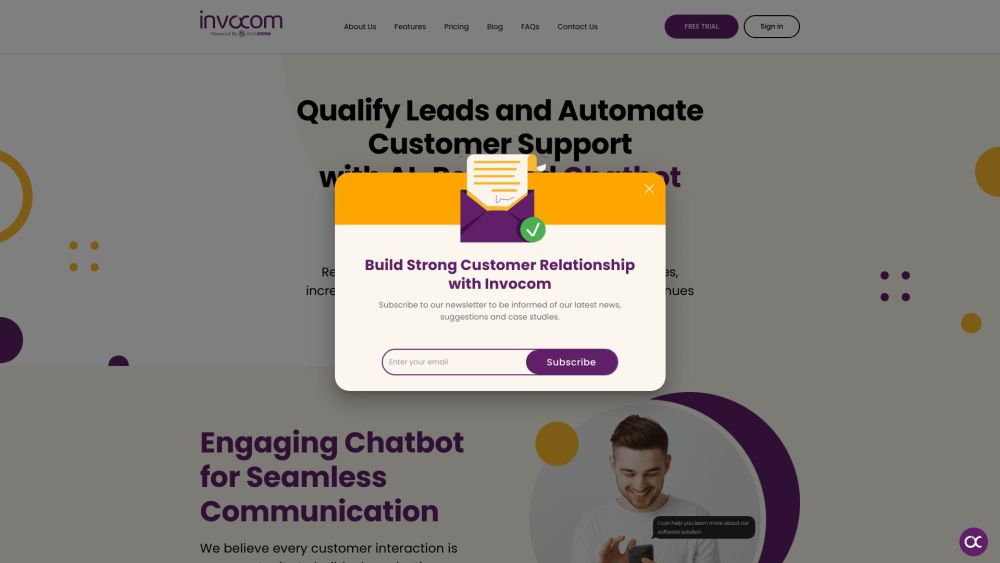
Invocom website preview

Invocom Website screenshot

Introducing Invocom

Invocom is a cutting-edge customer service platform that leverages AI chatbot technology to enhance customer interactions. By streamlining lead qualification and delivering tailored experiences, Invocom plays a pivotal role in boosting business revenue.

Getting Started with Invocom

To begin using Invocom, register for a free trial or schedule a complimentary demo. After gaining access, integrate the chatbot into your website by inserting the provided snippet code. Customize the chatbot to align with your business needs. Key features include live chat, automated conversations, performance analytics, ticketing systems, and seamless CRM integration.

Key Features of Invocom

AI-driven chatbot for superior customer support

Efficient lead qualification and customer support automation

Enhanced communication and personalized user experiences

Real-time analytics for performance tracking

CRM and platform integration

Advanced natural language processing and sentiment analysis

Practical Applications of Invocom

Generating high-quality leads

Boosting customer engagement

Raising conversion rates

Cutting customer service expenses

Enhancing customer satisfaction

Product source: Invocom official website. Check the provider for current plans, limits and availability.

FAQ

Invocom questions and answers

Product context and practical checks for evaluating Invocom.

What is Invocom used for?

Invocom: AI Chatbot for Lead Qualification and Revenue Growth. Boost sales, personalize support, and increase revenue with our intelligent customer service platform.

How do I get started with Invocom?

To begin using Invocom, register for a free trial or schedule a complimentary demo. After gaining access, integrate the chatbot into your website by inserting the provided snippet code. Customize the chatbot to align with your business needs. Key features include live chat, automated conversations, performance analytics, ticketing systems, and seamless CRM integration.

Which capabilities are described for Invocom?

AI-driven chatbot for superior customer supportEfficient lead qualification and customer support automationEnhanced communication and personalized user experiencesReal-time analytics for performance trackingCRM and platform integrationAdvanced natural language processing and sentiment analysis

What projects can I evaluate Invocom for?

Generating high-quality leadsBoosting customer engagementRaising conversion ratesCutting customer service expensesEnhancing customer satisfaction Invocom Support Email & Customer Service Contact & Refund Contact For more information, visit the contact us page. Invocom Company The company behind Invocom is InvoZone. Learn more about Invocom by visiting the about us page. Invocom Login Login at: https://app.invocom.io/ Invocom Sign Up Sign up at: https://app.invocom.io/signup/ Invocom Pricing View pricing details at: https://invocom.io/pricing/ Invocom on Facebook Follow us on Facebook: https://facebook.com/invocomofficial/ Invocom on YouTube Watch our videos: https://www.youtube.com/@invocomofficial Invocom on LinkedIn Connect with us on LinkedIn: https://www.linkedin.com/company/invocomofficial/ Invocom on Twitter Follow us on Twitter: https://twitter.com/invocomofficial

What should I compare before choosing a Invocom plan?

View pricing details at: https://invocom.io/pricing/ Confirm current prices and allowances on the provider’s website before purchasing.

What inputs should I prepare for a Invocom trial?

Identify the files, text or account connections your task needs. Confirm that the product accepts those inputs and offers controls for reviewing its work.

How can I check the quality of a Invocom result?

Test one representative task and inspect the result for accuracy and completeness. Record where manual corrections or extra tools are needed.

Which export options should I check in Invocom?

Check export formats, integrations and whether you can keep using your work outside the service. Test a real export before committing to a longer plan.

What is a practical way to test Invocom against alternatives?

Choose one task with a clear success condition. Keep the input consistent, record the time spent reviewing and compare the complete workflow cost.

Where is the official Invocom website?

The website linked from this profile is https://makebestmusic.com. Use the provider’s own documentation, account area and support channels to confirm current product details.

Visit Invocom