AI Chatbot

Interactive Tutor

Transform static content into dynamic, interactive learning experiences with Interactive Tutor—your ultimate tool for engaging and effective education!

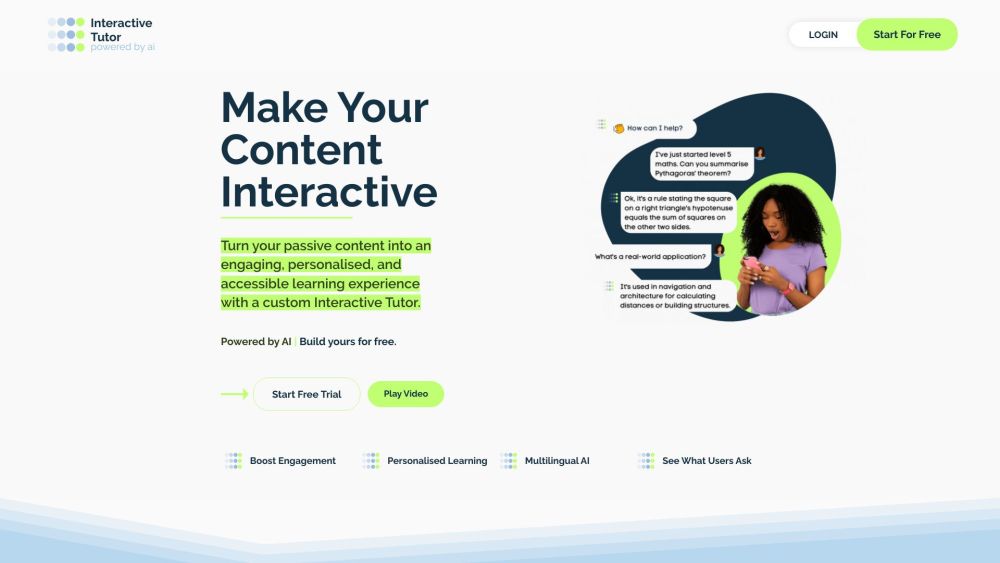
Interactive Tutor website preview

Interactive Tutor Website screenshot

Introduction to Interactive Tutor

Welcome to Interactive Tutor, your go-to platform for transforming static content into dynamic, interactive learning experiences. Whether you're looking to turn research papers, handbooks, or educational materials into engaging tools, Interactive Tutor offers a customizable solution tailored to your needs. Imagine no more—start creating today.

Getting Started with Interactive Tutor

Begin your journey by making your content come alive with your personalized AI Tutor. Simply upload your content, adjust the tutor settings to fit your brand and educational goals, and seamlessly embed the interactive elements onto your website or share them via our app. Perfect for educators, corporate trainers, and lifelong learners alike, Interactive Tutor ensures a continuous learning experience, anytime, anywhere.

Key Features of Interactive Tutor

Content Upload

Personalize Your AI Tutor

Easy Website Embedding or App Sharing

Ideal for Various User Groups: Educators, Employers, eLearning Providers, and Self-Learners

Applications of Interactive Tutor

Enhance User Engagement and Understanding

Support Employee Training on HR Policies

Make History Come Alive for Students

Assist Vehicle Owners in Troubleshooting

Facilitate Independent Learning

Connect Content Creators with Their Audience in a New Way

Product source: Interactive Tutor official website. Check the provider for current plans, limits and availability.

FAQ

Interactive Tutor questions and answers

Product context and practical checks for evaluating Interactive Tutor.

What is Interactive Tutor used for?

Transform static content into dynamic, interactive learning experiences with Interactive Tutor—your ultimate tool for engaging and effective education!

How do I get started with Interactive Tutor?

Begin your journey by making your content come alive with your personalized AI Tutor. Simply upload your content, adjust the tutor settings to fit your brand and educational goals, and seamlessly embed the interactive elements onto your website or share them via our app. Perfect for educators, corporate trainers, and lifelong learners alike, Interactive Tutor ensures a continuous learning experience, anytime, anywhere.

Which capabilities are described for Interactive Tutor?

Content UploadPersonalize Your AI TutorEasy Website Embedding or App SharingIdeal for Various User Groups: Educators, Employers, eLearning Providers, and Self-Learners

What projects can I evaluate Interactive Tutor for?

Enhance User Engagement and UnderstandingSupport Employee Training on HR PoliciesMake History Come Alive for StudentsAssist Vehicle Owners in TroubleshootingFacilitate Independent LearningConnect Content Creators with Their Audience in a New Way Interactive Tutor Support & Contact Information For more assistance, visit our contact page. Interactive Tutor Company Information Company Name: Bucephalus Ltd. Interactive Tutor Login Login Link: https://app.interactive-tutor.com/login Interactive Tutor Sign Up Sign Up Link: https://app.interactive-tutor.com/register Interactive Tutor Pricing For detailed pricing, visit our pricing page. Interactive Tutor on YouTube Check out our YouTube channel: Interactive Tutor YouTube Interactive Tutor on LinkedIn Follow us on LinkedIn: Interactive Tutor LinkedIn

What should I compare before choosing a Interactive Tutor plan?

For detailed pricing, visit our pricing page. Confirm current prices and allowances on the provider’s website before purchasing.

What inputs should I prepare for a Interactive Tutor trial?

Compare support for source documents, style instructions, outlines and length limits. Check whether citations link to real material rather than merely looking like references.

How can I check the quality of a Interactive Tutor result?

Verify names, dates, quotations and factual claims against the original sources. Edit tone, remove repetition and make sure the text answers the intended reader’s question.

Which export options should I check in Interactive Tutor?

Check export to plain text, Markdown, documents or your publishing system. Formatting, headings and working links matter when moving a draft into production.

What is a practical way to test Interactive Tutor against alternatives?

Use a real brief and a short source document. Compare factual accuracy, structure and editing time rather than accepting the longest or most confident draft.

Where is the official Interactive Tutor website?

The website linked from this profile is https://www.interactive-tutor.com. Use the provider’s own documentation, account area and support channels to confirm current product details.

Visit Interactive Tutor