AI Advertising Assistant

Intellifox

Intellifox: Effortless Amazon Seller Central integration. Optimize your listings swiftly and boost sales in minutes!

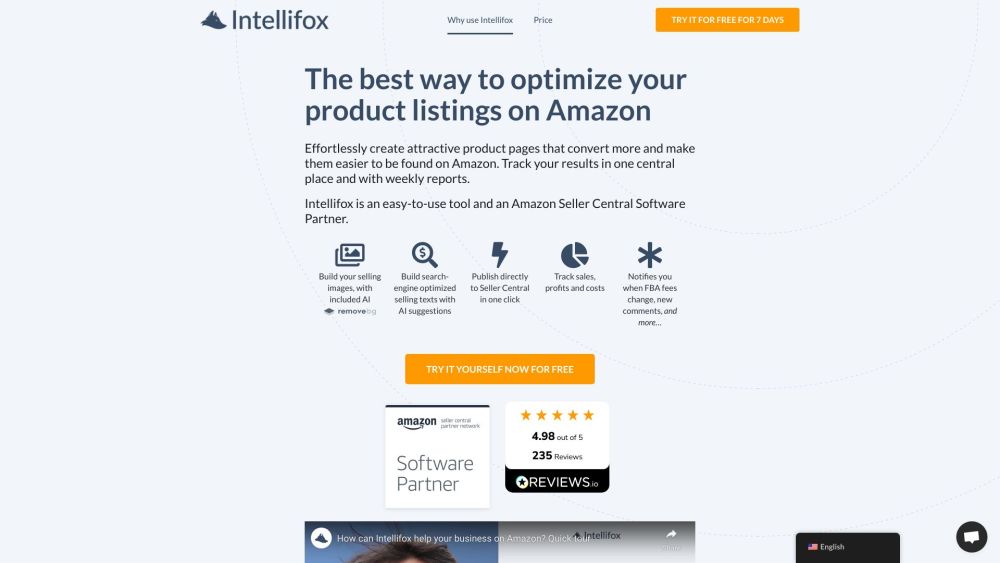
Intellifox website preview

Intellifox Website screenshot

What is Intellifox?

Intellifox is a powerful tool designed to integrate seamlessly with Amazon Seller Central, enabling users to enhance their listings swiftly and boost sales effectively in just a few minutes.

How to use Intellifox?

1. Connect Intellifox to your Amazon Seller Central account
2. Utilize the guided workflow for listing optimization
3. Preview changes and publish them with a single click
4. Monitor sales, fees, and margins across different regions
5. Set up automatic review requests for your products

Core Features of Intellifox

Generate compelling images with AI

Create SEO-friendly descriptions with AI suggestions

Directly publish to Seller Central

Track sales, profits, and expenses

Receive alerts for FBA fee adjustments and new feedback

Automate customer review requests

Applications of Intellifox

Effortlessly design appealing product listings

Optimize listings to maximize sales potential

Centralized tracking of sales performance

Reduce time spent on listing optimization

Generate product images with ease

Enhance search engine visibility

Manage products across various marketplaces

Automate the review request process

Product source: Intellifox official website. Check the provider for current plans, limits and availability.

FAQ

Intellifox questions and answers

Product context and practical checks for evaluating Intellifox.

What is Intellifox used for?

Intellifox: Effortless Amazon Seller Central integration. Optimize your listings swiftly and boost sales in minutes!

How do I get started with Intellifox?

1. Connect Intellifox to your Amazon Seller Central account 2. Utilize the guided workflow for listing optimization 3. Preview changes and publish them with a single click 4. Monitor sales, fees, and margins across different regions 5. Set up automatic review requests for your products

Which capabilities are described for Intellifox?

Generate compelling images with AICreate SEO-friendly descriptions with AI suggestionsDirectly publish to Seller CentralTrack sales, profits, and expensesReceive alerts for FBA fee adjustments and new feedbackAutomate customer review requests

What projects can I evaluate Intellifox for?

Effortlessly design appealing product listingsOptimize listings to maximize sales potentialCentralized tracking of sales performanceReduce time spent on listing optimizationGenerate product images with easeEnhance search engine visibilityManage products across various marketplacesAutomate the review request process Intellifox Support For customer service inquiries, reach out to: [email protected]. About Intellifox Company Name: Intellifox Ltd. Learn more about us at our About Us page. Intellifox Login Login here: https://app.intellifox.com/#?create_account=true Sign Up for Intellifox Get started: https://app.intellifox.com/#?create_account=true Intellifox Pricing View our pricing plans: https://intellifox.com/pricing/

What should I compare before choosing a Intellifox plan?

View our pricing plans: https://intellifox.com/pricing/ Confirm current prices and allowances on the provider’s website before purchasing.

What inputs should I prepare for a Intellifox trial?

Identify the files, text or account connections your task needs. Confirm that the product accepts those inputs and offers controls for reviewing its work.

How can I check the quality of a Intellifox result?

Test one representative task and inspect the result for accuracy and completeness. Record where manual corrections or extra tools are needed.

Which export options should I check in Intellifox?

Check export formats, integrations and whether you can keep using your work outside the service. Test a real export before committing to a longer plan.

What is a practical way to test Intellifox against alternatives?

Choose one task with a clear success condition. Keep the input consistent, record the time spent reviewing and compare the complete workflow cost.

Where is the official Intellifox website?

The website linked from this profile is https://intellifox.com. Use the provider’s own documentation, account area and support channels to confirm current product details.

Visit Intellifox