AI Advertising Assistant

inShop

Discover your style with inShop: AI-Powered Style Guide & Multi-Store Shopping App. Shop multiple stores at once and get personalized fashion suggestions.

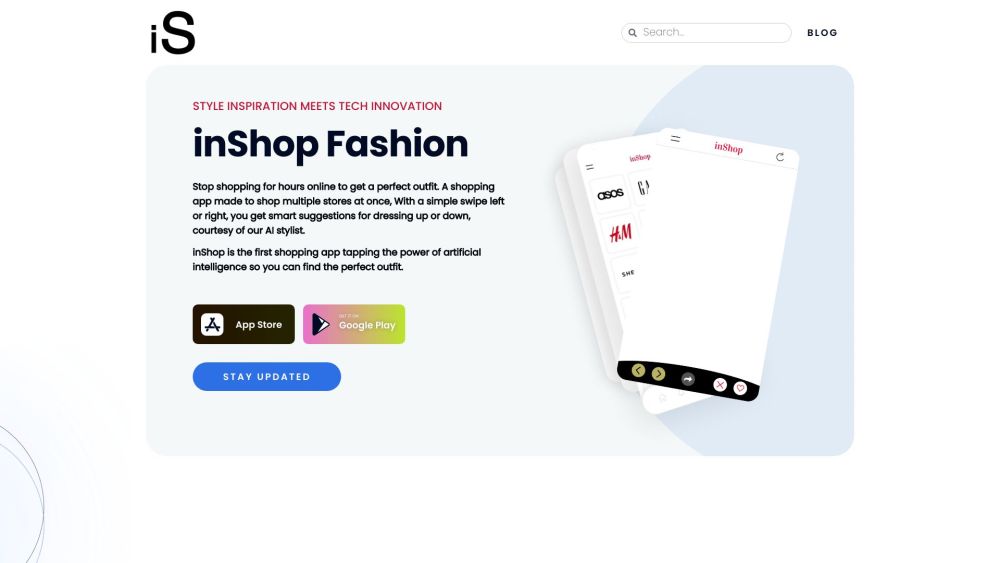
inShop website preview

inShop Website screenshot

Introducing inShop

inShop revolutionizes the shopping experience by merging fashion with advanced AI technology, offering users a limitless range of style choices. It enables simultaneous shopping across multiple stores, providing intelligent outfit recommendations courtesy of its AI stylist.

Getting Started with inShop

To begin using inShop, download the app from the App Store or Google Play. After installation, you can explore your favorite fashion brands all in one convenient location. Swipe to get personalized outfit ideas from the AI stylist. You’ll also be alerted when there are price reductions on your preferred items.

Key Features of inShop

Shop multiple stores seamlessly

AI-driven outfit recommendations

Access top fashion brands

Enhanced browsing experience

Price drop notifications

Use Cases for inShop

Discovering the ideal outfit

Enhancing creativity with unique color palettes

Quickly accessing various brand collections

Receiving tailored style suggestions

Being informed about price drops on beloved items

Product source: inShop official website. Check the provider for current plans, limits and availability.

FAQ

inShop questions and answers

Product context and practical checks for evaluating inShop.

What is inShop used for?

Discover your style with inShop: AI-Powered Style Guide & Multi-Store Shopping App. Shop multiple stores at once and get personalized fashion suggestions.

How do I get started with inShop?

To begin using inShop, download the app from the App Store or Google Play. After installation, you can explore your favorite fashion brands all in one convenient location. Swipe to get personalized outfit ideas from the AI stylist. You’ll also be alerted when there are price reductions on your preferred items.

Which capabilities are described for inShop?

Shop multiple stores seamlesslyAI-driven outfit recommendationsAccess top fashion brandsEnhanced browsing experiencePrice drop notifications

What projects can I evaluate inShop for?

Discovering the ideal outfitEnhancing creativity with unique color palettesQuickly accessing various brand collectionsReceiving tailored style suggestionsBeing informed about price drops on beloved items

What should I compare before choosing a inShop plan?

Check inShop’s current pricing page for included usage, renewal terms and any credit charges. Compare the cost of a usable result, including retries, rather than assuming that account registration includes free usage.

What inputs should I prepare for a inShop trial?

Identify the files, text or account connections your task needs. Confirm that the product accepts those inputs and offers controls for reviewing its work.

How can I check the quality of a inShop result?

Test one representative task and inspect the result for accuracy and completeness. Record where manual corrections or extra tools are needed.

Which export options should I check in inShop?

Check export formats, integrations and whether you can keep using your work outside the service. Test a real export before committing to a longer plan.

What is a practical way to test inShop against alternatives?

Choose one task with a clear success condition. Keep the input consistent, record the time spent reviewing and compare the complete workflow cost.

Where is the official inShop website?

The website linked from this profile is https://inshopapp.net. Use the provider’s own documentation, account area and support channels to confirm current product details.

Visit inShop