Table of contents
InboxPro: AI Email Assistant, Scheduling, Tracking, Templates, Analytics
Boost Gmail productivity with InboxPro: AI email assistant, scheduling, tracking, templates, sequences, and analytics. Enhance efficiency effortlessly!
Directory : AI Product Description Generator, AI Analytics Assistant, AI Email Assistant, AI Email Marketing, AI Productivity Tools, AI Scheduling
What is InboxPro?
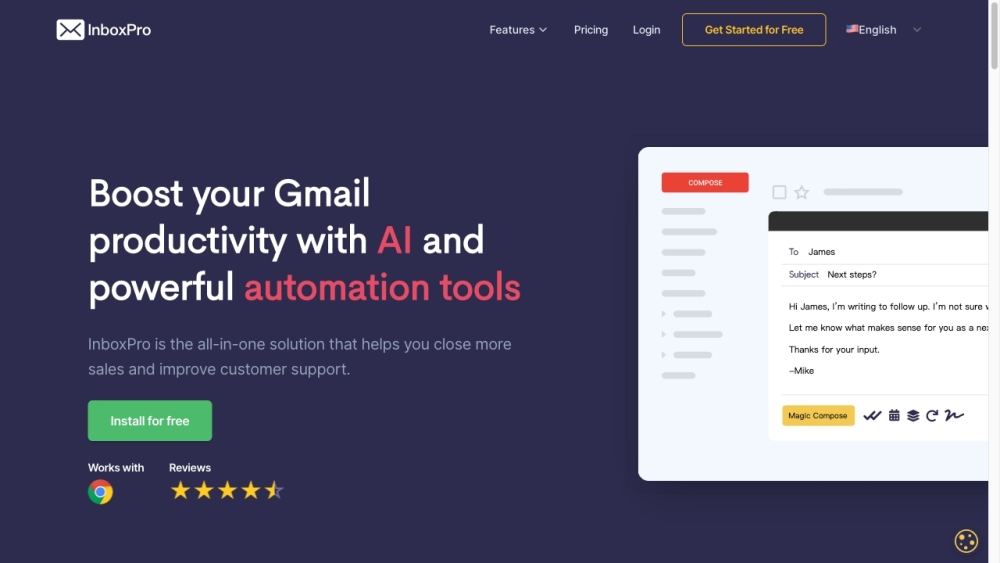
InboxPro is a comprehensive suite of AI-driven productivity tools designed for Gmail users. It offers advanced features like an AI email assistant, scheduling tools, email tracking, customizable templates, automated sequences, and detailed email analytics to streamline email management and boost efficiency.
How to Use InboxPro?
InboxPro's Core Features
AI Email Assistant
Calendar Scheduling
Sequences
Email Tracking
Email Templates
Email Analytics
InboxPro's Use Cases
Enhancing Gmail productivity
Streamlining client acquisition and nurturing
Optimizing sales processes and closing deals
Automating follow-up sequences
Improving email performance with tracking and analytics
-
InboxPro Company
InboxPro Company Name: InboxPro
-
InboxPro Login
InboxPro Login Link: https://dashboard.inboxpro.io/
-
InboxPro Sign up
InboxPro Sign up Link: https://dashboard.inboxpro.io
-
InboxPro Pricing
InboxPro Pricing Link: https://inboxpro.io/pricing/
-
InboxPro Facebook
InboxPro Facebook Link: https://www.facebook.com/inboxproio
-
InboxPro LinkedIn
InboxPro LinkedIn Link: https://www.linkedin.com/company/inboxpro/
-
InboxPro Twitter
InboxPro Twitter Link: https://twitter.com/Inboxproio/
FAQ from InboxPro
What is InboxPro?
InboxPro is a suite of AI-powered productivity tools for Gmail designed to enhance email management and efficiency. It includes an AI email assistant, scheduling, email tracking, templates, sequences, and analytics.
How to use InboxPro?
To use InboxPro, sign up and connect it to your Gmail account. Access its features through the dashboard: use the AI email assistant to draft and summarize emails, schedule meetings with the calendar tool, automate follow-up sequences, track email interactions, utilize email templates, and analyze your email activity.
What can the AI email assistant do?
The AI email assistant can compose and summarize emails with one click, saving time on lengthy email writing tasks.
How does the email tracking feature work?
The email tracking feature notifies you when your emails are opened or when links are clicked, helping you measure recipient engagement.
Can I customize and save email templates?
Yes, you can create and save email templates to reuse common email content, streamlining your communication process.
What insights can I gain from the email analytics tool?
The email analytics tool provides visualizations of your email activity, including emails sent and received, top-performing emails, and peak activity times, helping you make data-driven decisions.
Is InboxPro suitable for high-volume email work?
Yes, InboxPro is ideal for high-volume email management, offering features like email tracking, templates, and automation to handle extensive email activity efficiently.