AI Image Recognition

Imagga Image Recognition API

Boost your app with Imagga Image Recognition API: Effortless tagging, smart categorization, and precise face detection for image analysis.

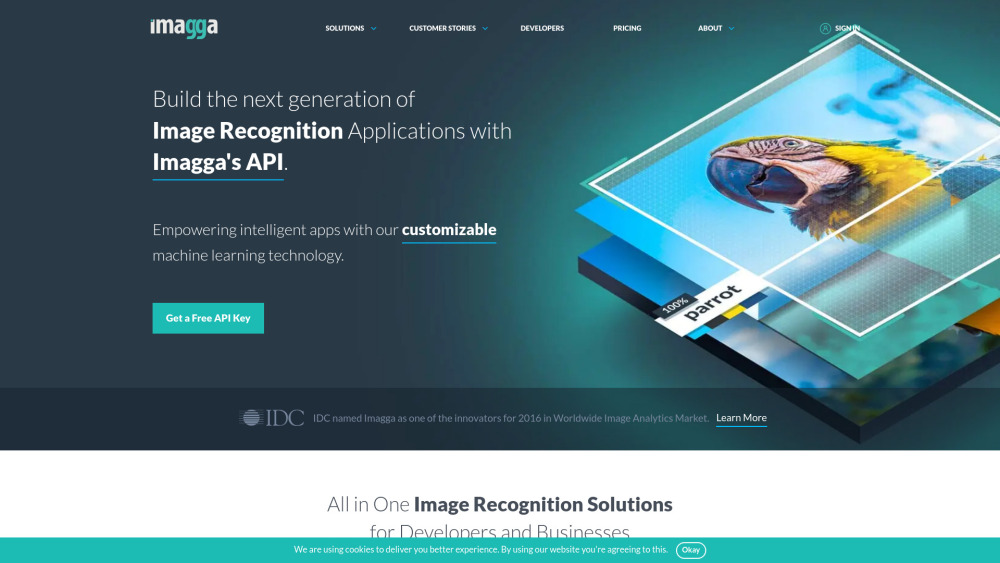
Imagga Image Recognition API website preview

Imagga Image Recognition API Website screenshot

What is Imagga Image Recognition API?

The Imagga Image Recognition API is a comprehensive tool that offers a range of features designed to streamline image management tasks. From tagging and categorization to advanced facial recognition, this API provides the necessary tools to enhance image processing workflows. Whether you're working in the cloud or prefer on-premise solutions, Imagga's offerings are designed to integrate seamlessly into your application.

How to use Imagga Image Recognition API?

To begin using the Imagga Image Recognition API, the first step is to register on their official website, where you'll receive an API key. This key allows you to integrate the API into your existing applications, enabling you to start automating tasks such as image tagging, categorization, and face detection with ease.

Core Features of Imagga Image Recognition API

Image Tagging

Image Categorization

Visual Search

Face Detection

Custom Model Training

Object Localization

Applications of Imagga Image Recognition API

Automated Image Organization

Content Categorization

Facial Recognition for Security

  • Imagga Image Recognition API Support & Customer Service

    For support, contact Imagga via their customer service email: [email protected]. For more details, visit their contact page.

  • Company Information

    Imagga Technologies Ltd. is the company behind the API. Their headquarters are located at 47A Cherni Vrah Blvd., fl. 4, 1407 Sofia, Bulgaria. Learn more on their About Us page.

  • Imagga API Login

    Access your Imagga API account here.

  • Sign Up for Imagga API

    Create a new Imagga account here.

  • Pricing Information

    View Imagga API pricing details here.

  • Follow Imagga on Social Media

    Connect with Imagga on Facebook, YouTube, LinkedIn, Twitter, and Instagram.

Product source: Imagga Image Recognition API official website. Check the provider for current plans, limits and availability.

FAQ

Imagga Image Recognition API questions and answers

Product context and practical checks for evaluating Imagga Image Recognition API.

What is Imagga Image Recognition API used for?

Boost your app with Imagga Image Recognition API: Effortless tagging, smart categorization, and precise face detection for image analysis.

How do I get started with Imagga Image Recognition API?

To begin using the Imagga Image Recognition API, the first step is to register on their official website, where you'll receive an API key. This key allows you to integrate the API into your existing applications, enabling you to start automating tasks such as image tagging, categorization, and face detection with ease.

Which capabilities are described for Imagga Image Recognition API?

Image TaggingImage CategorizationVisual SearchFace DetectionCustom Model TrainingObject Localization

What projects can I evaluate Imagga Image Recognition API for?

Automated Image OrganizationContent CategorizationFacial Recognition for Security Imagga Image Recognition API Support & Customer Service For support, contact Imagga via their customer service email: [email protected]. For more details, visit their contact page. Company Information Imagga Technologies Ltd. is the company behind the API. Their headquarters are located at 47A Cherni Vrah Blvd., fl. 4, 1407 Sofia, Bulgaria. Learn more on their About Us page. Imagga API Login Access your Imagga API account here. Sign Up for Imagga API Create a new Imagga account here. Pricing Information View Imagga API pricing details here. Follow Imagga on Social Media Connect with Imagga on Facebook, YouTube, LinkedIn, Twitter, and Instagram.

What should I compare before choosing a Imagga Image Recognition API plan?

View Imagga API pricing details here. Confirm current prices and allowances on the provider’s website before purchasing.

What inputs should I prepare for a Imagga Image Recognition API trial?

Look for text prompts, image references, masks or sketches as appropriate. Compare composition control, supported upload types and the ability to revise a selected area.

How can I check the quality of a Imagga Image Recognition API result?

Inspect text, hands, edges, reflections and repeated objects at full size. Check that important product or brand details survive editing.

Which export options should I check in Imagga Image Recognition API?

Compare pixel dimensions, transparency, file formats and any enlargement options. Confirm that the downloaded result works in your design or publishing software.

What is a practical way to test Imagga Image Recognition API against alternatives?

Prepare a brief with a subject, composition, lighting and required output size. Test a first generation and a targeted revision to see how much control you retain.

Where is the official Imagga Image Recognition API website?

The website linked from this profile is https://imagga.com. Use the provider’s own documentation, account area and support channels to confirm current product details.

Visit Imagga Image Recognition API