AI SEO Assistant

HyperSuggest

HyperSuggest is a powerful keyword research tool that provides users with a database of 220 million keywords. It helps users find longtail keywords, discover content ideas, analyze competitors' rankings, and understand customer questions to optimize website content and boost rankings on search engines like Google.

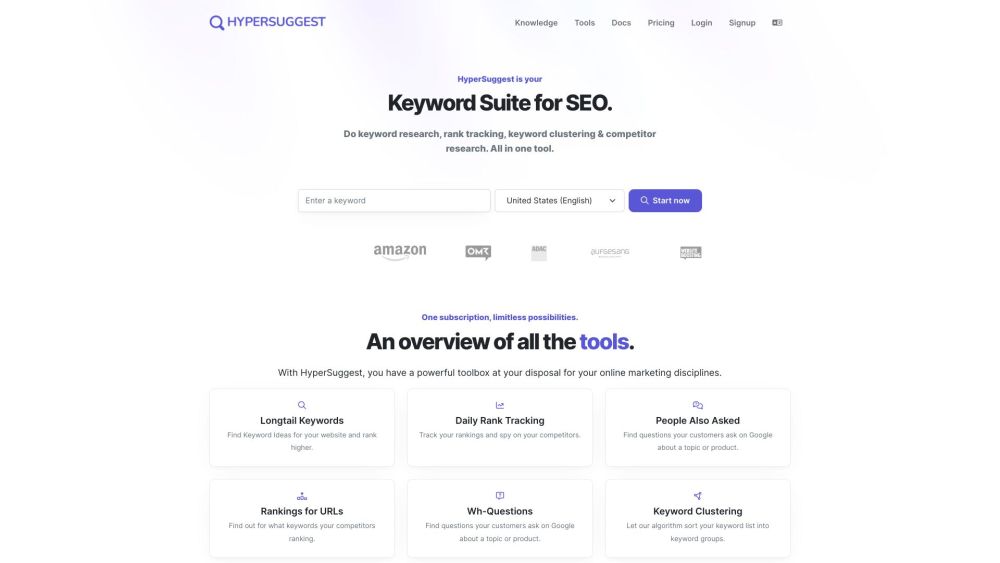
HyperSuggest website preview

HyperSuggest Website screenshot

What is HyperSuggest?

HyperSuggest is a robust keyword research tool offering access to a database of 220 million keywords. It aids users in identifying longtail keywords, generating content ideas, analyzing competitor rankings, and understanding customer queries to enhance website content and improve search engine rankings on platforms like Google.

How to use HyperSuggest?

1. Begin by entering a main theme or topic.
2. HyperSuggest will provide 1,000 related longtail keywords.
3. Use keyword clustering to group keywords by semantic relevance.
4. Address visitor questions using the tool to find trending Google queries.
5. Monitor your success with the rank tracking system to adjust your content strategy based on Google standings.

HyperSuggest's Core Features

Keyword Research

Keyword Clustering

Competitor Analysis

Content Ideation

Rank Tracking

HyperSuggest's Use Cases

Generate Content Ideas for Your Website

Identify Longtail Keywords for Better Rankings

Analyze Competitors' Rankings to Gain an Edge

Respond to Customer Queries for Engaging Content

Track Keyword Rankings to Assess Performance

Product source: HyperSuggest official website. Check the provider for current plans, limits and availability.

FAQ

HyperSuggest questions and answers

Product context and practical checks for evaluating HyperSuggest.

What is HyperSuggest used for?

HyperSuggest is a powerful keyword research tool that provides users with a database of 220 million keywords. It helps users find longtail keywords, discover content ideas, analyze competitors' rankings, and understand customer questions to optimize website content and boost rankings on search engines like Google.

How do I get started with HyperSuggest?

1. Begin by entering a main theme or topic. 2. HyperSuggest will provide 1,000 related longtail keywords. 3. Use keyword clustering to group keywords by semantic relevance. 4. Address visitor questions using the tool to find trending Google queries. 5. Monitor your success with the rank tracking system to adjust your content strategy based on Google standings.

Which capabilities are described for HyperSuggest?

Keyword ResearchKeyword ClusteringCompetitor AnalysisContent IdeationRank Tracking

What projects can I evaluate HyperSuggest for?

Generate Content Ideas for Your WebsiteIdentify Longtail Keywords for Better RankingsAnalyze Competitors' Rankings to Gain an EdgeRespond to Customer Queries for Engaging ContentTrack Keyword Rankings to Assess Performance HyperSuggest Support Email & Customer Service Contact & Refund Contact Contact HyperSuggest support at: [email protected]. For more details, visit the contact us page(mailto:[email protected]) HyperSuggest Login Log in to HyperSuggest: https://tool.seospark.io/login HyperSuggest Sign Up Sign up for HyperSuggest: https://tool.seospark.io/signup HyperSuggest Pricing View HyperSuggest pricing: https://www.seospark.io/pricing/ HyperSuggest Twitter Follow HyperSuggest on Twitter: https://twitter.com/seosparkio

What should I compare before choosing a HyperSuggest plan?

View HyperSuggest pricing: https://www.seospark.io/pricing/ Confirm current prices and allowances on the provider’s website before purchasing.

What inputs should I prepare for a HyperSuggest trial?

Compare support for source documents, style instructions, outlines and length limits. Check whether citations link to real material rather than merely looking like references.

How can I check the quality of a HyperSuggest result?

Verify names, dates, quotations and factual claims against the original sources. Edit tone, remove repetition and make sure the text answers the intended reader’s question.

Which export options should I check in HyperSuggest?

Check export to plain text, Markdown, documents or your publishing system. Formatting, headings and working links matter when moving a draft into production.

What is a practical way to test HyperSuggest against alternatives?

Use a real brief and a short source document. Compare factual accuracy, structure and editing time rather than accepting the longest or most confident draft.

Where is the official HyperSuggest website?

The website linked from this profile is https://makebestmusic.com. Use the provider’s own documentation, account area and support channels to confirm current product details.

Visit HyperSuggest