AI Productivity Tools

Warp.dev

Warp is a modern, Rust-based terminal with AI built in so you and your team can build great software, faster.

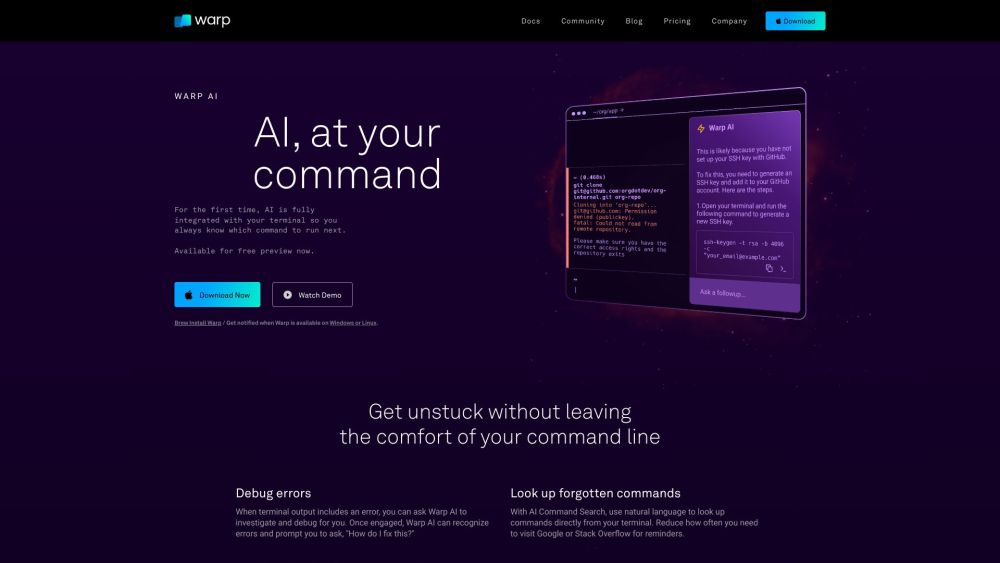
Warp.dev website preview

Warp Terminal Screenshot

What is Warp?

Warp is an advanced terminal application built using Rust, featuring integrated AI to help teams develop software more quickly and effectively.

How to Get Started with Warp

To begin using Warp, download it directly from the official website and install it on your MacOS device. Once installed, launch the terminal to explore its features, such as its intuitive IDE-style text editor, seamless output navigation, reusable command saving, and the AI-powered Warp Assistant.

Key Features of Warp

IDE-style text input editor

Smooth output navigation

Command saving and reusability

AI-powered assistance and debugging

Customizable keybindings and launch settings

Preloaded themes and custom theme creation

Use Cases for Warp

Streamlined software development

Enhanced team collaboration

Optimized command execution

Product source: Warp.dev official website. Check the provider for current plans, limits and availability.

FAQ

Warp.dev questions and answers

Product context and practical checks for evaluating Warp.dev.

What is Warp.dev used for?

Warp is a modern, Rust-based terminal with AI built in so you and your team can build great software, faster.

How do I get started with Warp.dev?

To begin using Warp, download it directly from the official website and install it on your MacOS device. Once installed, launch the terminal to explore its features, such as its intuitive IDE-style text editor, seamless output navigation, reusable command saving, and the AI-powered Warp Assistant.

Which capabilities are described for Warp.dev?

IDE-style text input editorSmooth output navigationCommand saving and reusabilityAI-powered assistance and debuggingCustomizable keybindings and launch settingsPreloaded themes and custom theme creation

What projects can I evaluate Warp.dev for?

Streamlined software developmentEnhanced team collaborationOptimized command execution Join the Warp Community on Discord Connect with other users on the official Warp Discord server: https://discord.com/invite/warpdotdev. For more details, visit this page. Contact Warp Support For support inquiries, visit the contact us page on the official Warp website. Learn More About Warp Discover more about Warp on the about us page. Warp Pricing Information View the pricing details on the official Warp website: https://www.warp.dev/pricing. Follow Warp on YouTube Watch tutorials and updates on Warp's YouTube channel: https://www.youtube.com/@warpdotdev. Follow Warp on TikTok Check out Warp's TikTok for quick tips and tricks: https://www.tiktok.com/@warp.dev. Follow Warp on Twitter Stay updated with Warp's latest news on Twitter: https://twitter.com/warpdotdev. Explore Warp on GitHub Explore Warp's codebase and contribute on GitHub: https://github.com/warpdotdev/Warp.

What should I compare before choosing a Warp.dev plan?

View the pricing details on the official Warp website: https://www.warp.dev/pricing. Confirm current prices and allowances on the provider’s website before purchasing.

What inputs should I prepare for a Warp.dev trial?

Compare repository access, context limits, supported languages and tool permissions. Check whether the assistant can read relevant files and run your existing checks.

How can I check the quality of a Warp.dev result?

Review the diff, run tests and inspect error handling and dependency changes. Generated code should meet the same review standard as a human contribution.

Which export options should I check in Warp.dev?

Prefer changes you can inspect and keep in version control. Check whether code, tests and configuration can be exported without depending on a hosted preview.

What is a practical way to test Warp.dev against alternatives?

Choose a small reproducible bug with an existing failing check. Measure whether the tool fixes the cause, preserves behavior and produces a reviewable change.

Where is the official Warp.dev website?

The website linked from this profile is https://warp.dev. Use the provider’s own documentation, account area and support channels to confirm current product details.

Visit Warp.dev