AI Advertising Assistant

Hintscribe

Hintscribe: Real-Time Audio Transcription & Productivity Tool - Transcribe system audio live, integrate with ChatGPT, and boost your productivity and creativity.

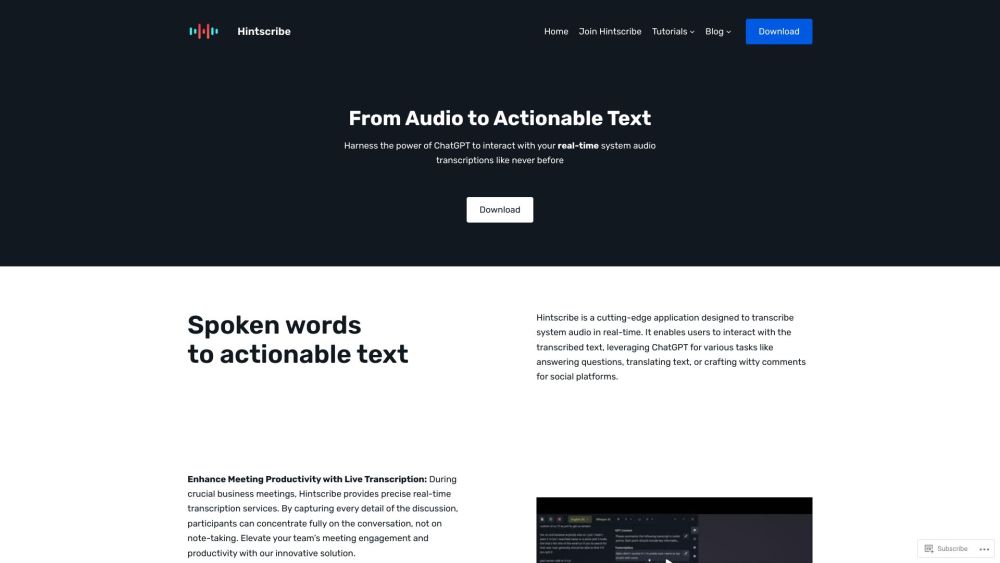
Hintscribe website preview

Hintscribe Website screenshot

What is Hintscribe?

Hintscribe is a revolutionary application that transcribes system audio in real-time, integrating smoothly with ChatGPT for a multitude of tasks. This tool goes beyond simple transcription, acting as a versatile assistant that boosts both productivity and creativity.

How to use Hintscribe?

Hintscribe is an advanced application designed to transcribe system audio in real-time. Users can interact with the transcribed text, utilizing ChatGPT for activities such as answering queries, translating text, or generating clever remarks for social media. By simply downloading the app, it integrates effortlessly with your system audio capture.

Hintscribe's Core Features

Real-time system audio transcription

Smooth integration with ChatGPT

Boosting productivity and creativity

Accurate real-time transcription for business meetings

Transcription of interview interactions

AI-driven insights for interviewees

Interactive text selection with ChatGPT

Unlimited use cases: interview prep, language translation, content creation, educational support

Hintscribe's Use Cases

Boosting meeting productivity with live transcription

Capturing system audio independently of meeting platforms

Transcribing live interviews

Utilizing transcription for interviewee review

Gaining AI-enhanced insights into interview responses

Product source: Hintscribe official website. Check the provider for current plans, limits and availability.

FAQ

Hintscribe questions and answers

Product context and practical checks for evaluating Hintscribe.

What is Hintscribe used for?

Hintscribe: Real-Time Audio Transcription & Productivity Tool - Transcribe system audio live, integrate with ChatGPT, and boost your productivity and creativity.

How do I get started with Hintscribe?

Hintscribe is an advanced application designed to transcribe system audio in real-time. Users can interact with the transcribed text, utilizing ChatGPT for activities such as answering queries, translating text, or generating clever remarks for social media. By simply downloading the app, it integrates effortlessly with your system audio capture.

Which capabilities are described for Hintscribe?

Real-time system audio transcriptionSmooth integration with ChatGPTBoosting productivity and creativityAccurate real-time transcription for business meetingsTranscription of interview interactionsAI-driven insights for intervieweesInteractive text selection with ChatGPTUnlimited use cases: interview prep, language translation, content creation, educational support

What projects can I evaluate Hintscribe for?

Boosting meeting productivity with live transcriptionCapturing system audio independently of meeting platformsTranscribing live interviewsUtilizing transcription for interviewee reviewGaining AI-enhanced insights into interview responses Hintscribe Sign up Hintscribe Sign up Link: https://app.hintscribe.com/signup Hintscribe Pricing Hintscribe Pricing Link: https://hintscribe.com/ Hintscribe Youtube Hintscribe Youtube Link: https://www.youtube.com/@Hintscribe Hintscribe Twitter Hintscribe Twitter Link: https://twitter.com/hintscribe42020 Hintscribe Github Hintscribe Github Link: https://github.com/awasikpx/hintscribe/

What should I compare before choosing a Hintscribe plan?

Hintscribe Pricing Link: https://hintscribe.com/ Confirm current prices and allowances on the provider’s website before purchasing.

What inputs should I prepare for a Hintscribe trial?

Compare recording length, file types, language support and speaker handling. For voice generation, check pronunciation controls and permission to use any reference voice.

How can I check the quality of a Hintscribe result?

Listen for mispronounced names, unnatural pauses, clipped words and noise. For transcripts, compare the text with the recording and correct speaker labels.

Which export options should I check in Hintscribe?

Check audio format, sample rate, separate tracks, captions and timestamp exports. Confirm that the result works in your editing or accessibility workflow.

What is a practical way to test Hintscribe against alternatives?

Use a short recording with names, numbers and more than one speaker, or a script with difficult pronunciation. Review the exported audio or transcript in full.

Where is the official Hintscribe website?

The website linked from this profile is https://hintscribe.com. Use the provider’s own documentation, account area and support channels to confirm current product details.

Visit Hintscribe