AI SEO Assistant

HelpLook

HelpLook: GPT Chatbot Solutions & Knowledge Management Platform. Create self-service help centers, AI-powered searches, and multilingual support. Secure and customizable.

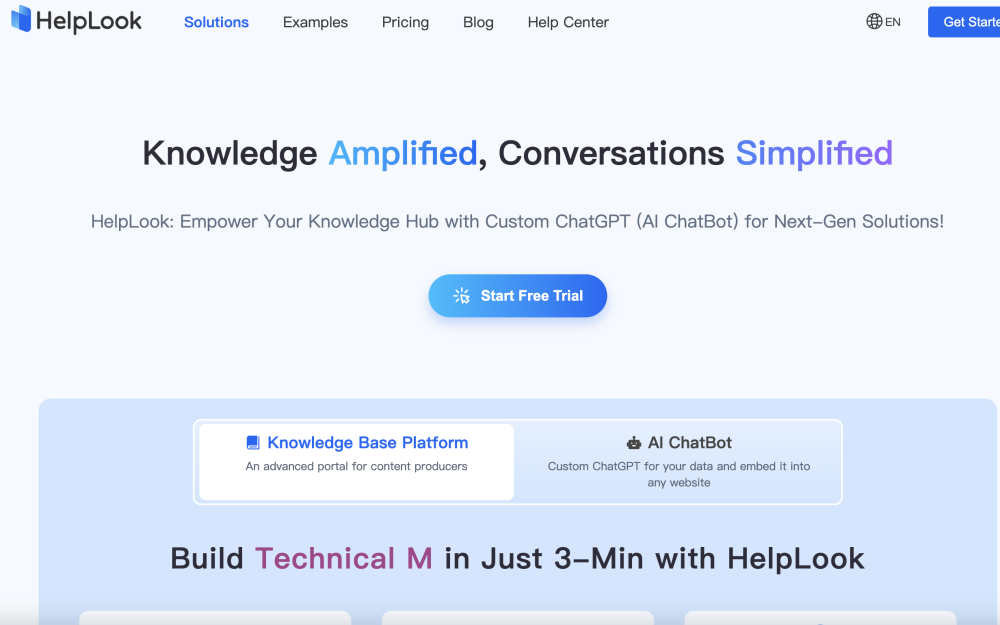
HelpLook website preview

HelpLook Website screenshot

What is HelpLook?

HelpLook is a cutting-edge knowledge management platform that provides custom GPT chatbot solutions. It empowers businesses to develop self-service knowledge bases, blogs, and help centers, while offering robust document-based AI search and response capabilities. With features like comprehensive data encryption, extensive customization options, and multilingual support, HelpLook ensures a secure and versatile knowledge hub experience.

How to use HelpLook?

HelpLook enables you to effortlessly create a free help center site for your products. You can offer FAQs, user manuals, troubleshooting guides, and more to assist your users in resolving various issues. HelpLook also supports the integration of SEO-optimized keywords into your product's official website, boosting its visibility and engagement. The platform provides a quick, straightforward, and free user experience, allowing you to concentrate on product development and business operations.

HelpLook's Core Features

Customizable Chatbot

Multiple Templates and Multilingual Support

Personalized Branding Options

Intelligent and Responsive AI

HelpLook's Use Cases

Develop a self-service knowledge base for your SaaS products

Create comprehensive how-to guides, tutorials, reference documents, and release notes

Replace static, offline PDF guides with dynamic, always up-to-date online guides

Automatically generate API documentation

Establish a private knowledge base for employees or clients

Keep your audience informed with an official blog

Product source: HelpLook official website. Check the provider for current plans, limits and availability.

FAQ

HelpLook questions and answers

Product context and practical checks for evaluating HelpLook.

What is HelpLook used for?

HelpLook: GPT Chatbot Solutions & Knowledge Management Platform. Create self-service help centers, AI-powered searches, and multilingual support. Secure and customizable.

How do I get started with HelpLook?

HelpLook enables you to effortlessly create a free help center site for your products. You can offer FAQs, user manuals, troubleshooting guides, and more to assist your users in resolving various issues. HelpLook also supports the integration of SEO-optimized keywords into your product's official website, boosting its visibility and engagement. The platform provides a quick, straightforward, and free user experience, allowing you to concentrate on product development and business operations.

Which capabilities are described for HelpLook?

Customizable ChatbotMultiple Templates and Multilingual SupportPersonalized Branding OptionsIntelligent and Responsive AI

What projects can I evaluate HelpLook for?

Develop a self-service knowledge base for your SaaS productsCreate comprehensive how-to guides, tutorials, reference documents, and release notesReplace static, offline PDF guides with dynamic, always up-to-date online guidesAutomatically generate API documentationEstablish a private knowledge base for employees or clientsKeep your audience informed with an official blog HelpLook Support Email & Customer Service Contact & Refund Contact For customer service, please email: [email protected] . HelpLook Company Information Company name: SAASBASE PTE. LTD. . HelpLook Login Access HelpLook portal: https://portal.helplook.com HelpLook Sign Up Create a HelpLook account: https://portal.helplook.com HelpLook Pricing View pricing plans: https://www.helplook.com/pricing HelpLook Facebook Follow us on Facebook: https://www.facebook.com/people/HelpLook/61552377326602/HelpLook LinkedIn Connect with us on LinkedIn: https://www.linkedin.com/company/helplook/HelpLook Twitter Follow us on Twitter: https://twitter.com/helplook_101

What should I compare before choosing a HelpLook plan?

View pricing plans: https://www.helplook.com/pricing Confirm current prices and allowances on the provider’s website before purchasing.

What inputs should I prepare for a HelpLook trial?

Check supported documents, datasets and source access. Establish whether the product can inspect your actual material rather than answer from general knowledge.

How can I check the quality of a HelpLook result?

Follow citations to the original source, recalculate important numbers and check the date and scope of the evidence. Distinguish an explanation from a verified result.

Which export options should I check in HelpLook?

Look for usable citations, tables, downloadable data and reproducible steps. A clear answer should let another person inspect how the conclusion was reached.

What is a practical way to test HelpLook against alternatives?

Choose a question with known sources and a checkable result. Compare citation accuracy, omissions and reproducibility rather than response length.

Where is the official HelpLook website?

The website linked from this profile is https://helplook.net. Use the provider’s own documentation, account area and support channels to confirm current product details.

Visit HelpLook