Large Language Models (LLMs)

Help.center

Help.center: AI-powered customer support with instant answers. ChatGPT-driven search and chat widget offers seamless, conversational help and knowledge base.

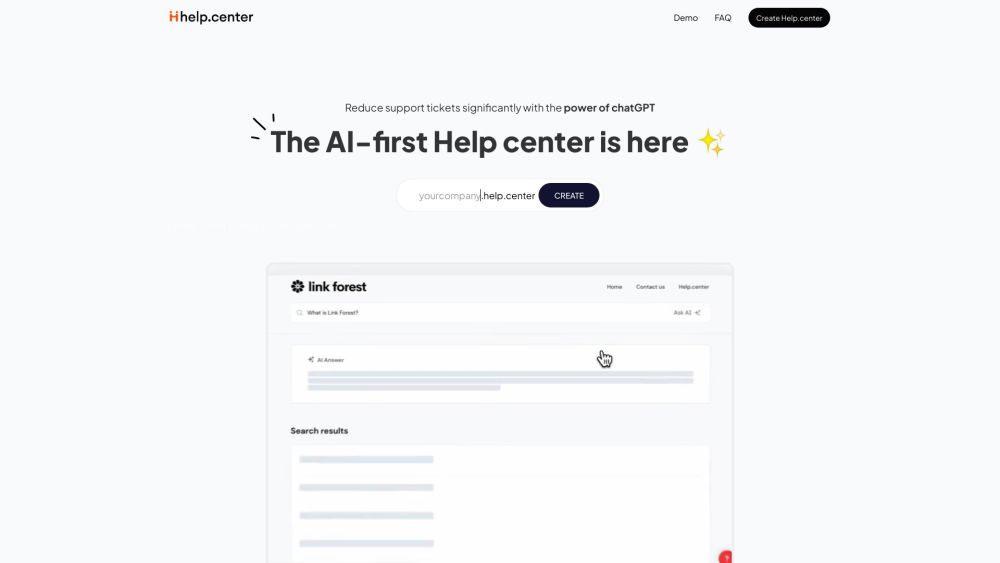
Help.center website preview

Help.center Website screenshot

Discover Help.center

Help.center is an innovative customer support platform powered by ChatGPT, offering an AI-driven knowledge base and chat widget designed to provide instant answers and support through engaging conversations.

Getting Started with Help.center

To begin using Help.center, configure your custom support site at yourcompany.help.center. Customers can leverage the AI search to quickly find answers to their queries. Additionally, you can integrate an AI chat widget into your website for real-time, conversational support. The AI continuously learns from your help articles and improves over time, with the option to enhance it further by adding more information. Help.center simplifies the creation and management of a self-service documentation portal, reducing support tickets and boosting customer satisfaction.

Key Features of Help.center

AI-Powered Knowledge Base

Advanced AI Search

Conversational AI Chat Widget

Self-Service Documentation Portal

Continuous Learning and Improvement

Multilingual Capabilities

24/7 Customer Support

User-Friendly Article Editor

Integration with External Tools

Applications of Help.center

Reducing Support Ticket Volume

Enhancing Resolution Speed

Boosting Customer Satisfaction

Empowering Self-Service for Customers

Providing Instant Support and Answers

Streamlining Support Processes

Offering Continuous Support Even When Agents are Unavailable

Product source: Help.center official website. Check the provider for current plans, limits and availability.

FAQ

Help.center questions and answers

Product context and practical checks for evaluating Help.center.

What is Help.center used for?

Help.center: AI-powered customer support with instant answers. ChatGPT-driven search and chat widget offers seamless, conversational help and knowledge base.

How do I get started with Help.center?

To begin using Help.center, configure your custom support site at yourcompany.help.center. Customers can leverage the AI search to quickly find answers to their queries. Additionally, you can integrate an AI chat widget into your website for real-time, conversational support. The AI continuously learns from your help articles and improves over time, with the option to enhance it further by adding more information. Help.center simplifies the creation and management of a self-service documentation portal, reducing support tickets and boosting customer satisfaction.

Which capabilities are described for Help.center?

AI-Powered Knowledge BaseAdvanced AI SearchConversational AI Chat WidgetSelf-Service Documentation PortalContinuous Learning and ImprovementMultilingual Capabilities24/7 Customer SupportUser-Friendly Article EditorIntegration with External Tools

What projects can I evaluate Help.center for?

Reducing Support Ticket VolumeEnhancing Resolution SpeedBoosting Customer SatisfactionEmpowering Self-Service for CustomersProviding Instant Support and AnswersStreamlining Support ProcessesOffering Continuous Support Even When Agents are Unavailable Contact Help.center Support For customer service, reach out via email at [email protected]. For more contact details, visit the contact us page. About Help.center Company Company name: micro.company. Help.center Login Access your account at https://dashboard.help.center. Help.center Sign Up Register for an account at https://dashboard.help.center/register. Help.center Pricing View pricing details at https://help.center/pricing.html.

What should I compare before choosing a Help.center plan?

View pricing details at https://help.center/pricing.html. Confirm current prices and allowances on the provider’s website before purchasing.

What inputs should I prepare for a Help.center trial?

Check supported documents, datasets and source access. Establish whether the product can inspect your actual material rather than answer from general knowledge.

How can I check the quality of a Help.center result?

Follow citations to the original source, recalculate important numbers and check the date and scope of the evidence. Distinguish an explanation from a verified result.

Which export options should I check in Help.center?

Look for usable citations, tables, downloadable data and reproducible steps. A clear answer should let another person inspect how the conclusion was reached.

What is a practical way to test Help.center against alternatives?

Choose a question with known sources and a checkable result. Compare citation accuracy, omissions and reproducibility rather than response length.

Where is the official Help.center website?

The website linked from this profile is https://help.center. Use the provider’s own documentation, account area and support channels to confirm current product details.

Visit Help.center