Essay Writer

Grading Copilot

Grading Copilot: AI-powered tool for teachers to grade assignments quickly and efficiently, reducing time spent and providing high-quality student feedback.

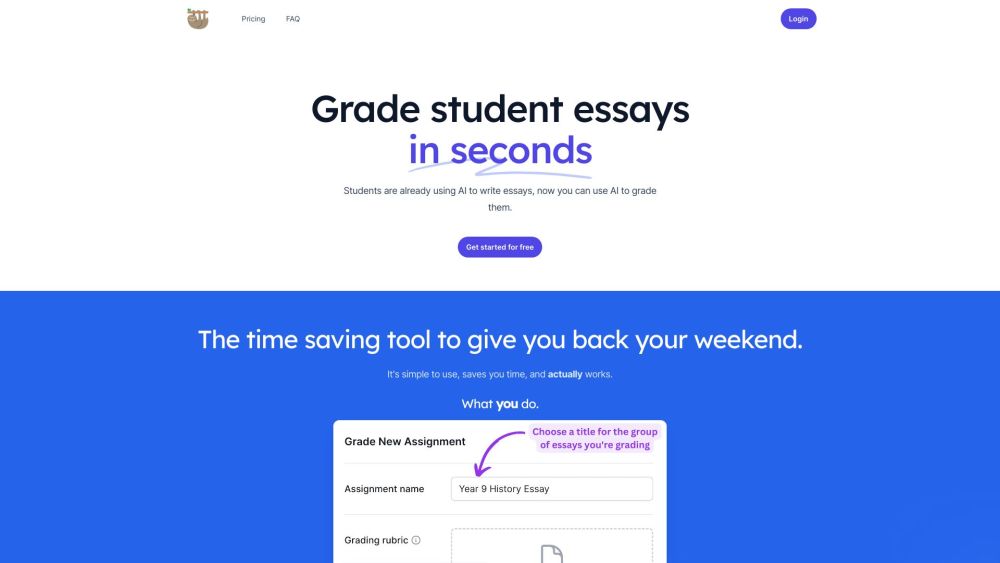
Grading Copilot website preview

Grading Copilot Website screenshot

Understanding Grading Copilot

Grading Copilot is a cutting-edge online tool designed to assist educators in swiftly and effectively grading student assignments through the power of AI technology. This tool significantly cuts down on the time teachers spend grading, while also enhancing the quality of feedback provided to students.

Steps to Utilize Grading Copilot

Using Grading Copilot is straightforward: educators upload the assignment materials and choose the submissions they wish to evaluate. Teachers can guide the AI on key focus areas. The AI then assesses the submissions, proposing grades and feedback. Teachers maintain full control and can modify, accept, or reject the AI's recommendations.

Key Features of Grading Copilot

Grading Copilot offers several core features, including: AI Grading: The AI evaluates student work and suggests grades and feedback. Enhanced Feedback: The tool improves feedback quality, offering suggestions on grammar, structure, and language use. Customizable AI Guidance: Educators can direct the AI on specific grading criteria. Teacher Oversight: Teachers can adjust or override the AI-generated feedback and grades.

Applications of Grading Copilot

Grading Copilot is versatile and can be applied in various educational contexts: Assignment Grading: Suitable for grading a wide range of assignments, from essays to research papers. Time Efficiency: Reduces grading time from hours to mere minutes. Feedback Enhancement: Ensures feedback is detailed and constructive, aiding student development. Student Learning: Promotes better academic performance through timely and comprehensive feedback.

Product source: Grading Copilot official website. Check the provider for current plans, limits and availability.

FAQ

Grading Copilot questions and answers

Product context and practical checks for evaluating Grading Copilot.

What is Grading Copilot used for?

Grading Copilot: AI-powered tool for teachers to grade assignments quickly and efficiently, reducing time spent and providing high-quality student feedback.

How do I get started with Grading Copilot?

Open the official Grading Copilot website and identify the workflow that matches your task. Choose one task with a clear success condition. Keep the input consistent, record the time spent reviewing and compare the complete workflow cost.

Which capabilities are described for Grading Copilot?

Grading Copilot offers several core features, including: AI Grading: The AI evaluates student work and suggests grades and feedback. Enhanced Feedback: The tool improves feedback quality, offering suggestions on grammar, structure, and language use. Customizable AI Guidance: Educators can direct the AI on specific grading criteria. Teacher Oversight: Teachers can adjust or override the AI-generated feedback and grades.

What projects can I evaluate Grading Copilot for?

Grading Copilot is versatile and can be applied in various educational contexts: Assignment Grading: Suitable for grading a wide range of assignments, from essays to research papers. Time Efficiency: Reduces grading time from hours to mere minutes. Feedback Enhancement: Ensures feedback is detailed and constructive, aiding student development. Student Learning: Promotes better academic performance through timely and comprehensive feedback. Grading Copilot Pricing For detailed pricing information, visit: https://www.gradecopilot.com/#pricing

What should I compare before choosing a Grading Copilot plan?

For detailed pricing information, visit: https://www.gradecopilot.com/#pricing Confirm current prices and allowances on the provider’s website before purchasing.

What inputs should I prepare for a Grading Copilot trial?

Identify the files, text or account connections your task needs. Confirm that the product accepts those inputs and offers controls for reviewing its work.

How can I check the quality of a Grading Copilot result?

Test one representative task and inspect the result for accuracy and completeness. Record where manual corrections or extra tools are needed.

Which export options should I check in Grading Copilot?

Check export formats, integrations and whether you can keep using your work outside the service. Test a real export before committing to a longer plan.

What is a practical way to test Grading Copilot against alternatives?

Choose one task with a clear success condition. Keep the input consistent, record the time spent reviewing and compare the complete workflow cost.

Where is the official Grading Copilot website?

The website linked from this profile is https://lazyteacher.ai. Use the provider’s own documentation, account area and support channels to confirm current product details.

Visit Grading Copilot