AI Chatbot

Google Alerts for AI

Track AI-chatbot mentions of your brand instantly with Google Alerts for AI. Stay ahead by monitoring what AI is saying about your company in real time.

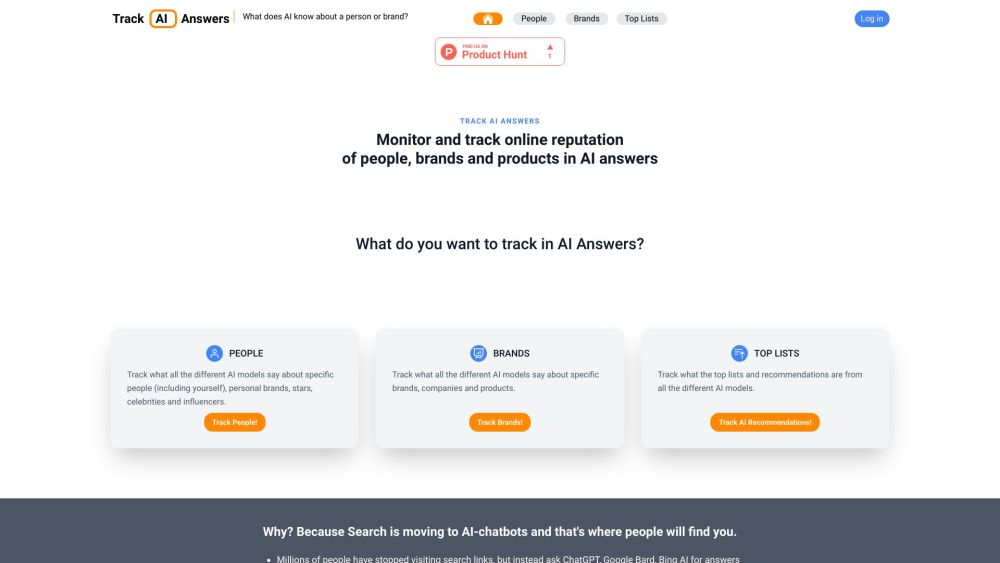
Google Alerts for AI website preview

Google Alerts for AI Website screenshot

Understanding Google Alerts for AI

Google Alerts for AI is an innovative platform that empowers users to keep a close eye on AI-chatbot mentions of their brand or company. By consolidating insights from various AI systems, this tool enables businesses to stay informed about how their products and services are being discussed in AI-driven environments.

How to Get Started with Google Alerts for AI

To start using Google Alerts for AI, follow these simple steps:

  1. Input the name of a person, brand, or product you're interested in tracking.
  2. The platform will scan multiple AI-chatbots and present the collected information in one comprehensive view.
  3. Register with your email to receive timely updates whenever there's a change in the AI-generated content.

Key Features of Google Alerts for AI

Comprehensive AI-Chatbot Monitoring

Keep track of what AI-chatbots are saying about your brand, across all platforms.

Reputation Management

Monitor and manage your online reputation by tracking mentions of your brand, products, or services in AI responses.

Email Alerts for AI Response Changes

Stay updated with automatic email notifications whenever the AI's answers are updated or altered.

Use Cases for Google Alerts for AI

Tracking Mentions of Public Figures and Influencers

Stay informed about what AI models are saying about specific celebrities, influencers, or personal brands.

Monitoring Brand and Product Mentions

Keep tabs on how AI systems are discussing your company, brand, or products across different platforms.

Following AI-Generated Top Lists and Recommendations

Track how your brand is featured in AI-generated lists and recommendations.

Product source: Google Alerts for AI official website. Check the provider for current plans, limits and availability.

FAQ

Google Alerts for AI questions and answers

Product context and practical checks for evaluating Google Alerts for AI.

What is Google Alerts for AI used for?

Track AI-chatbot mentions of your brand instantly with Google Alerts for AI. Stay ahead by monitoring what AI is saying about your company in real time.

How do I get started with Google Alerts for AI?

To start using Google Alerts for AI, follow these simple steps: Input the name of a person, brand, or product you're interested in tracking. The platform will scan multiple AI-chatbots and present the collected information in one comprehensive view. Register with your email to receive timely updates whenever there's a change in the AI-generated content.

Which capabilities are described for Google Alerts for AI?

Comprehensive AI-Chatbot Monitoring Keep track of what AI-chatbots are saying about your brand, across all platforms. Reputation Management Monitor and manage your online reputation by tracking mentions of your brand, products, or services in AI responses. Email Alerts for AI Response Changes Stay updated with automatic email notifications whenever the AI's answers are updated or altered.

What projects can I evaluate Google Alerts for AI for?

Tracking Mentions of Public Figures and Influencers Stay informed about what AI models are saying about specific celebrities, influencers, or personal brands. Monitoring Brand and Product Mentions Keep tabs on how AI systems are discussing your company, brand, or products across different platforms. Following AI-Generated Top Lists and Recommendations Track how your brand is featured in AI-generated lists and recommendations. Google Alerts for AI - Company Information Company Name: Perceptron OÜ Google Alerts for AI - Login Login Link: https://trackaianswers.com/login Google Alerts for AI - Facebook Facebook Link: https://www.facebook.com/TrackAIAnswers Google Alerts for AI - LinkedIn LinkedIn Link: https://www.linkedin.com/company/trackaianswers/ Google Alerts for AI - Twitter Twitter Link: https://twitter.com/trackAIanswers

What should I compare before choosing a Google Alerts for AI plan?

Check Google Alerts for AI’s current pricing page for included usage, renewal terms and any credit charges. Compare the cost of a usable result, including retries, rather than assuming that account registration includes free usage.

What inputs should I prepare for a Google Alerts for AI trial?

Identify the files, text or account connections your task needs. Confirm that the product accepts those inputs and offers controls for reviewing its work.

How can I check the quality of a Google Alerts for AI result?

Test one representative task and inspect the result for accuracy and completeness. Record where manual corrections or extra tools are needed.

Which export options should I check in Google Alerts for AI?

Check export formats, integrations and whether you can keep using your work outside the service. Test a real export before committing to a longer plan.

What is a practical way to test Google Alerts for AI against alternatives?

Choose one task with a clear success condition. Keep the input consistent, record the time spent reviewing and compare the complete workflow cost.

Where is the official Google Alerts for AI website?

The website linked from this profile is https://trackaianswers.com. Use the provider’s own documentation, account area and support channels to confirm current product details.

Visit Google Alerts for AI