Text to Image

Glowup AI

Elevate your online presence with Glowup AI: AI-powered photoshoots that transform text into stunning, professional headshots for social media, LinkedIn, and dating apps.

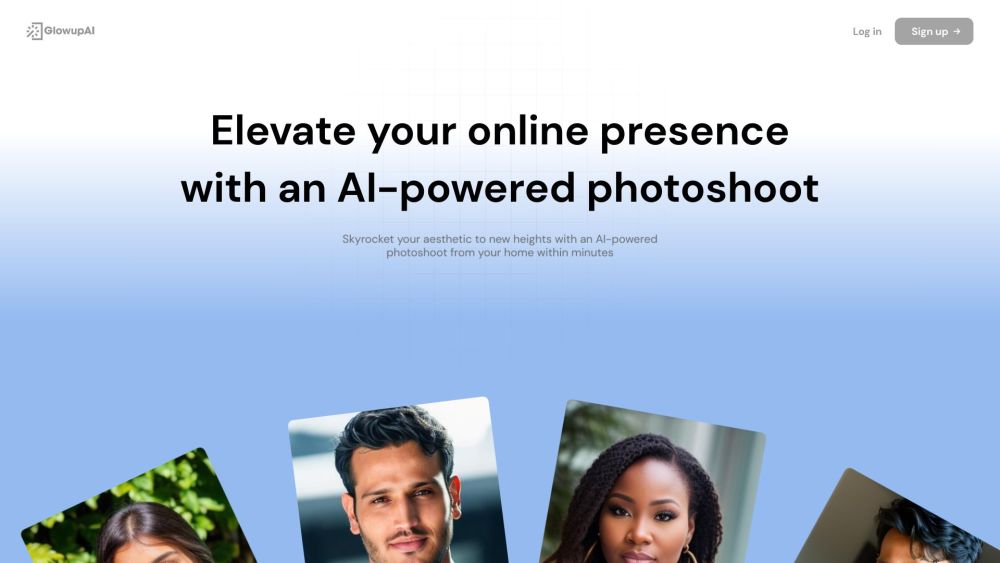
Glowup AI website preview

Glowup AI Website screenshot

What is Glowup AI?

Glowup AI is an innovative service that leverages artificial intelligence to deliver high-quality photoshoots, helping users improve their online presence with exceptional headshot photos. Through cutting-edge AI technology, Glowup AI produces photorealistic images from text descriptions, integrating various styles, concepts, and attributes. This service is ideal for enhancing profiles on social media, LinkedIn, and dating apps.

How to use Glowup AI?

Using Glowup AI is straightforward. Upload a variety of your photos, including close-ups, waist-up shots, and full-body images. The AI will analyze and learn from these photos, capturing your unique style. After the AI model is trained, you can create realistic images by providing specific prompts or selecting from pre-set templates. These images can be downloaded and used to elevate your online profiles.

Glowup AI's Core Features

AI-driven photoshoot experience

Natural enhancement with a polished look

Creation of realistic images from text prompts

Integration of diverse styles and concepts

Rapid image generation

Customizable image settings

High satisfaction among users

Extensive user community

Ultra HD resolution for images

Multiple pricing plans

Glowup AI's Use Cases

Boost your dating profile with standout headshots

Enhance your LinkedIn profile to attract professional connections

Improve your professional image with diverse headshots

Excel in both dating and professional spheres with premium photos

Product source: Glowup AI official website. Check the provider for current plans, limits and availability.

FAQ

Glowup AI questions and answers

Product context and practical checks for evaluating Glowup AI.

What is Glowup AI used for?

Elevate your online presence with Glowup AI: AI-powered photoshoots that transform text into stunning, professional headshots for social media, LinkedIn, and dating apps.

How do I get started with Glowup AI?

Using Glowup AI is straightforward. Upload a variety of your photos, including close-ups, waist-up shots, and full-body images. The AI will analyze and learn from these photos, capturing your unique style. After the AI model is trained, you can create realistic images by providing specific prompts or selecting from pre-set templates. These images can be downloaded and used to elevate your online profiles.

Which capabilities are described for Glowup AI?

AI-driven photoshoot experienceNatural enhancement with a polished lookCreation of realistic images from text promptsIntegration of diverse styles and conceptsRapid image generationCustomizable image settingsHigh satisfaction among usersExtensive user communityUltra HD resolution for imagesMultiple pricing plans

What projects can I evaluate Glowup AI for?

Boost your dating profile with standout headshotsEnhance your LinkedIn profile to attract professional connectionsImprove your professional image with diverse headshotsExcel in both dating and professional spheres with premium photos Glowup AI Support Email & Customer service contact & Refund contact etc. For more contact information, visit the contact us page. Glowup AI Company Company Name: CIPHER GROUP LTD. Glowup AI Login Login Link: https://app.glowupai.com/login Glowup AI Sign up Sign up Link: https://app.glowupai.com/signup Glowup AI Pricing Pricing Information: https://www.glowupai.com/#pricing Glowup AI Instagram Instagram: https://instagram.com/glowup_ai

What should I compare before choosing a Glowup AI plan?

Pricing Information: https://www.glowupai.com/#pricing Confirm current prices and allowances on the provider’s website before purchasing.

What inputs should I prepare for a Glowup AI trial?

Look for text prompts, image references, masks or sketches as appropriate. Compare composition control, supported upload types and the ability to revise a selected area.

How can I check the quality of a Glowup AI result?

Inspect text, hands, edges, reflections and repeated objects at full size. Check that important product or brand details survive editing.

Which export options should I check in Glowup AI?

Compare pixel dimensions, transparency, file formats and any enlargement options. Confirm that the downloaded result works in your design or publishing software.

What is a practical way to test Glowup AI against alternatives?

Prepare a brief with a subject, composition, lighting and required output size. Test a first generation and a targeted revision to see how much control you retain.

Where is the official Glowup AI website?

The website linked from this profile is https://www.glowupai.com. Use the provider’s own documentation, account area and support channels to confirm current product details.

Visit Glowup AI