Introducing GA4 Auditor - Your Ultimate Google Analytics 4 Audit Tool
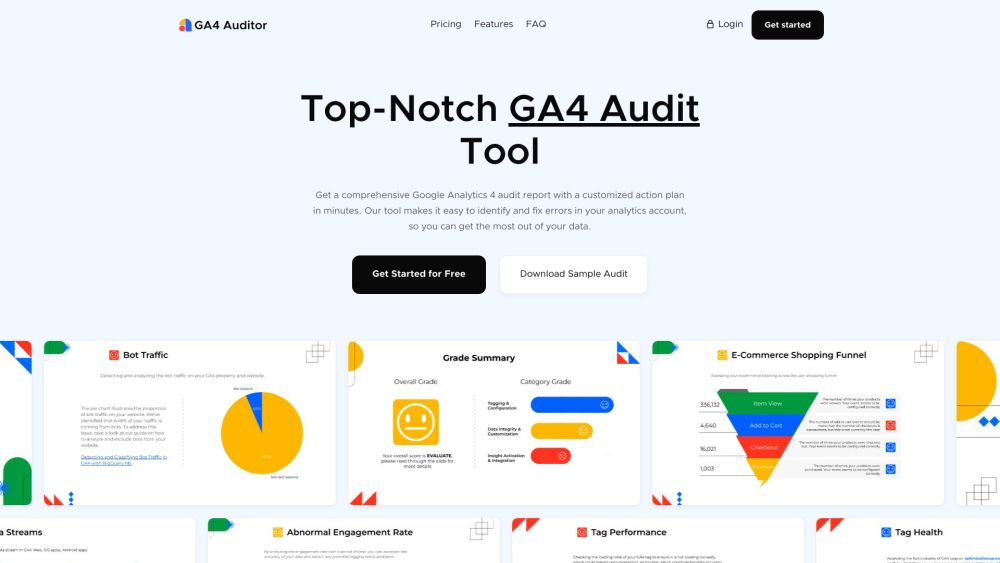
Are you looking for a reliable solution to audit your Google Analytics 4 data with precision and efficiency? Look no further than GA4 Auditor – the automated audit tool that delivers a comprehensive analytics report in just minutes, packed with actionable insights to enhance the accuracy and quality of your data.
Unlocking the Power of GA4 Auditor - Google Analytics 4 Audit Tool
Utilizing GA4 Auditor is a breeze. Simply connect your Google Analytics 4 account to the tool, select the property for auditing, and customize the report based on your preferences – from language to theme and file format. The tailored audit report provides valuable insights to optimize your GA4 implementation effectively.
Exploring the Core Features of GA4 Auditor
Discover the key features of GA4 Auditor that set it apart: 1. Tag Health & Performance: Ensure your GA4 tags are firing accurately, detect duplicates, and evaluate loading times. 2. Data Integrity & Quality: Identify and address data issues such as missing data, duplication, discrepancies, bot traffic, and sampling errors. 3. Implementation Best Practices: Receive expert recommendations to enhance your GA4 setup and leverage data for strategic business decisions. 4. Actionable Plan: Get a clear roadmap to resolve potential issues and streamline your GA4 migration process. 5. Save Time & Money: Streamline the auditing process, eliminating manual checks and reducing reliance on external consultants. 6. Tailored Reporting Options: Customize your reports in terms of language, theme, and file format to suit your preferences.
GA4 Auditor - Google Analytics 4 Audit Tool in Action
Explore how GA4 Auditor can benefit various users: 1. Brands: Enhance data accuracy, make informed decisions, and optimize marketing strategies. 2. Agencies: Manage client accounts efficiently, save time with automation, and deliver white-labeled audit reports. 3. Enterprises: Tailored solutions for specialized GA4 auditing requirements.
-
GA4 Auditor - Google Analytics 4 Audit Tool Support & Contact Information
For customer service inquiries, contact the GA4 Auditor team at [email protected].
-
GA4 Auditor - Google Analytics 4 Audit Tool Company Details
Get to know the company behind GA4 Auditor - Optimization Up.
-
GA4 Auditor - Google Analytics 4 Audit Tool Access
Sign in to GA4 Auditor via https://app.ga4auditor.com/auth/signin.
-
GA4 Auditor - Google Analytics 4 Audit Tool Pricing
Explore the pricing options for GA4 Auditor at https://www.ga4auditor.com/#pricing.
-
Connect with GA4 Auditor on Social Media
Follow GA4 Auditor on social media platforms for the latest updates:
- Facebook: https://www.facebook.com/ga4auditor/
- Youtube: https://www.youtube.com/@ga4auditor
- LinkedIn: https://www.linkedin.com/company/ga4auditor/
- Twitter: https://twitter.com/ga4auditor