Text to Image

Fooocus

Fooocus: Transform your creative ideas into reality with AI technology. Experience the future of creativity with Fooocus.

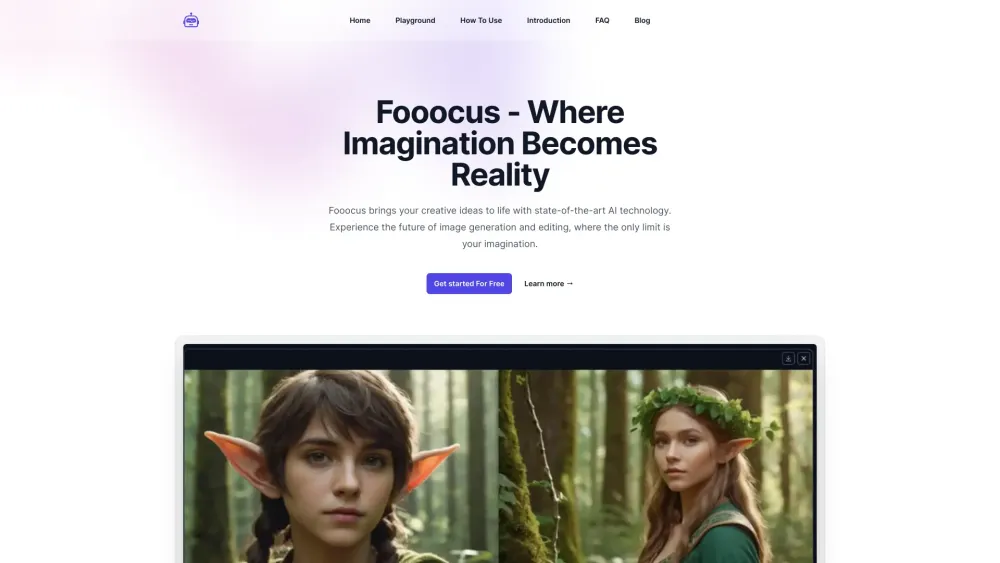
Fooocus website preview

Fooocus Website screenshot

Introducing Fooocus

Fooocus is a groundbreaking AI tool that transforms your creative concepts into reality with state-of-the-art technology.

How to Get Started with Fooocus

Step 1 - Select Your Prompt Begin by choosing or creating a prompt that perfectly encapsulates your creative vision for the image you wish to generate.
Step 2 - Customize Your Experience Utilize Fooocus's advanced settings to fine-tune the AI's focus, style, and output quality to match your requirements. Experiment with different model presets for artistic or realistic outcomes.
Step 3 - Generate Your Masterpiece Kickstart the image creation process and watch as Fooocus brings your prompt to life in a stunning visual form.
Step 4 - Refine Your Creation Employ Fooocus's inpainting and editing tools to adjust and perfect your generated image.
Step 5 - Share and Collaborate Share your work with the Fooocus community or collaborate with others to push creative boundaries.

Key Features of Fooocus

Cutting-Edge Inpainting

Fluid Image Prompts

Support for Multiple Prompts

Broad Model Compatibility

Adjustable Aspect Ratios

Advanced Style Customization

Prompt Reweighting

High-Fidelity Face Swapping

Optimized Performance on Various Hardware

Practical Applications of Fooocus

Create Stunning Digital Artwork

Enhance Photos with Realistic Effects

Generate Custom Avatars

Product source: Fooocus official website. Check the provider for current plans, limits and availability.

FAQ

Fooocus questions and answers

Product context and practical checks for evaluating Fooocus.

What is Fooocus used for?

Fooocus: Transform your creative ideas into reality with AI technology. Experience the future of creativity with Fooocus.

How do I get started with Fooocus?

Step 1 - Select Your Prompt Begin by choosing or creating a prompt that perfectly encapsulates your creative vision for the image you wish to generate. Step 2 - Customize Your Experience Utilize Fooocus's advanced settings to fine-tune the AI's focus, style, and output quality to match your requirements. Experiment with different model presets for artistic or realistic outcomes. Step 3 - Generate Your Masterpiece Kickstart the image creation process and watch as Fooocus brings your prompt to life in a stunning visual form. Step 4 - Refine Your Creation Employ Fooocus's inpainting and editing tools to adjust and perfect your generated image. Step 5 - Share and Collaborate Share your work with the Fooocus community or collaborate with others to push creative boundaries.

Which capabilities are described for Fooocus?

Cutting-Edge InpaintingFluid Image PromptsSupport for Multiple PromptsBroad Model CompatibilityAdjustable Aspect RatiosAdvanced Style CustomizationPrompt ReweightingHigh-Fidelity Face SwappingOptimized Performance on Various Hardware

What projects can I evaluate Fooocus for?

Create Stunning Digital ArtworkEnhance Photos with Realistic EffectsGenerate Custom Avatars Fooocus Support & Contact Information Contact Fooocus support for any assistance: [email protected]. For more contact details, visit the contact us page(mailto:[email protected]). Fooocus Pricing Information For pricing details, visit: https://fooocus.one/ Fooocus GitHub Repository Explore Fooocus on GitHub: https://github.com/lllyasviel/Fooocus?tab=readme-ov-file

What should I compare before choosing a Fooocus plan?

For pricing details, visit: https://fooocus.one/ Confirm current prices and allowances on the provider’s website before purchasing.

What inputs should I prepare for a Fooocus trial?

Identify the files, text or account connections your task needs. Confirm that the product accepts those inputs and offers controls for reviewing its work.

How can I check the quality of a Fooocus result?

Test one representative task and inspect the result for accuracy and completeness. Record where manual corrections or extra tools are needed.

Which export options should I check in Fooocus?

Check export formats, integrations and whether you can keep using your work outside the service. Test a real export before committing to a longer plan.

What is a practical way to test Fooocus against alternatives?

Choose one task with a clear success condition. Keep the input consistent, record the time spent reviewing and compare the complete workflow cost.

Where is the official Fooocus website?

The website linked from this profile is https://fooocus.one. Use the provider’s own documentation, account area and support channels to confirm current product details.

Visit Fooocus