Summarizer

Focal

Focal is an AI powered platform for reading and research, allowing users to save web articles and PDFs to their library without ads and clutter for a beautiful reading experience. Users can also use Focal Copilot as their GPT research companion to query, summarize, and analyze.

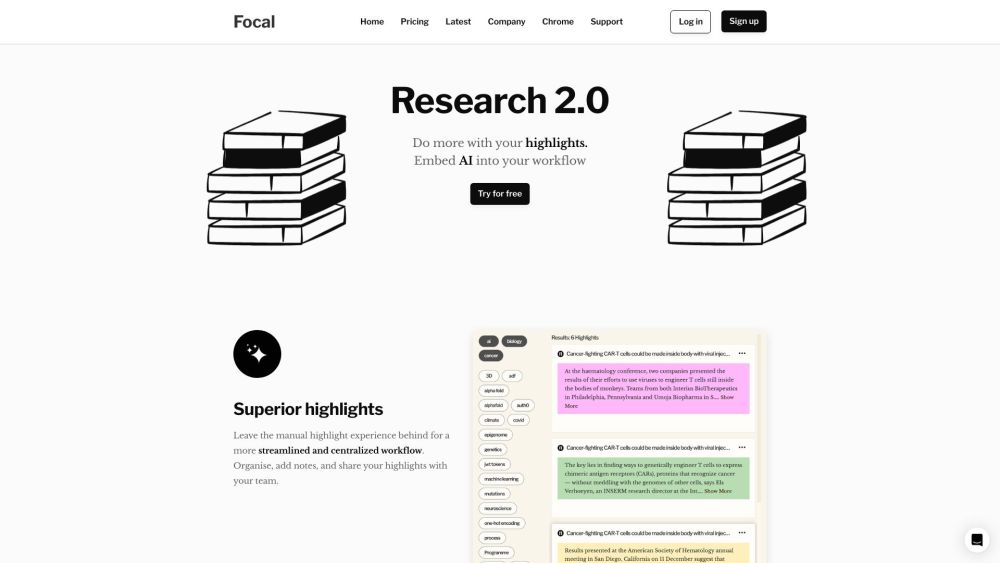
Focal website preview

Focal Website screenshot

What is Focal?

Focal is an innovative AI-powered platform designed to enhance reading and research experiences. It allows users to save web articles and PDFs in an ad-free and clutter-free environment, ensuring a pleasant reading experience. With Focal Copilot, users can leverage GPT technology to query, summarize, and analyze content efficiently.

How to use Focal?

Using Focal is straightforward: save web articles and PDFs to your personal library, highlight and tag significant sections, and take notes as needed. The AI features enable users to summarize content, extract valuable insights, and even generate new articles. Focal's interface is designed for a seamless reading experience and efficient organization of research materials using tags and collections.

Focal's Core Features

Save web articles and PDFs

Highlight and tag important sections

Capture notes

Summarize content with AI

Extract insights from various sources

Focal's Use Cases

Researchers: Aggregate large volumes of information, highlight key points, and utilize AI for summaries.

Students: Mark, bookmark, and summarize educational materials for effective study sessions.

Legal professionals: Identify crucial evidence or arguments and simplify complex legal texts with AI summaries.

Workplace: Preserve, highlight, and summarize essential reports, competitive research, and customer feedback for strategic decisions.

Product source: Focal official website. Check the provider for current plans, limits and availability.

FAQ

Focal questions and answers

Product context and practical checks for evaluating Focal.

What is Focal used for?

Focal is an AI powered platform for reading and research, allowing users to save web articles and PDFs to their library without ads and clutter for a beautiful reading experience. Users can also use Focal Copilot as their GPT research companion to query, summarize, and analyze.

How do I get started with Focal?

Using Focal is straightforward: save web articles and PDFs to your personal library, highlight and tag significant sections, and take notes as needed. The AI features enable users to summarize content, extract valuable insights, and even generate new articles. Focal's interface is designed for a seamless reading experience and efficient organization of research materials using tags and collections.

Which capabilities are described for Focal?

Save web articles and PDFsHighlight and tag important sectionsCapture notesSummarize content with AIExtract insights from various sources

What projects can I evaluate Focal for?

Researchers: Aggregate large volumes of information, highlight key points, and utilize AI for summaries.Students: Mark, bookmark, and summarize educational materials for effective study sessions.Legal professionals: Identify crucial evidence or arguments and simplify complex legal texts with AI summaries.Workplace: Preserve, highlight, and summarize essential reports, competitive research, and customer feedback for strategic decisions. Focal Support Email & Customer service contact & Refund contact etc. For more contact information, visit the contact us page. Focal Company Focal Company name: Focal. For more information about Focal, please visit the about us page. Focal Login Focal Login Link: https://app.getfocal.co Focal Sign up Focal Sign up Link: https://www.getfocal.co/pricing Focal Pricing Focal Pricing Link: https://www.getfocal.co/pricing

What should I compare before choosing a Focal plan?

Focal Pricing Link: https://www.getfocal.co/pricing Confirm current prices and allowances on the provider’s website before purchasing.

What inputs should I prepare for a Focal trial?

Look for text prompts, image references, masks or sketches as appropriate. Compare composition control, supported upload types and the ability to revise a selected area.

How can I check the quality of a Focal result?

Inspect text, hands, edges, reflections and repeated objects at full size. Check that important product or brand details survive editing.

Which export options should I check in Focal?

Compare pixel dimensions, transparency, file formats and any enlargement options. Confirm that the downloaded result works in your design or publishing software.

What is a practical way to test Focal against alternatives?

Prepare a brief with a subject, composition, lighting and required output size. Test a first generation and a targeted revision to see how much control you retain.

Where is the official Focal website?

The website linked from this profile is https://getfocal.co. Use the provider’s own documentation, account area and support channels to confirm current product details.

Visit Focal