AI Scheduling

FitTime+ - Chrome Extension

Boost your wellness with FitTime+! This Chrome extension helps you schedule workouts, stay active, and manage your time effortlessly.

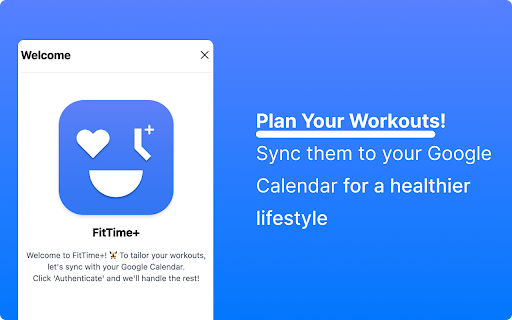
FitTime+ - Chrome Extension website preview

FitTime+ - Chrome Extension Website screenshot

What is FitTime+ Chrome Extension?

FitTime+ is your ultimate wellness companion, designed to streamline your fitness goals with smart scheduling and customized workout routines.

How to use FitTime+ Chrome Extension?

Download and install FitTime+ on Chrome to make wellness a priority in your daily routine, all while enhancing productivity.

Core Features of FitTime+ Chrome Extension

Customized Workout Plans

Smart Scheduling Assistant

Effortless App Integration

Use Cases for FitTime+ Chrome Extension

Schedule and Manage Daily Workouts

Monitor and Analyze Fitness Progress

Product source: FitTime+ - Chrome Extension official website. Check the provider for current plans, limits and availability.

FAQ

FitTime+ - Chrome Extension questions and answers

Product context and practical checks for evaluating FitTime+ - Chrome Extension.

What is FitTime+ - Chrome Extension used for?

Boost your wellness with FitTime+! This Chrome extension helps you schedule workouts, stay active, and manage your time effortlessly.

How do I get started with FitTime+ - Chrome Extension?

Download and install FitTime+ on Chrome to make wellness a priority in your daily routine, all while enhancing productivity.

Which capabilities are described for FitTime+ - Chrome Extension?

Customized Workout PlansSmart Scheduling AssistantEffortless App Integration

What projects can I evaluate FitTime+ - Chrome Extension for?

Schedule and Manage Daily WorkoutsMonitor and Analyze Fitness Progress

What should I compare before choosing a FitTime+ - Chrome Extension plan?

Check FitTime+ - Chrome Extension’s current pricing page for included usage, renewal terms and any credit charges. Compare the cost of a usable result, including retries, rather than assuming that account registration includes free usage.

What inputs should I prepare for a FitTime+ - Chrome Extension trial?

Identify the files, text or account connections your task needs. Confirm that the product accepts those inputs and offers controls for reviewing its work.

How can I check the quality of a FitTime+ - Chrome Extension result?

Test one representative task and inspect the result for accuracy and completeness. Record where manual corrections or extra tools are needed.

Which export options should I check in FitTime+ - Chrome Extension?

Check export formats, integrations and whether you can keep using your work outside the service. Test a real export before committing to a longer plan.

What is a practical way to test FitTime+ - Chrome Extension against alternatives?

Choose one task with a clear success condition. Keep the input consistent, record the time spent reviewing and compare the complete workflow cost.

Where is the official FitTime+ - Chrome Extension website?

The website linked from this profile is https://chromewebstore.google.com/detail/fittime+-extension/adlgbmcnnidfebinmeedjlikdildknjh. Use the provider’s own documentation, account area and support channels to confirm current product details.

Visit FitTime+ - Chrome Extension