AI Builder

Felvin

Felvin: Effortlessly create, customize, and monetize AI apps. No coding needed. Transform your app ideas into reality with our AI-powered no-code marketplace!

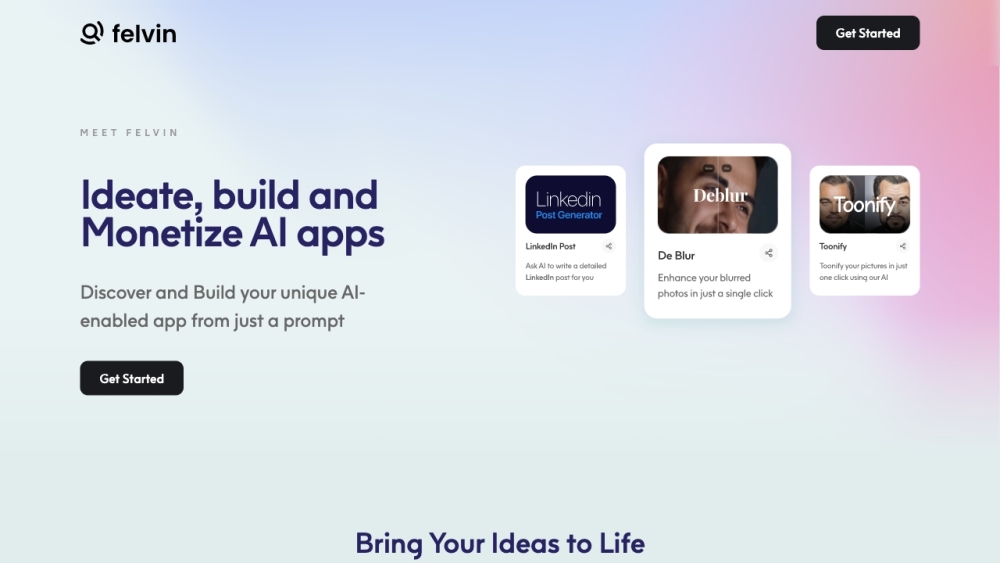
Felvin website preview

Felvin Website screenshot

What is Felvin?

Felvin is a cutting-edge AI-driven no-code marketplace that empowers users to create, customize, and monetize sophisticated AI-based applications without requiring any coding expertise. With Felvin, anyone can turn their innovative app ideas into reality effortlessly and efficiently.

How to use Felvin?

To get started with Felvin, follow these simple steps: 1. Define Inputs: Identify the fields and inputs needed from users and tag them appropriately. 2. Configure Computations: Set up the options and calculations that Felvin’s AI will execute based on the inputs. 3. Establish Logic: Outline the logic and prompts for Felvin's AI to follow. 4. Create: Use Felvin’s user-friendly platform and advanced AI tools to design, develop, and launch your custom app.

Felvin's Core Features

User-friendly platform

Advanced AI tools

Custom app creation

No coding skills required

Pre-built templates

Monetization opportunities

Image masking capabilities

Text generation

Styled image creation

Image manipulation

Felvin's Use Cases

Hairclip and dress alterations

Face swapping

Meme creation

Tattoo designing

Cover art production

Tinder bio generation

LinkedIn post creation

Tweet drafting

Cold email crafting

Recipe generation

Dreamcatcher art creation

Avatar generation

Pixel art creation

Pop art creation

Image blurring and deblurring

Image colorization and black-and-white conversion

Retro image effects

Fujifilm shot simulation

Noise reduction

Product source: Felvin official website. Check the provider for current plans, limits and availability.

FAQ

Felvin questions and answers

Product context and practical checks for evaluating Felvin.

What is Felvin used for?

Felvin: Effortlessly create, customize, and monetize AI apps. No coding needed. Transform your app ideas into reality with our AI-powered no-code marketplace!

How do I get started with Felvin?

To get started with Felvin, follow these simple steps: 1. Define Inputs: Identify the fields and inputs needed from users and tag them appropriately. 2. Configure Computations: Set up the options and calculations that Felvin’s AI will execute based on the inputs. 3. Establish Logic: Outline the logic and prompts for Felvin's AI to follow. 4. Create: Use Felvin’s user-friendly platform and advanced AI tools to design, develop, and launch your custom app.

Which capabilities are described for Felvin?

User-friendly platformAdvanced AI toolsCustom app creationNo coding skills requiredPre-built templatesMonetization opportunitiesImage masking capabilitiesText generationStyled image creationImage manipulation

What projects can I evaluate Felvin for?

Hairclip and dress alterationsFace swappingMeme creationTattoo designingCover art productionTinder bio generationLinkedIn post creationTweet draftingCold email craftingRecipe generationDreamcatcher art creationAvatar generationPixel art creationPop art creationImage blurring and deblurringImage colorization and black-and-white conversionRetro image effectsFujifilm shot simulationNoise reduction

What should I compare before choosing a Felvin plan?

Check Felvin’s current pricing page for included usage, renewal terms and any credit charges. Compare the cost of a usable result, including retries, rather than assuming that account registration includes free usage.

What inputs should I prepare for a Felvin trial?

Compare repository access, context limits, supported languages and tool permissions. Check whether the assistant can read relevant files and run your existing checks.

How can I check the quality of a Felvin result?

Review the diff, run tests and inspect error handling and dependency changes. Generated code should meet the same review standard as a human contribution.

Which export options should I check in Felvin?

Prefer changes you can inspect and keep in version control. Check whether code, tests and configuration can be exported without depending on a hosted preview.

What is a practical way to test Felvin against alternatives?

Choose a small reproducible bug with an existing failing check. Measure whether the tool fixes the cause, preserves behavior and produces a reviewable change.

Where is the official Felvin website?

The website linked from this profile is https://www.promptdodo.com. Use the provider’s own documentation, account area and support channels to confirm current product details.

Visit Felvin