AI Accounting Assistant

facturasaexcel

Transform invoices to organized Excel files in seconds with facturasaexcel, the AI-powered tool for effortless, accurate data extraction. Ideal for freelancers and businesses!

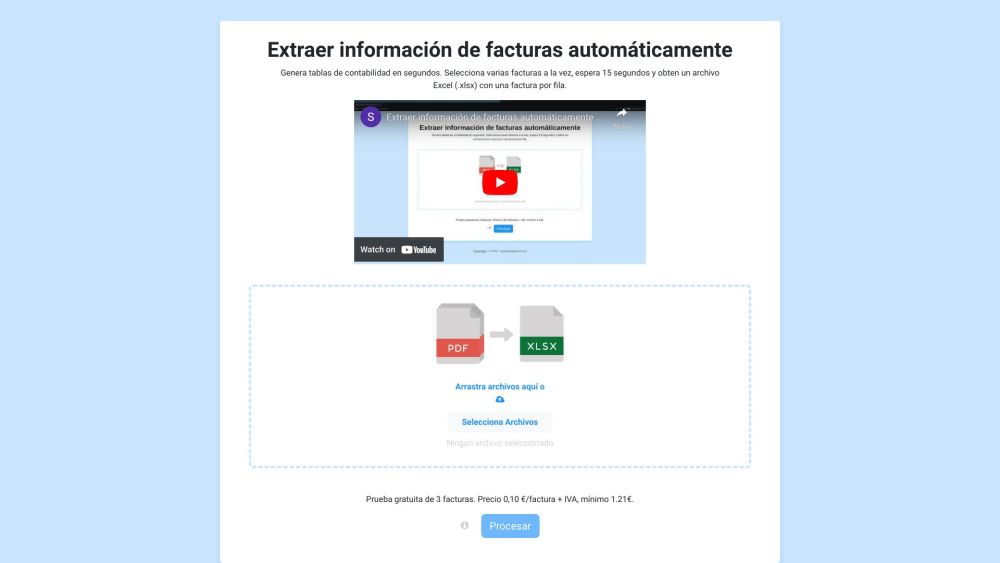
facturasaexcel website preview

facturasaexcel Website screenshot

What is facturasaexcel?

facturasaexcel is an advanced tool designed to automatically extract data from invoices and convert it into structured Excel tables. Ideal for freelancers and businesses, this AI-powered solution simplifies the process of transforming invoices into neatly organized Excel files, significantly reducing the need for manual data entry and saving valuable time.

How to use facturasaexcel?

Using facturasaexcel is straightforward: 1. Upload multiple PDF invoices. 2. Allow 15 seconds for processing. 3. Download the resulting Excel file (.xlsx), where each invoice is organized into individual rows. 4. Optionally, drag and drop PDF files directly on the website. 5. For better organization, the files are automatically renamed according to their date and description.

facturasaexcel's Core Features

Core Features of facturasaexcel

facturasaexcel offers several key features: - Automated invoice data extraction - Rapid generation of accounting tables - Batch processing capability - Export of data to Excel format (.xlsx)

facturasaexcel's Use Cases

Use Cases of facturasaexcel

facturasaexcel is particularly useful for: - Freelancers who need to organize multiple invoices quickly - Businesses aiming to streamline their accounting processes - Individuals looking to save time by automating data extraction from invoices - Users who require easy access and search functionality for their invoices without manual sorting

Product source: facturasaexcel official website. Check the provider for current plans, limits and availability.

FAQ

facturasaexcel questions and answers

Product context and practical checks for evaluating facturasaexcel.

What is facturasaexcel used for?

Transform invoices to organized Excel files in seconds with facturasaexcel, the AI-powered tool for effortless, accurate data extraction. Ideal for freelancers and businesses!

How do I get started with facturasaexcel?

Using facturasaexcel is straightforward: 1. Upload multiple PDF invoices. 2. Allow 15 seconds for processing. 3. Download the resulting Excel file (.xlsx), where each invoice is organized into individual rows. 4. Optionally, drag and drop PDF files directly on the website. 5. For better organization, the files are automatically renamed according to their date and description.

Which capabilities are described for facturasaexcel?

Core Features of facturasaexcel facturasaexcel offers several key features: - Automated invoice data extraction - Rapid generation of accounting tables - Batch processing capability - Export of data to Excel format (.xlsx)

What projects can I evaluate facturasaexcel for?

Use Cases of facturasaexcel facturasaexcel is particularly useful for: - Freelancers who need to organize multiple invoices quickly - Businesses aiming to streamline their accounting processes - Individuals looking to save time by automating data extraction from invoices - Users who require easy access and search functionality for their invoices without manual sorting

What should I compare before choosing a facturasaexcel plan?

Check facturasaexcel’s current pricing page for included usage, renewal terms and any credit charges. Compare the cost of a usable result, including retries, rather than assuming that account registration includes free usage.

What inputs should I prepare for a facturasaexcel trial?

Compare recording length, file types, language support and speaker handling. For voice generation, check pronunciation controls and permission to use any reference voice.

How can I check the quality of a facturasaexcel result?

Listen for mispronounced names, unnatural pauses, clipped words and noise. For transcripts, compare the text with the recording and correct speaker labels.

Which export options should I check in facturasaexcel?

Check audio format, sample rate, separate tracks, captions and timestamp exports. Confirm that the result works in your editing or accessibility workflow.

What is a practical way to test facturasaexcel against alternatives?

Use a short recording with names, numbers and more than one speaker, or a script with difficult pronunciation. Review the exported audio or transcript in full.

Where is the official facturasaexcel website?

The website linked from this profile is https://www.promptdodo.com. Use the provider’s own documentation, account area and support channels to confirm current product details.

Visit facturasaexcel