AI Advertising Assistant

EcomAdPro

EcomAdPro is a service that specializes in creating high-converting video ads for e-commerce businesses, particularly those using platforms like TikTok, Facebook, Instagram, and YouTube Shorts.

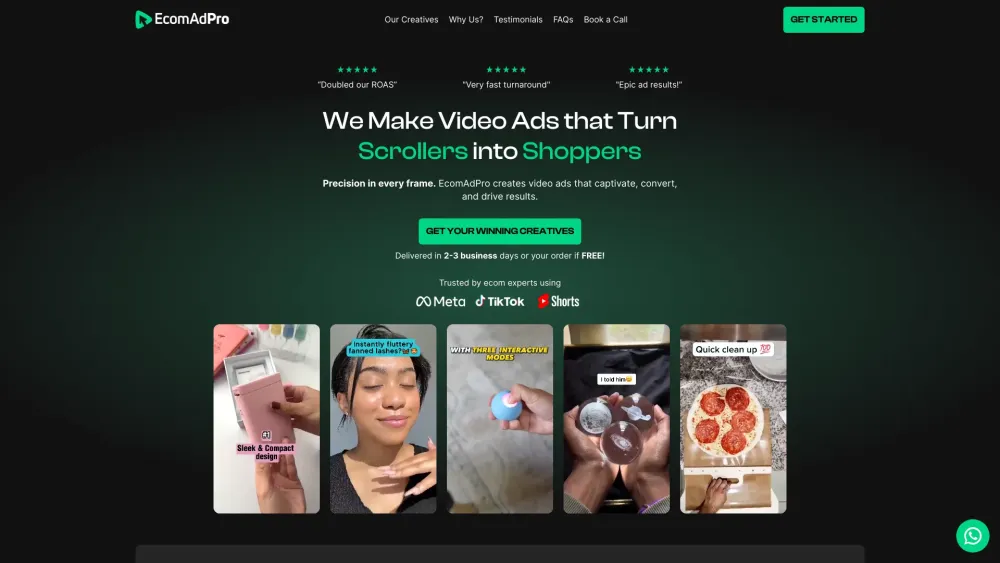
EcomAdPro website preview

EcomAdPro Website screenshot

Understanding EcomAdPro

EcomAdPro is a premier service designed to craft highly effective video advertisements for e-commerce businesses, specifically tailored for platforms such as TikTok, Facebook, Instagram, and YouTube Shorts.

Steps to Utilize EcomAdPro

1. Select your desired package and complete the order form. 2. Receive a notification within 2-3 days via email. 3. Review and either approve the content or request modifications. 4. Reap the benefits of compelling video ads.

Key Features of EcomAdPro

Crafting High-Converting Video Ads

Sourcing Engaging Clips from Top Websites

Editing Videos Using the Proven SSS Framework

Developing Persuasive Scripts

Incorporating Strong Calls to Action

Applications of EcomAdPro

Enhancing Cost-Per-Click (CPC)

Boosting Click-Through Rates (CTR)

Maximizing Return on Ad Spend (ROAS)

Increasing Sales

  • Customer Support and Contact Information

    For customer support, please email us at: [email protected]. For more contact options, visit our contact us page.

  • About EcomAdPro

    Company Name: EcomAdPro

  • EcomAdPro Pricing

    For detailed pricing information, visit: Pricing Page.

  • Follow EcomAdPro on Instagram

    Stay updated by following us on Instagram: EcomAdPro Official.

  • Contact EcomAdPro on WhatsApp

    Reach out to us via WhatsApp: Contact on WhatsApp.

Product source: EcomAdPro official website. Check the provider for current plans, limits and availability.

FAQ

EcomAdPro questions and answers

Product context and practical checks for evaluating EcomAdPro.

What is EcomAdPro used for?

EcomAdPro is a service that specializes in creating high-converting video ads for e-commerce businesses, particularly those using platforms like TikTok, Facebook, Instagram, and YouTube Shorts.

How do I get started with EcomAdPro?

Open the official EcomAdPro website and identify the workflow that matches your task. Use a short shot with one subject and one camera movement. Keep the prompt and duration constant, then compare usable seconds and the number of regenerations.

Which capabilities are described for EcomAdPro?

Crafting High-Converting Video AdsSourcing Engaging Clips from Top WebsitesEditing Videos Using the Proven SSS FrameworkDeveloping Persuasive ScriptsIncorporating Strong Calls to Action

What projects can I evaluate EcomAdPro for?

Enhancing Cost-Per-Click (CPC)Boosting Click-Through Rates (CTR)Maximizing Return on Ad Spend (ROAS)Increasing Sales Customer Support and Contact Information For customer support, please email us at: [email protected]. For more contact options, visit our contact us page. About EcomAdPro Company Name: EcomAdPro EcomAdPro Pricing For detailed pricing information, visit: Pricing Page. Follow EcomAdPro on Instagram Stay updated by following us on Instagram: EcomAdPro Official. Contact EcomAdPro on WhatsApp Reach out to us via WhatsApp: Contact on WhatsApp.

What should I compare before choosing a EcomAdPro plan?

For detailed pricing information, visit: Pricing Page. Confirm current prices and allowances on the provider’s website before purchasing.

What inputs should I prepare for a EcomAdPro trial?

Compare text prompts, reference frames, source footage and audio support. Check duration, aspect ratio and whether the tool lets you keep a subject consistent between shots.

How can I check the quality of a EcomAdPro result?

Watch the entire clip for motion errors, distorted objects, changing identities, lip-sync problems and abrupt transitions. Inspect the downloaded file as well as the preview.

Which export options should I check in EcomAdPro?

Check export resolution, frame rate, aspect ratio, audio tracks and watermark rules. A good preview is not a substitute for an export that fits your publishing channel.

What is a practical way to test EcomAdPro against alternatives?

Use a short shot with one subject and one camera movement. Keep the prompt and duration constant, then compare usable seconds and the number of regenerations.

Where is the official EcomAdPro website?

The website linked from this profile is https://makebestmusic.com. Use the provider’s own documentation, account area and support channels to confirm current product details.

Visit EcomAdPro