AI Developer Tools

Echooo - Chrome Extension

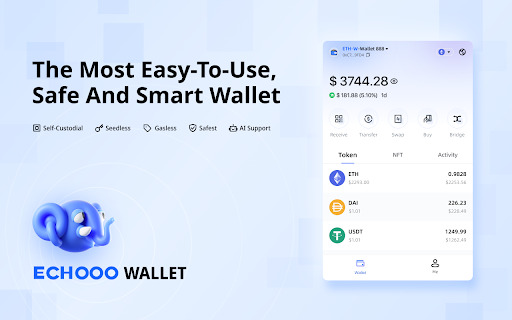
Echooo - Chrome Extension: A decentralized smart wallet with top-tier security features. Simplify crypto transactions while keeping your assets secure.

Echooo - Chrome Extension website preview

Echooo - Chrome Extension Website screenshot

What is Echooo - Chrome Extension?

Echooo is a decentralized smart wallet Chrome extension designed to provide users with a self-custodial solution for secure asset management. Built on the zkSync layer 2 network, it combines cutting-edge AI-driven technology with a multisig and social recovery system, optimizing both security and transaction costs for users.

How to use the Echooo Chrome Extension?

To get started, create an EOA (Externally Owned Account) wallet for high-speed trading activities, and set up a Vault for secure transactions using the multisig and social recovery features. With built-in multi-chain support and a powerful AI engine, users can enjoy seamless and safe transactions across multiple blockchain platforms.

Key Features of Echooo - Chrome Extension

Decentralized Self-Custodial Wallet

Advanced Multisig for Enhanced Security

Supports EVM-Compatible Blockchain Networks

AI-Powered Smart Engine for Transaction Efficiency

Main Use Cases of Echooo Chrome Extension

Execute High-Frequency Trades with EOA Wallet

Perform Secure Transactions via Vault with Multisig

Receive Real-Time Risk Alerts and Security Assessments

Product source: Echooo - Chrome Extension official website. Check the provider for current plans, limits and availability.

FAQ

Echooo - Chrome Extension questions and answers

Product context and practical checks for evaluating Echooo - Chrome Extension.

What is Echooo - Chrome Extension used for?

Echooo - Chrome Extension: A decentralized smart wallet with top-tier security features. Simplify crypto transactions while keeping your assets secure.

How do I get started with Echooo - Chrome Extension?

To get started, create an EOA (Externally Owned Account) wallet for high-speed trading activities, and set up a Vault for secure transactions using the multisig and social recovery features. With built-in multi-chain support and a powerful AI engine, users can enjoy seamless and safe transactions across multiple blockchain platforms.

Which capabilities are described for Echooo - Chrome Extension?

Decentralized Self-Custodial WalletAdvanced Multisig for Enhanced SecuritySupports EVM-Compatible Blockchain NetworksAI-Powered Smart Engine for Transaction Efficiency

What projects can I evaluate Echooo - Chrome Extension for?

Execute High-Frequency Trades with EOA WalletPerform Secure Transactions via Vault with MultisigReceive Real-Time Risk Alerts and Security Assessments

What should I compare before choosing a Echooo - Chrome Extension plan?

Check Echooo - Chrome Extension’s current pricing page for included usage, renewal terms and any credit charges. Compare the cost of a usable result, including retries, rather than assuming that account registration includes free usage.

What inputs should I prepare for a Echooo - Chrome Extension trial?

Look for text prompts, image references, masks or sketches as appropriate. Compare composition control, supported upload types and the ability to revise a selected area.

How can I check the quality of a Echooo - Chrome Extension result?

Inspect text, hands, edges, reflections and repeated objects at full size. Check that important product or brand details survive editing.

Which export options should I check in Echooo - Chrome Extension?

Compare pixel dimensions, transparency, file formats and any enlargement options. Confirm that the downloaded result works in your design or publishing software.

What is a practical way to test Echooo - Chrome Extension against alternatives?

Prepare a brief with a subject, composition, lighting and required output size. Test a first generation and a targeted revision to see how much control you retain.

Where is the official Echooo - Chrome Extension website?

The website linked from this profile is https://chromewebstore.google.com/detail/echooo-wallet/lcmncloheoekhbmljjlhdlaobkedjbgd. Use the provider’s own documentation, account area and support channels to confirm current product details.

Visit Echooo - Chrome Extension