AI Video Generator

DeepBrain AI

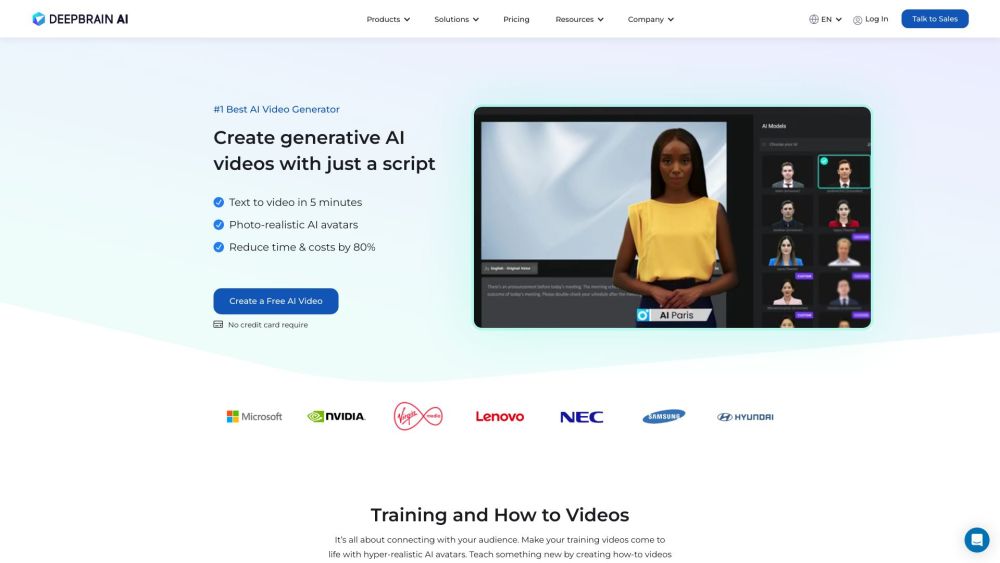
DeepBrain AI is the best AI video generator that allows users to quickly create AI-generated videos using simple text. With support for multi-language text-to-speech (TTS) using Metahuman, users can engage with realistic AI avatars. The platform offers various products including AI Human, AI Studios, AI Interview, and AI Avatars. DeepBrain AI is suitable for industries such as financial services, retail and commerce, education, and media.

DeepBrain AI website preview

DeepBrain AI Website screenshot

What is DeepBrain AI?

DeepBrain AI is an advanced AI video creation tool that enables users to swiftly generate videos from simple text inputs. It features multi-language text-to-speech (TTS) capabilities using Metahuman, providing users with lifelike AI avatars. The platform offers a range of products including AI Human, AI Studios, AI Interview, and AI Avatars, catering to sectors such as finance, retail, education, and media.

How to Use DeepBrain AI?

Creating AI-generated videos with DeepBrain AI is straightforward. Users can input a script or text, and within five minutes, a video is produced. The platform boasts over 100 fully licensed AI avatars that can communicate in more than 55 languages. Additionally, custom avatars can be crafted for celebrities, politicians, news anchors, and sports figures. DeepBrain AI offers various prebuilt video templates suitable for training, how-to, marketing, explainer, and news videos. The user-friendly online video editor features a drag-and-drop interface with powerful functionalities like closed captions, backgrounds, and soundtracks, and also provides automatic subtitle settings.

Core Features of DeepBrain AI

AI Video Generation from Text

Multi-language Text-to-Speech (TTS) with Metahuman

Photo-realistic AI Avatars

Reduces Time and Costs by 80%

Diverse Cast of Fully Licensed AI Avatars

Custom Avatars for Celebrities and Public Figures

Supports Over 80 Languages

Various Video Templates for Different Purposes

User-friendly Online Video Editor with Advanced Features

Automatic Subtitle Settings

Use Cases for DeepBrain AI

Training Videos

How-to Videos

Marketing Videos

News Videos

Social Media Videos for YouTube, TikTok, and Instagram

Product source: DeepBrain AI official website. Check the provider for current plans, limits and availability.

FAQ

DeepBrain AI questions and answers

Product context and practical checks for evaluating DeepBrain AI.

What is DeepBrain AI used for?

DeepBrain AI is the best AI video generator that allows users to quickly create AI-generated videos using simple text. With support for multi-language text-to-speech (TTS) using Metahuman, users can engage with realistic AI avatars. The platform offers various products including AI Human, AI Studios, AI Interview, and AI Avatars. DeepBrain AI is suitable for industries such as financial services, retail and commerce, education, and media.

How do I get started with DeepBrain AI?

Creating AI-generated videos with DeepBrain AI is straightforward. Users can input a script or text, and within five minutes, a video is produced. The platform boasts over 100 fully licensed AI avatars that can communicate in more than 55 languages. Additionally, custom avatars can be crafted for celebrities, politicians, news anchors, and sports figures. DeepBrain AI offers various prebuilt video templates suitable for training, how-to, marketing, explainer, and news videos. The user-friendly online video editor features a drag-and-drop interface with powerful functionalities like closed captions, backgrounds, and soundtracks, and also provides automatic subtitle settings.

Which capabilities are described for DeepBrain AI?

AI Video Generation from TextMulti-language Text-to-Speech (TTS) with MetahumanPhoto-realistic AI AvatarsReduces Time and Costs by 80%Diverse Cast of Fully Licensed AI AvatarsCustom Avatars for Celebrities and Public FiguresSupports Over 80 LanguagesVarious Video Templates for Different PurposesUser-friendly Online Video Editor with Advanced FeaturesAutomatic Subtitle Settings

What projects can I evaluate DeepBrain AI for?

Training VideosHow-to VideosMarketing VideosNews VideosSocial Media Videos for YouTube, TikTok, and Instagram DeepBrain AI Support Email & Customer Service Contact For more contact information, visit the contact us page DeepBrain AI Company Company name: DeepBrain AI. For more about DeepBrain AI, visit the about us page. DeepBrain AI Login Login Link: https://app.deepbrain.io/auth/signin?home=true DeepBrain AI Pricing Pricing information: https://www.deepbrain.io/pricing DeepBrain AI Facebook Facebook Link: https://www.facebook.com/Deep

What should I compare before choosing a DeepBrain AI plan?

Pricing information: https://www.deepbrain.io/pricing Confirm current prices and allowances on the provider’s website before purchasing.

What inputs should I prepare for a DeepBrain AI trial?

Compare text prompts, reference frames, source footage and audio support. Check duration, aspect ratio and whether the tool lets you keep a subject consistent between shots.

How can I check the quality of a DeepBrain AI result?

Watch the entire clip for motion errors, distorted objects, changing identities, lip-sync problems and abrupt transitions. Inspect the downloaded file as well as the preview.

Which export options should I check in DeepBrain AI?

Check export resolution, frame rate, aspect ratio, audio tracks and watermark rules. A good preview is not a substitute for an export that fits your publishing channel.

What is a practical way to test DeepBrain AI against alternatives?

Use a short shot with one subject and one camera movement. Keep the prompt and duration constant, then compare usable seconds and the number of regenerations.

Where is the official DeepBrain AI website?

The website linked from this profile is https://www.deepbrain.io/aistudios. Use the provider’s own documentation, account area and support channels to confirm current product details.

Visit DeepBrain AI